





Key Takeaways
- Squarespace offers four pricing plans; the Business plan is recommended for bloggers, unlocking CSS customization and pop-over tools.
- Before registering, establish your niche, brand name, and pre-write several posts to ease early content demands.
- Key on-site optimizations include custom titles, image alt text, sitemap submission to Google Search Console, and proper navigation setup.
- SEOSpace is a standout Squarespace-specific extension; Google Analytics integration is also essential for deeper audience insights.
- Consistent publishing of substantive content and active link building are the primary drivers of long-term Squarespace blog growth.
Squarespace is one of many website builders that you can use to go from nothing to a functional website in a matter of hours. It competes with the likes of WordPress, Wix, and Weebly, and currently holds around 3% of the widespread CMS market share, which makes it the fourth most widely used CMS in the world. I find it to be one of the better options out there, and so decided to write a guide to creating and growing a Squarespace blog.
For this post, I've split things up into two sections. The first is focused on building a Squarespace blog from the ground up. What it takes to register, what optimizations you can make, any extensions you should consider, and so on. The second half is dedicated to growing the site once it's up and running, with any techniques Squarespace might add or change from traditional SEO. Let's get started!
Building a New Squarespace Blog
As a website builder, Squarespace has a free trial. But you won't find unfettered access for free. You can sign up and test out the service for free, and then pay if you like what you see. Plans are paid monthly or annually, with discounts for paying annually.

They have four plans available:
- Personal. This plan starts at $16 per month and offers unlimited pages, blog posts, and bandwidth. It's mobile-optimized and comes with analytics, SSL security, and around the clock customer support. You also get a free domain name if you pay annually rather than monthly. Your choice of domain is limited to their cheaper options, but it's potentially useful if you aren't looking for a competitive name. It's also just one year of free registration, after which you need to pay for the domain yourself. No big deal, domains are cheap to maintain.
- Business. This plan steps up the feature set considerably. It includes unlimited contributors, better metrics, and a range of business-focused tools. Notably, it unlocks customization through CSS and JavaScript, integrated pop-overs, an Announcement Bar, and e-commerce integration.
- Basic Commerce. This tier includes everything from the Business plan, plus an online store you can use for unlimited products with no transaction fees, more specialized analytics, inventory management, label printing, Xero accounting integration, and on-domain checkout.
- Advanced Commerce. The top-tier plan includes everything in Basic Commerce, plus abandoned cart recovery, discount options, gift card services, and an orders API suited to larger ecommerce operations.
Given that we're talking about running a blog instead of a storefront, the Business plan is a good starting point - it unlocks site customization and the pop-over tools that are legitimately helpful for growing an audience. That said, you can change plans at any time and will be charged or refunded a prorated difference in price, so start where you're comfortable and scale up as needed.
Lay the Groundwork
Before you even register for Squarespace, you'll need to have figured out what you're doing. What do you want to write about? Do you have any existing branding to build from, or are you starting fresh? Figure out your topic and come up with a brand name, because branding matters in modern marketing. Go for something like "SusansInteriors" that you can brand more personally.
Helpfully, you can check Squarespace's domain directory to see if what you want is available. Of course, you could also check registrars like Namecheap or Cloudflare Registrar and might get a better renewal rate. Squarespace sometimes offers a free year of domain registration on annual plans, but tends to charge a premium on renewal, so it's worth comparing before committing.
You should also look through Squarespace's template library, which now has over 185 templates to browse. You can customize your chosen template later, but you want a foundation that fits your visual style. None of the templates are better or worse for SEO - they all share the same Squarespace back-end and customization options - so find something that fits the look and feel you're going for.
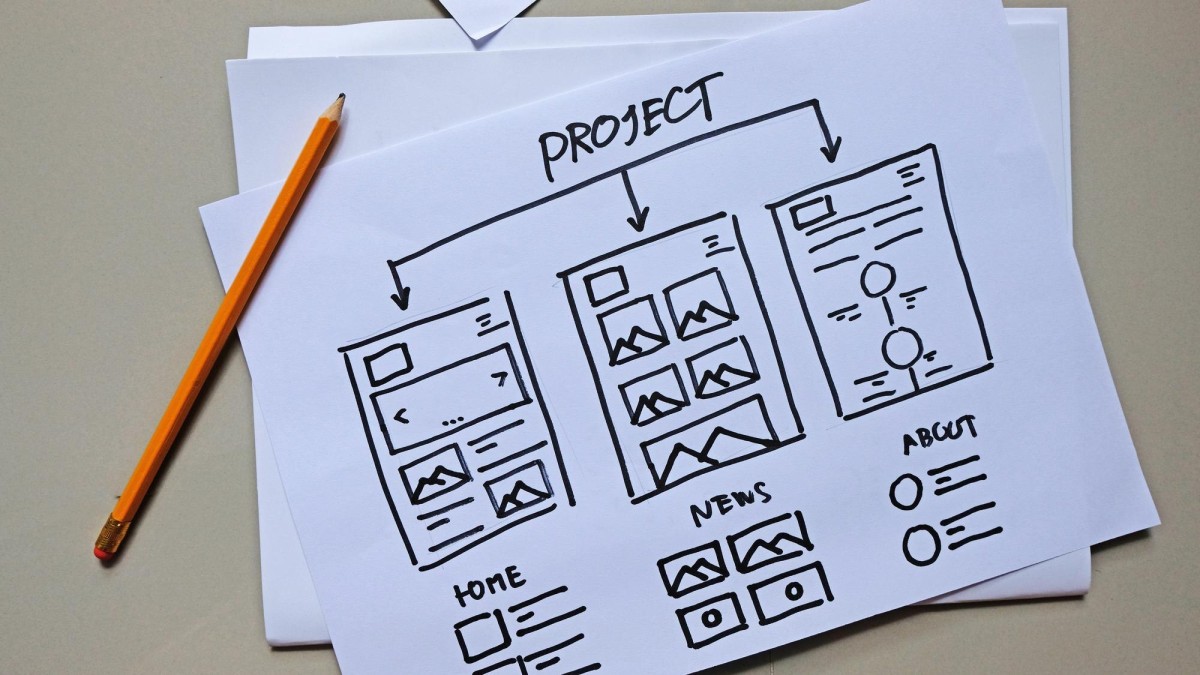
It can also be helpful to pre-write half a dozen or so blog posts to seed your site with content, and another half-dozen or so to schedule for the first few weeks after going live. This takes some of the content creation burden off your shoulders while you're busy with other marketing, site optimization, and troubleshooting. It might even be worthwhile to hire a content writing service for that first burst, depending on your budget.
Once you have a domain and a Squarespace account set up, make sure your account is connected to your custom domain. You may need to verify your domain via email, and you'll also need to set the DNS and nameserver records to point your domain to your Squarespace site.
Site Optimization
Squarespace will essentially require you to use a custom domain name if you want to get anywhere in terms of SEO. Given that Google accounts for over 90% of all search traffic online, and nearly three out of four bloggers say SEO is their top traffic source, it's worth taking on-site optimization seriously from day one. Here are the key areas to focus on.
Start with titles. Squarespace lets you customize your site title, page and post titles, and headings. Remember that blog post titles on Squarespace have to be 200 characters or less, so write with that constraint in mind. Make sure post titles are descriptive, keyword-informed, and click-worthy without being spammy.
Don't forget to set up navigation. You want a link to your homepage, a link to your blog directory, a contact page, and an About page at the bare minimum. You may also want category pages, a "write for us" page, and links to your social media profiles. Make sure to actually create any page or category you're looking to link to.

There's meta data to set as well. Some of it, like post descriptions, you set when you publish a post. You can also set physical location with a map block, business information blocks, and other contact details. Some bloggers use this, others don't; it can depend on your niche and goals.
Images carry SEO value. Any image you use should be compressed so the file size isn't excessive, for page load time benefits. Name the file something descriptive with a relevant keyword, and when you upload it to Squarespace, fill in the alt text field. This helps you pull in traffic from Google Image Search and can add actual accessibility benefits to your pages.
Configure your blog pagination settings. Squarespace lets you display between 1 and 20 posts per page in your blog settings. Choosing the right number for your site's design and load speed is a worthwhile optimization.
It's also worthwhile to submit your sitemap to Google. Squarespace automatically generates an XML sitemap, which you can submit via Google Search Console. To do so, add your site as a property in Search Console, then navigate to the Sitemaps section and enter the sitemap URL. Google will walk you through any verification steps.
Extensions
Squarespace has moved away from the older plugin model and now has over 31 official extensions through its Extensions Marketplace. Unlike WordPress, there isn't a large free plugin directory, but the extensions available cover a range of functionality. Here are some worth thinking about.

- SEOSpace. This is one of the most talked-about SEO tools built specifically for Squarespace. SEOSpace Founder Henry Purchase famously grew his Squarespace blog from zero to over 5,000 organic clicks per month using this tool. It audits your site for SEO issues, gives you actionable recommendations, and is designed specifically for Squarespace's architecture rather than being a generic tool bolted on.
- Printful or Printify. If you ever want to add a merch component to your blog, both of these print-on-demand services integrate directly with Squarespace stores.
- Shipstation. Useful if you scale into physical product sales, with robust order management tools.
- QuickBooks or Xero. Both accounting integrations are available if you need to track income from your blog seriously.
- Disqus. An alternative comment system that some bloggers prefer over Squarespace's native comments, particularly for community building.
- Google Analytics. Still essential. Squarespace has built-in analytics, but connecting Google Analytics gives you far deeper insight into your audience and traffic sources.
If you're looking for a feature and can't find an official extension for it, there are third-party developers who sell code snippets and custom blocks. Sites like SQSP Themes and Square Studio offer small add-ons for things like accordions, back-to-top buttons, and image effects. If you're looking for something in particular, drop it in the comments and I or a fellow reader may be able to point you in the right direction.
Growing a Squarespace Site
Growing a blog on Squarespace is the same as growing any blog, so I'm not going to go into too much detail here. A large portion of this site is dedicated to growing blogs, so browse around for more in-depth advice on those topics.
Perhaps the number one thing you should do, after your on-site optimizations, is publish content on a consistent basis. Blog posts should be substantive, covering topics in your niche in enough depth to legitimately help the reader and give them useful information. One post per week is a basic minimum baseline, but two or three per week will accelerate your growth meaningfully.
I recommend writing a backlog of posts at least a week in advance, if not more. Squarespace lets you schedule posts for future publication natively, so it's easy to manage. If you need to scale content output, you can bring on contributors - the Business plan supports unlimited contributors - or work with freelance writers, with everything published under your brand name.

Search engine visibility will build over time, but it helps to pursue link building actively. Network with other blogs, get listed in quality directories, and share posts across social media. Find sites in your niche and pitch guest posts, using your best existing content as a portfolio. Earning links from authoritative, relevant sites remains one of the most impactful things you can do for long-term SEO growth.
Growth of a new site will be slow. There are no shortcuts that will hold up over time. You need to be willing to put in the work, optimize as you learn, and treat your blog as a long-term project instead of a quick win. The climb is gradual, but it's manageable with the right foundation in place.

1 response
Thoughtful replies only - we moderate for spam, AI slop, and off-topic rants.
Are there any reasons to use SquareSpace over WordPress for a blog? It seems it is less popular for a blog than WordPress and with less plugins, but I like how user-friendly it is and easy since I'm not very tech savvy.