Key Takeaways
- Google officially states ad approval takes 1 business day, but most straightforward ads are approved within 1 to 4 hours.
- Ads requiring manual review can take 2 or more business days; contact Google support if review exceeds that timeframe.
- New Google Ads accounts require an additional 24 to 48 hours of verification before any ads can run.
- Factors like weekend submissions, sensitive industries, editing pending ads, or multiple ads in one group can extend approval times.
- A suspended site blocks all ads pointing to that domain, regardless of the individual ad's compliance with policies.
The Google Ads Approval Process
Google makes a lot of money from their advertising platform, so it makes sense that they have a solid process in place to review ads as they're created. It wouldn't be sensible for them to have a team of people manually reviewing everything, after all - it would be a full-time job for thousands of people. In large part, the review is handled by a series of algorithms, with a higher-level overview performed to spot-check ads manually, refine those algorithms, and review ads that are left in limbo.
The Google Ads Approval Process

When you create an ad or edit an existing ad, the ad must go through the approval process in order to run successfully. This approval process is essentially a series of sophisticated filters that scan and look for anything objectionable that violates Google's advertising policies.
The ad analysis algorithm will check the headline, description, keywords, and destination - website or app - of the ad. If an issue is discovered, the ad will either not run or stop running, depending on whether or not it was already running. If your ad has an issue, Google will send an email to your address explaining which policy your ad violates. You are then free to edit the ad and resubmit it through the filters again.
There are a number of different possible status levels for your ads. They each mean something different, so here's a summary.
- Eligible. This is an ad that is still progressing through the approval process. However, it is eligible to run on a preliminary basis. It can show up in Google's search results but will not appear in the display network until it is fully approved.
- Under Review. This is an ad that is still under review and is not approved for preliminary visibility. It will not show up in Google search results or the display network.
- Approved. This is an ad that has passed the review process and can be served anywhere, including both Google's search results and the display network. Video ads that have been approved are also eligible to run on YouTube.
- Approved (Limited). This is an ad that has passed the review process but has been restricted in visibility. This is typically due to a "soft" policy concern. For example, if the ad uses a trademark, it may be allowed to run but restricted under certain conditions. The same applies to sensitive content categories like gambling or alcohol.
- Serving. This status indicates an ad is actively being served. For video ads, it specifically confirms the ad is approved and running on YouTube.
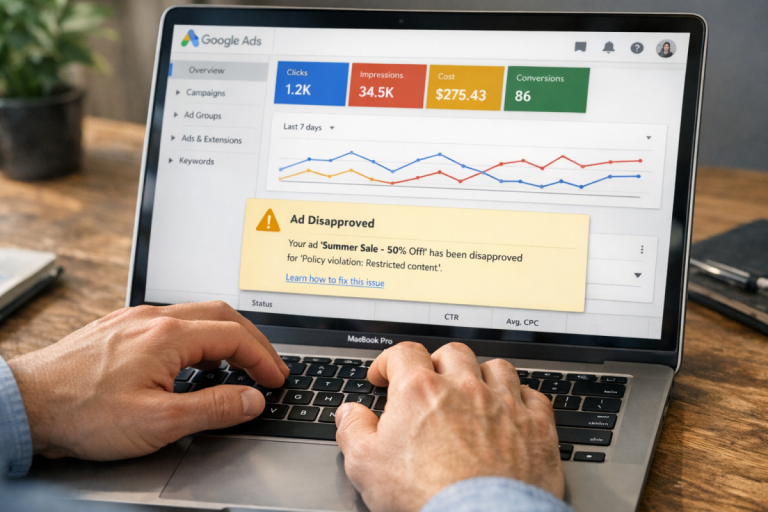
- Disapproved. This is an ad that violates one or more of Google's advertising policies. Google will generally tell you which policy was violated, though for borderline cases they may not provide full specifics.
- Site Suspended. This is an ad that itself may be fine, but cannot run because the destination site is in violation of a Google Ads policy. A perfectly clean ad pointing to a prohibited site would fall into this category.
- Not Serving. This status applies to video ads disapproved for YouTube. It is the video equivalent of Disapproved.
- With Issues. This is a video ad for YouTube that is not approved for general visibility but may still run in a limited number of formats.
You can also have non-approval-related status codes. Paused, Ended, and Pending, for example, have their own meanings - but these are determined by your own actions rather than Google's. If an ad is paused, you paused it. If an ad is pending, you've scheduled it to start at a future date that hasn't arrived yet.
There are also specific codes for the approval status of ad assets (formerly called ad extensions). Ad assets are additional pieces of content that can appear alongside your ad. They are not part of the ad itself and must pass through their own approval process. Assets can show additional information like your geographic location, affiliate locations, callouts for features like free delivery, phone number call-to-actions, and more. You can read more about them here. Asset status codes are as follows.
- Approved. This asset has been approved for all audiences and will be visible anywhere your ad is visible.
- Approved (Limited). This asset has been approved for a limited audience due to some element of its content - typically a trademark issue or a sensitive content category like gambling.
- Approved (Non-Family). This asset has been approved for a limited audience. The non-family flag means the content is not family-friendly but is viewable by most adults. Think of it as the PG-13 of ad approval levels.
- Approved (Adult). This is the most restricted version of asset approval and indicates that the content is adult in nature - in Google's definition, not the general one. Keep in mind you're still bound by Google's overall policies, which prohibit explicitly sexual content. In practice, "adult" here tends to mean things like sexual imagery or dating site content.
So there you have it - the possible status codes for your ads and assets. You can check these directly in your Google Ads account from the campaign section. The overview of all your ads will show whether each ad is approved, and if not, the reason why.
How Long Does Google Ads Approval Take?

So how long until your Google Ads are actually approved? Once you submit them for review, Google officially states it will take 1 business day. In practice, many straightforward ads are approved within 1 to 4 hours. However, there are several factors that can change this.
Most simple ads for standard businesses that fall well within Google's policies will be approved somewhere between one and four hours. Ads that require manual review, however, can take up to 2 or more business days - and Google advises contacting support directly if your ad has been in review for more than 2 business days without resolution.
It's also worth noting that brand new Google Ads accounts go through an additional layer of verification. Activating a new account typically requires 24 to 48 hours for Google to review and approve it before your ads can start running at all. So if you're setting up a fresh account and wondering why nothing is moving, that's likely why.
Once you've built up a solid history and a good quality score, Google is generally more willing to move your ads through quickly. There isn't exactly a formal priority tier, but a proven track record signals that any mistakes are likely just that: mistakes.
Anything that deviates from that straightforward scenario can extend approval time. For example:
- If you create and submit an ad for approval on a weekend or bank holiday. Google specifies one business day because manual reviewers may not be available outside of weekday working hours. Try to submit your ads on a weekday if timing matters - and remember you can always schedule them to start running later.
- Multiple similar ads within a single ad group can slow things down. The individual ads are approved one by one, and while they're all eligible in the meantime, it can take time for the entire batch to clear.
- Editing an ad before it has been approved or denied will essentially reset the review clock. This can be a good thing if you catch an error early, but it does mean the ad takes longer to approve overall.
- If your ad topic falls into a sensitive or regulated industry, approval can take significantly longer. Pharmacies, financial services, gambling-adjacent businesses, and similar verticals often require manual review with each new ad, as Google verifies your eligibility and certification status every time.
If it's been more than 2 business days, go ahead and contact Google Ads support. Sometimes ads get lost in the queue, or a case waiting for manual review needs a nudge. You can reach out through the support options in your Google Ads account. As a general rule, if your ad has been disapproved or if you submitted or edited it within the last 24 hours, give it more time before escalating. In the meantime, it's worth reviewing the most common Google AdWords mistakes to make sure your ads are set up for a smooth approval once they clear.
Fixing a Disapproved Ad

Sometimes your ads will be disapproved. When that happens, you need to take action to correct whatever caused them to fail. Sometimes it's a glitch, but that's genuinely rare - the vast majority of disapprovals come down to user error or a policy violation.
Step 1: Figure out which ads are disapproved, and why. In your Google Ads manager, you can click down to the campaign and ad group level to see individual ads and any policy details attached to them. An ad group might be paused because the site is suspended, or individual ads and assets might be disapproved for specific reasons.
Google's advertising policies are quite extensive. You can read through them all here. The most common causes of disapproval include misusing trademarks, misrepresenting the destination of the ad, promoting a prohibited product or service, or a mismatch between the ad content and the landing page.
Step 2: Decide whether or not your ad is worth fixing. If your ads are broken because your site is suspended, for example, no changes to the ad itself will help - you need to fix the underlying site issue. If the product or service you're trying to promote is fundamentally prohibited by Google's policies, changing the ad copy won't resolve the situation either.
Step 3: Make your changes and resubmit. Once an ad has been disapproved once, it may receive additional scrutiny the second time through. If your changes genuinely address the issue, it should pass. If your account has accumulated a pattern of disapprovals, however, you may find that manual review becomes the norm - and in serious cases, accounts can be suspended entirely. Not that any of my readers would find themselves in that position, of course.
Fixing a Suspended Site
If your site as a whole has been suspended, it's a serious problem. You won't be able to run any ads pointing to that domain - regardless of what page the ad links to or what the ad itself says. As with disapproved ads, Google will generally email you with the cause of the suspension, but if you missed it you can investigate from within your account.
Reasons your site might be suspended are similar to reasons ads get disapproved, but resolving the issue is more involved because you're dealing with the entire site rather than a single ad. Sites that use trademarks they don't own, serve malicious code, are broken or unresponsive, promote or sell prohibited goods, contain misleading content, or host adult material without proper certification are all candidates for suspension. A site can also be suspended if the domain lapses and ends up parked, even temporarily.
Once you understand why your site has been suspended, you can decide whether it's something fixable or not. If it means overhauling your entire business model or storefront, it may be worth exploring alternative advertising platforms. If it's a matter of removing some objectionable content or cleaning up a technical issue, that's generally the faster path forward.