Key Takeaways
- Google Analytics 4 (GA4) is the best general-purpose tool for measuring website traffic, replacing the fully sunset Universal Analytics in 2024.
- Similarweb provides the most accurate third-party traffic estimations, while Semrush excels at bulk competitive analysis across up to 100 sites simultaneously.
- GA4 doesn't automatically track everything; enhanced measurement must be enabled for scroll depth, video engagement, outbound clicks, and file downloads.
- Mobile devices generated 62.54% of global website traffic in Q4 2024, making device-based segmentation in GA4 essential for accurate analysis.
- Always use UTM parameters on shared links; without them, traffic sources appear as referrals from shorteners like Bitly, not actual originating platforms.
Measuring and Monitoring Website Traffic in 2026
Optimizing your website performance comes down to a lot of measurement and monitoring. Your optimizations are only as good as your data. One user's testimonial isn't nearly enough to give you the path to success - that would be like every Target in America rearranging their store layout because one customer said putting electronics near the door would make his life easier. You need to monitor your traffic objectively, and in bulk.
So how do you do it? There are dozens of tools to measure different aspects of your traffic. Some, like Meta's native analytics, only work within specific platforms. Others focus narrowly on behavior mapping or heatmaps. As it turns out, the best general-purpose solution for your own website remains Google Analytics - now in its GA4 form - though it's worth knowing what else is out there too.
Why Google Analytics (GA4)? It's broad and flexible, but digs deep into the data. It tracks nearly anything you could want to know without drowning you in it. You can generate custom reports with as much or as little granularity as you want. If you need something GA4 doesn't cover natively - like detailed heatmaps - you can layer in an additional tool and use both together.
One thing worth noting: GA4 is meaningfully different from the old Universal Analytics, which was fully sunset in 2024. If you're still operating on any legacy UA setup, that data is gone and you need to be fully on GA4 now. The event-based tracking model in GA4 is more powerful than the old session-based model, but it does have a steeper learning curve.
Other Traffic Measurement Tools Worth Knowing

Google Analytics shouldn't be your only frame of reference. A SparkToro study found that Similarweb produces the most accurate third-party traffic estimations compared to SEMrush and Ahrefs, particularly for sites receiving between 5,000 and 100,000 monthly users. If you want to benchmark yourself against competitors or get a sanity check on your own numbers, Similarweb is a solid choice.
Semrush, which has been around since 2008, also offers robust traffic analysis covering visits, session duration, and page views. Their free Website Traffic Checker allows up to three uses per day without an account, and their Traffic Analytics tool can analyze up to 100 sites simultaneously - making it especially useful for competitive research. If you're running an agency or managing multiple clients, that kind of bulk analysis is genuinely valuable.
Configuring Google Analytics (GA4)

Google makes setting up GA4 relatively straightforward. Sign into the Google account you want to use as your admin account, navigate to Google Analytics, and create a new GA4 property. From there, you'll set up a data stream for your website and either install the provided Google tag manually in your site's header or use Google Tag Manager - which is now the recommended approach for most users, as it gives you far more flexibility without touching your code every time.
With that tag firing correctly, your analytics are active. GA4 will confirm this in the interface, and you can use the DebugView feature to verify events are being received in real time during setup.
One thing to be aware of: unlike Universal Analytics, GA4 does not automatically track everything out of the box. Scroll depth, outbound clicks, video engagement, and file downloads are enabled through enhanced measurement, which you should confirm is turned on. More specific events - like form submissions or purchases - will likely need custom configuration.
Understanding Your Reports in GA4

One of the most powerful aspects of GA4 is the Exploration section, which replaces the old Custom Reports interface. Here you can build freeform reports, funnel analyses, path explorations, and more - pulling the exact data you need without wading through dashboards that weren't built for your use case.
GA4 also integrates natively with Google Search Console, which is where your keyword and organic search data lives now. If you want to understand what search queries are driving traffic, that integration is where you'll find it - not inside Analytics itself. Connect them if you haven't already.
Anyone running a content-heavy or e-commerce site should prioritize setting up conversions properly. In GA4, goals from the old UA days don't carry over. You'll need to mark key events as conversions manually. Once that's done, your reports become dramatically more actionable - you're no longer just watching traffic, you're watching what that traffic actually does.
Mobile Traffic: No Longer Optional to Consider
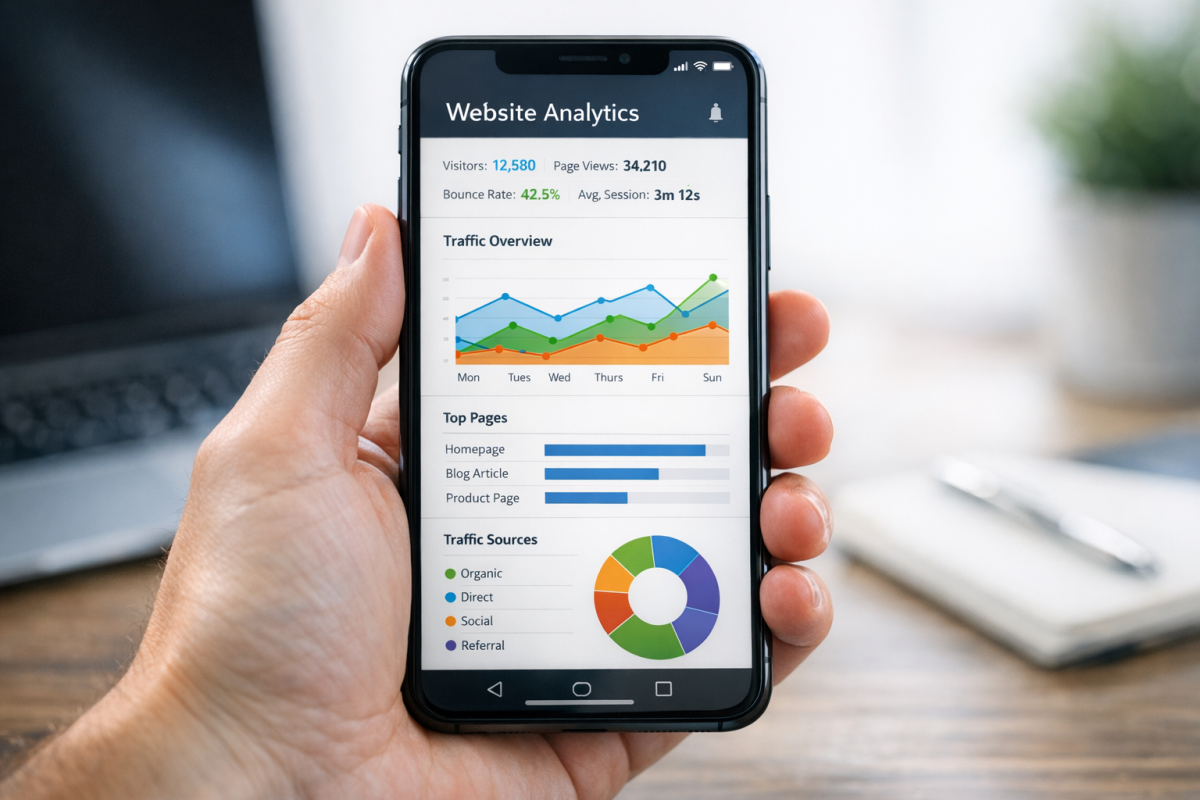
According to StatCounter data via Statista from January 2025, mobile devices generated 62.54% of global website traffic in Q4 2024. If you're not segmenting your analytics by device type and actively optimizing for mobile performance, you're making decisions based on an incomplete picture of your audience. In GA4, you can easily break down nearly any report by device category - make it a habit.
Tracking Social and Referral Information
GA4 offers traffic source reporting that shows you where your visitors are coming from, including social platforms. That said, platform-native tools like Meta Business Suite still give you the richest data for what happens on those platforms. Use both - GA4 for what happens on your site after the click, and native tools for what happens before it.
One thing that hasn't changed: if you're using URL shorteners without UTM parameters, you're flying blind. A bare Bitly link will show up as a referral from Bitly, not from the platform where you shared it. Use UTM parameters on every link you share - there are free UTM builders that make this take about thirty seconds per link - and your source data will be dramatically cleaner.
HubSpot users should also know that sessions in HubSpot expire after 30 minutes of inactivity, and a new session begins either when a visitor returns after that window or arrives from a different traffic source. This mirrors how most analytics platforms handle sessions, but it's worth understanding so your numbers make sense when you're comparing platforms.
If you feel a little overwhelmed by everything GA4 can show you, you're not alone. The platform is more powerful than its predecessor, but it's also less intuitive at first. The good news is that the depth of what it can tell you - especially when combined with tools like Similarweb, Semrush, and Search Console - gives you a genuinely complete picture of your website's performance. That's exactly what you need to make decisions that actually move the needle.