Analytics, by itself, is a fabulous tool for recording a lot of information without a lot of meaning. It's only when you put goals and filters on your data that the meaning becomes clear. By themselves, bounce rate, traffic numbers and all the rest are essentially valueless. Once you know how they compare to where you want them to be, you can take action. That's the purpose of setting up goals; setting a frame of reference so you know where you are in respect to your ideal.
Key Takeaways
- Analytics data is meaningless without goals; goals provide a frame of reference for measuring performance against your ideals.
- Break broad goals like "making money" into smaller, sequential milestones you can achieve and measure step by step.
- Destination goals track specific URL visits, like confirmation pages, and can have dollar values assigned to non-purchase conversions.
- Duration and pages-per-session goals reveal user engagement issues, such as dissatisfaction with content or weak internal linking.
- Event goals can track nearly any user action but require specific tracking code setup for each individual event.
Choosing Goals

The first step is to choose your goals. Now, in most every case, your primary goal is going to be to make money. It might be through ad clicks, it might be through product sales, but it's the same major goal. Sadly, this doesn't mean a lot. You can set a goal of making money, and track your conversions in regards to your hits, but it's too broad.
You need to break things down into smaller goals along the way, goals you can work to achieve one step at a time. You can't have a home if it doesn't have a roof, and you can't put the roof on without walls, and you can't put up walls without a foundation. You need to identify the steps that are your foundation, walls and roof before you can call your house a success.
Note that other analytics platforms - including GA4's built-in event model and tools like Mixpanel or Amplitude - may handle event tracking more flexibly than older Universal Analytics setups. What follows are ways you can use Google Analytics to track meaningful goals without necessarily needing to install additional third-party event tracking tools.
Destination Goals

Setting a destination goal is a simple way to track a certain kind of event. All it requires is that, after the event in question, you redirect a user to a specific URL. Chances are you'll be doing this anyway. Here are a few examples:
- After clicking the submit button on a newsletter registration, you redirect to a thank you page.
- After purchasing a product, you redirect to a confirmation page.
- After clicking on a free trial offer, you redirect to a download page.
In essence, what you're doing is tracking the user through their time on your site and counting a successful event when the user loads that thank you, confirmation or download page. It's worth noting that Google Analytics only triggers a goal once per session, so repeated visits to a confirmation page within the same session won't inflate your numbers.
In Google Analytics, you want to navigate to the goals section and create a new destination type goal. Keep in mind that you have a limited number of goals you can create at any given time, so make sure to only choose the most important metrics to measure.
Create a descriptive name for your goal - for example, NewsletterSubscription or ProductPurchase. You will then want to choose the "equals to" destination type and input the URL. This tells Google to only record the event if that exact page is loaded. If your confirmation URL is generated with a session ID or other dynamic content, use as much of the static URL as possible with the "begins with" destination type. You can also assign a goal value to help quantify your results. For example, if a sales team closes 10% of newsletter sign-ups and the average transaction is $500, you would assign a goal value of $50 - a useful way to put a dollar figure on non-purchase conversions.
You can test your goal by running through the process you want to track. Don't just load the URL directly and assume it works; there could always be something wrong in the process that prevents it from loading properly. If you're also running paid campaigns, consider tracking free trial conversions in Google Ads alongside your Analytics goals for a more complete picture.
Duration Goals

A duration goal is a little different. Essentially, what you're measuring is how long the user is spending on a given page. You can use this in a number of ways. If you want to see if a user is stuck on a complex explanation, you can set it to alert you after a certain amount of time has passed. You can, likewise, have Analytics alert you when the user leaves after too little time, which might indicate dissatisfaction with the presentation, clarity or content of your page. Low time-on-site statistics can be a useful signal worth investigating further.
In Google Analytics, you're going to follow the same basic process. Navigate to the goals section and create a new goal, this time selecting the duration type. Once again, give it a descriptive name. In the goal details field, you'll need to specify the hours, minutes and seconds of the goal time. Hours will almost never be relevant - very few users spend that long on a single page. Using the greater than or less than options is straightforward from there. If you're unsure how reliable your data is, it's worth understanding how accurate Google Analytics traffic numbers really are.
Pages Per Session Goals
This goal type is distinct from destination goals. Where destination goals measure whether a user lands on a specific page, the pages per session goal measures how many pages a user loads before leaving your site.
Some thresholds aren't particularly useful to track in isolation. A pages per session count of one is essentially a bounce, which you can already measure separately. On the other end, obsessing over whether a user visited eight pages versus twelve pages may not yield actionable insight.
That said, you're free to set up any pages per session metric that serves your strategy. The real value is in understanding engagement patterns. A low pages per session paired with a high bounce rate may suggest you need stronger internal linking or more compelling calls to action. Conversely, a high pages per session combined with strong conversion rates is a signal that your content is doing its job - keeping users engaged until they take action.
The setup process is the same as the other goal types. Create a new goal, give it a descriptive name and select the pages per session type. Use greater than or less than expressions along with a fixed number to define the threshold.
Event Goals
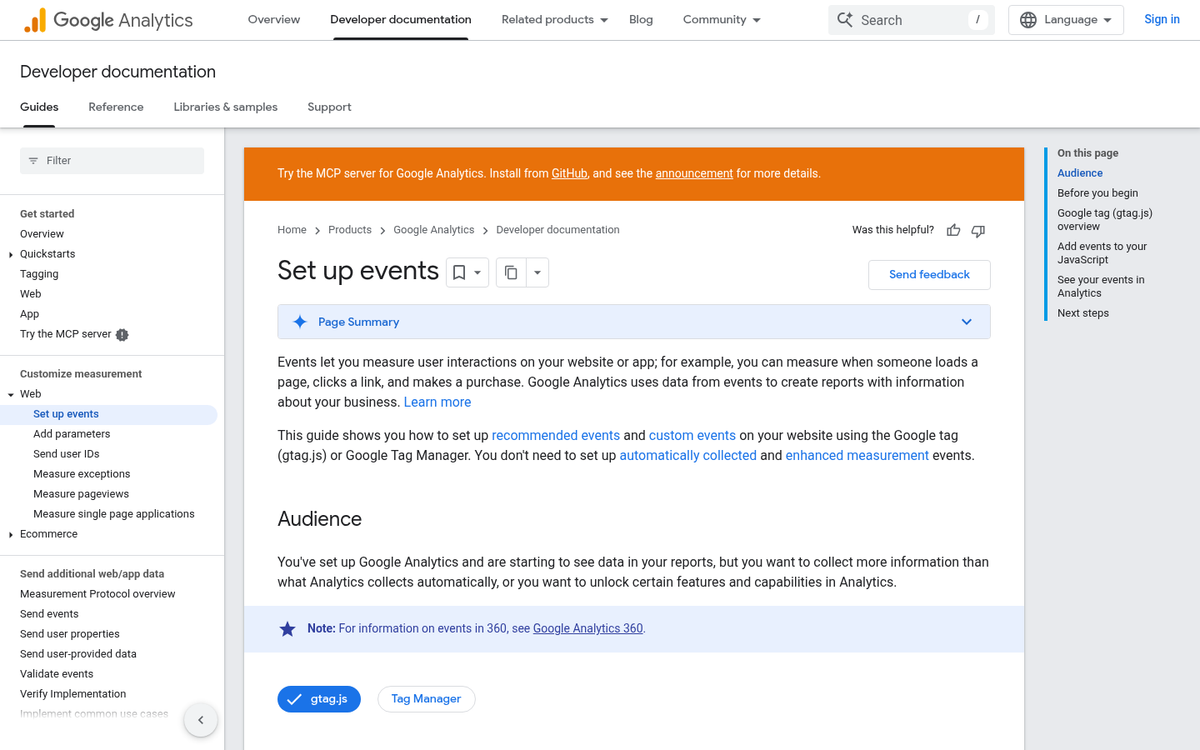
Any action a user takes on your site can be classified as an event. Clicking a link is a click event. Subscribing to a newsletter is a subscription event. Buying a product is a conversion event. You can create customized events to track nearly anything - from a video play to a file download to a form submission. The key requirement is that you need to set up specific tracking code for each event.
As with the other goal types, the process for creating an event goal follows the same pattern. Create a new goal, name it and select the event type. Under event conditions, you'll need to specify the parameters that define the event you want to capture. This is the area where Google Analytics has historically been less flexible compared to dedicated event-tracking platforms - though GA4's event-driven data model has significantly narrowed that gap, making it easier to track custom interactions without relying heavily on additional tools.