





AdSense is Google's display ads program. You can implement it on a site or through an associated media property, like YouTube, and monetize your content. When people visit your AdSense-enabled content, they're shown ads that pay you per click, at a variable rate depending on the content. It's all very simple, but you have to be approved to use the system before you can begin making money. How long does that approval take?
Key Takeaways
- AdSense approval typically takes a few days but can range from 2-4 weeks after adding verification code.
- Google recommends having 30-40 articles of 1,000+ words and waiting six months before applying.
- Long approval times usually indicate traffic or code issues, not site content problems; denials happen quickly.
- One approved AdSense account can monetize multiple sites; creating multiple accounts risks banning all associated accounts.
- Violations like invalid clicks, copyrighted content, or prohibited topics can result in removal from AdSense entirely.
Individual Approvals
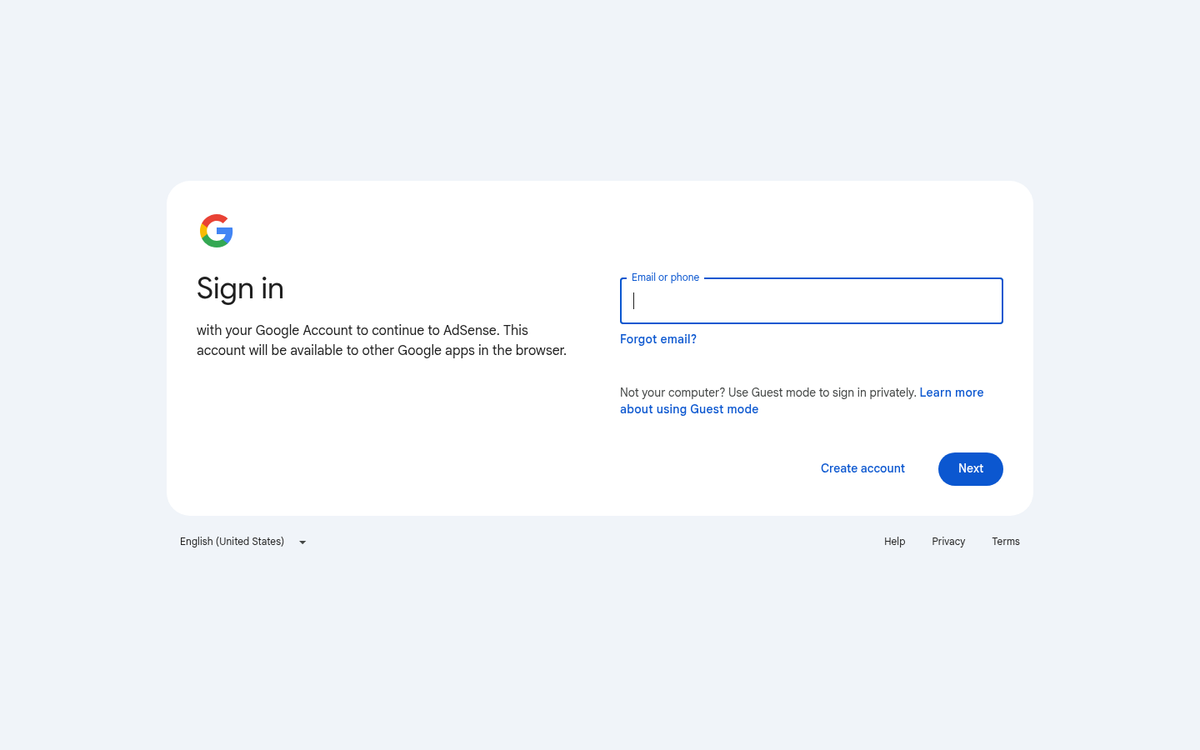
The first mistake people often make when thinking about AdSense approvals is thinking it's a one-time thing. In fact, you can sign up for an AdSense account at any time, for free, with no waiting period. Seriously; you can go do it right here, right now. If you have a Google account already, you're halfway done with the process even if you've never visited the AdSense page before.
That said, before you rush to apply, it's worth knowing that Google recommends your site meet some baseline content thresholds before you'll realistically be approved. Most experts and sources like AdPushup suggest having at least 30-40 published articles, each with a minimum of around 1,000 words, before applying. If your site is brand new, it's also generally advisable to wait at least six months before submitting your application. Sites on free Blogspot domains are actually required by Google to be at least six months old before they're eligible to apply at all.
Once you sign up for AdSense, you will need to input the URL of a website you want to monetize. Then, once you're actually in the system, you will need to take the code they give you and paste it onto your website, typically in the <head> tag of a populated page. You can't throw it on a test page for verification, and you should generally put it on something prominent like your homepage. If you're certain you'll be approved, you can put it on every page you want to monetize, or you can hold off until you've gotten approval.
Google will then start to scan your site and look for potential issues with compliance with the AdSense terms of service. I'll go over those momentarily, in case you're curious what sort of issues they're looking for. Also, note that the code they're having you paste is not ad code, it's verification code. They're simply checking to make sure you own the site you claim to own, by requesting something only the site owner has access to do.
According to Google's official documentation, approval usually takes a few days, but can take anywhere from 2-4 weeks. If they find an issue and are going to deny your request, they will most often respond within three days. If it has been over two weeks since you initiated the process and you have not heard back from them, it's generally recommended that you send the AdSense team an email or support message asking them to look into it. They're usually pretty quick about responding and resolving issues once flagged.
Some applicants have waited upwards of 28 days to hear back from Google about their AdSense approval. These are typically cases where there's too little traffic, rare indexation, or some other issue preventing Google from fully evaluating the request. Remember that the clock starts not when you sign up for AdSense, but when you add the AdSense verification code to your site. If you wait a week before adding the code, the review period hasn't even begun yet.
Google uses the verification code for three things, primarily. The first is to make sure you have access to the site you claim to own, so you can add in code and make changes. This is to prevent people from monetizing sites they don't own or trying to hijack existing AdSense installations. The second is to monitor traffic, to gather information about your visitors and place you in their roster of publishers. This information is used so advertisers can know what sort of traffic, demographics, and costs they can expect when advertising on your site. The third is to be a basis for other AdSense modules, the actual ads, which you can place on pages later.
Luckily, if it's taking a long time to approve your AdSense account, you're not generally at a huge risk of being denied. Denial is a quick flag and they process it right away to get you out of their queue. If it's taking a while, it's more likely an issue with your code or with your traffic, not with your site itself.
The other possible reason why it might take a while to get AdSense approved is if you've applied and been rejected in the past. If that is the case, you will need to fix whatever issues they found with your site, make sure you're in compliance with the terms of service, and apply again. The review process will be much longer the second time around, because they're doing a more detailed scan to make sure you're actually in compliance, rather than just hiding things from them.
Once you're actually approved, it's technically a temporary approval. Google will send you a PIN to verify your physical address and your financial information. After all, they need to make sure they can pay you if you reach the minimum threshold necessary to get paid in the first place. Typically this is just a PIN mailed on a postcard with some instructions. It's worth noting that Google pays publishers 68% of the ad revenue generated on their site, which is a fairly competitive split and one of the reasons AdSense remains one of the most popular monetization platforms, now used across more than 40 million websites worldwide. If you're exploring other options alongside AdSense, there are also several monetization alternatives worth considering.
Alternative Installations

There are two situations where you don't have to seek approval. The first is when you already have approval. If you have three websites and want to monetize all three of them, you only need to directly approve one of them. Once your account is approved and ready to run ads, you can paste in your AdSense code and ad units on any website you own. You can monetize three, five, a dozen, or a hundred sites all with the same AdSense account.
Some people like to try to create more than one AdSense account, to keep their properties separate. There's a good reason for this; if one site goes out of compliance and is removed from AdSense, it's your entire AdSense account being blocked, not the site. If you have a lot of sites set up to run AdSense ads, that can be devastating. However, you need to use different information for each account, and go through the approval process for each account. If Google then determines that you're using fake accounts, all of your associated accounts can be banned as well. It's a risky venture.
This all means, simply, that you need to keep every one of your sites compliant with the AdSense terms of service.
The second situation is when you're trying to monetize your content on a related Google property. The two most common are AdMob and YouTube, though others exist. AdMob, if you don't know, is Google's mobile and app monetization setup. It allows you to monetize mobile apps, games, and other forms of mobile media not tied to a web property. YouTube, obviously, is the massive video media hub online.
The reason you don't need a separate AdSense approval for these is because they have their own approval and monitoring processes. Part of the scan Google does when you apply to AdSense is to make sure you're not publishing content they don't want to be associated with. On YouTube, they have filters for things like copyrighted content, stolen content, and offensive content. Google doesn't need to scan your account to make sure it works with AdSense since YouTube already performs similar scans through its own monetization eligibility requirements. Of course, the whole YouTube monetization, copyright, and trolling thing is another problem entirely.
AdMob is similar; in order to get approved to use it, your app needs to meet their standards. They don't need a redundant scan of the app for AdSense if it's already approved for AdMob.
AdSense and Fickle Policies
There's a lot of controversy about people being dropped from AdSense at the whims of Google, and there's nothing they can do about it. Their terms and conditions, their program policies, are very strict while simultaneously leaving enough open to interpretation that Google can pretty much block anyone for any reason and find justification for it. Here's an overview.
First off, Google is very strict when it comes to invalid click activity. You are not allowed to generate "invalid" clicks or views, though what "invalid" means varies from case to case. Generally, it means you can't buy clicks, encourage clicks, or incentivize clicks through unofficial channels. You can, of course, purchase PPC ads through legitimate systems like Google Ads or Facebook Ads. You can't buy them from shady third party sellers that provide illegitimate views.
Google also doesn't like if you encourage clicks through various underhanded means. If your clicks are coming from shady redirect chains or cloaked links, they can remove you from the program. They also will penalize you if you're promising your ad revenue goes to a charity or some other unverifiable incentive. You can't compensate users for clicks, you can't put ads in a floating box, you can't put misleading labels on your ads... in general you can't even call attention to your ads. If you say "hey click our ads, it really helps us out" they'll slap you down for it.
Then, of course, you have the content policies. They have a very detailed set of guidelines for content. In general, you can't use AdSense on anything that has pornographic or adult content, violent content, hate speech, excessive profanity, hacking content, malicious software, stolen software, cracks, drugs, stuff illegal internationally like products made from endangered species, alcohol, tobacco, prescription drugs, weapons, coursework or essays for students, or anything else illegal. This is all common sense stuff as far as most ad networks are concerned. Some ad networks don't have clauses about adult content, but anything actively illegal, either nationally or internationally, is generally restricted.
You also generally can't advertise on content related to alcohol or tobacco due to various advertising laws. It's not actually illegal to advertise alcohol, but you need to do your due diligence to make sure you're not advertising to minors. This is why, for example, platforms like Facebook and Google have specific age-gating and audience targeting tools built around alcohol-related content. A small disclaimer alone generally isn't enough.
One of the biggest flags Google looks for is copyrighted content. This is huge on YouTube, but it's also big for blogs and the web. Publishing copyrighted content, be it a magazine you can't distribute, a TV show you're hosting and don't own, or anything else that falls under the Digital Millennium Copyright Act can get your AdSense account shut down. They'll also remove your content from Google and may well assist law enforcement or lawyers in finding you to prosecute, depending on the interest from the person flagging your content.
Google also limits where your traffic can come from. Remember where I mentioned their initial scan looks at your traffic sources and patterns? They don't want you to pull in traffic to their ads from pay-to-click services, mass emails or spam, software embeds, pop-ups, and other forms of indirect or interest-driven traffic.
As if all of this wasn't enough, Google also has technical restrictions on what you can and can't do with the ad code. You can modify the AdSense code so long as you're not doing something to inflate or disrupt the function of the ads they serve. You're also not allowed to harvest or send user information the user doesn't consent to share.
If you comply with all of this, your site is good to go. You just need to keep in compliance moving forward. Any other site you want to put your ads on also has to be in compliance, and as I mentioned, one site falling off the wagon can bring all of the rest down with it. Be very careful with who you allow to control the content or traffic sources of your site if you're running AdSense, unless you're willing to risk being removed from the program entirely.



11 responses
Thoughtful replies only - we moderate for spam, AI slop, and off-topic rants.
Hi, I am not a frequent blogger but want to write something and express my thoughts on a wider platform. Now, I am thinking about making something out of my personal writing interest. I purchased my domain and trying to get AdSense approval. I am waiting from last one week, but didn't get any reply from AdSense. Could you suggest me if something is wrong with my blog. I am wondering that it is taking too much time. Any suggestions regarding the blog appearance and content would be highly appreciated.
Hi Naveen! Which country are you from? I know AdSense isn't available in every country, so it's worth starting by checking the approved country list in the Google AdSense documentation.
good information about google adsense
its been 5 days I have applied for AdSense still it's showing the message we are reviewing your site, what should it do. One more thing can I post new articles in between.
Hey Pramod! Don't worry, 5 days is completely normal - Google can take anywhere from a few days to a few weeks to review your application, so just hang tight! And yes, absolutely keep posting new articles while you wait. In fact, that's a great idea! Fresh, quality content can actually work in your favor during the review process. Just make sure each post follows Google's content policies. Stay patient and keep creating - good luck with your approval! 😊
Hey,
Thanks for the post, super helpful for deciphering AdSense.
I was just wondering, do you know Google's restrictions on links to other sites?
My blog posts are reviews and guides to TV shows which end with links directing viewers to sites where they can watch the show. Some are sites like Netflix, Viki or YouTube but others are streaming sites. Would this get me banned from AdSense? I don't host any of the videos myself, only provide links on where to find them.
I totally understand if this is a bit left-field and you're not sure.
Thanks anyways!
Hey Amy!
Great question! Linking to legitimate streaming platforms like Netflix, YouTube, and Viki should be absolutely fine. The potential issue lies with those "other streaming sites" you mentioned. If they host pirated or unauthorized content, Google could flag your site for facilitating copyright infringement, which would likely get you rejected or banned.
Our advice would be to stick to linking only to officially licensed platforms to keep things safe. When in doubt, it's worth checking Google's AdSense content policies directly for the most up-to-date guidelines.
Hope that helps!
I recently started my blog, just wanted to know how much can I approximately earn? how many adds can be added to our blog in blogger!
Hey shinmoni! Earnings vary a lot depending on your niche, traffic, and audience location. Beginners typically earn anywhere from a few cents to a few dollars per day initially. As your traffic grows, so does your income! As for ad limits, Google removed the per-page ad limit, but they recommend keeping ads balanced with content for a good user experience. Focus on quality content first and the earnings will follow!
Hi, I am trying to start a mental health related information blog for Indians. We call it Our Clear Minds, and we would like to earn enough through the blog to become a support foundation. Do you think google will allow ads on our site, and will they be good for this goal? We're very new to all of this and need some help. Thanks!
Hi S.K.! What a wonderful initiative - mental health awareness is so important. Google AdSense does allow health-related blogs, but they'll want to see quality content, clear policies, and enough posts before approving. Just make sure your content is informative and responsible. AdSense can definitely help generate income toward your foundation goals over time. Best of luck with Our Clear Minds - it sounds like a meaningful project!