





Key Takeaways
- Disqus adds 500KB-1MB of page weight and can trigger over 113 network requests, significantly slowing site performance.
- Lazy-loading Disqus can boost Google PageSpeed mobile scores from ~60 to 90+ and improve Lighthouse scores by 10%+.
- The free Disqus tier displays ads on your site that generate revenue for Disqus, not you; removing them requires a paid plan.
- Disqus collects user data across all sites running it, raising privacy and GDPR concerns even for visitors who never comment.
- Exporting comments away from Disqus is unreliable, creating real migration risk and potential data lock-in for site owners.
When you run a blog using WordPress, you have a handful of different options for comments. You can run the native comments system and optionally add in something like Akismet to filter out the spam. You can link up your social media presence and use the Facebook comments system. Or you can run a widespread "social media comments system" like Disqus, in an attempt to make it easier for users to comment and carry their identity across different sites.
The Benefits of Disqus
Disqus is one of the first and one of the largest commenting plugins available - the primary benefit is its widespread adoption. A ton of users have a Disqus account - even if they haven't logged into it recently; when they go to comment on your blog they will probably log in and that will bring them into the fold.
Disqus lets people who comment on blogs around the web be logged in when they arrive on your site, so they can skip the rigmarole of logging in or creating an account. They have their profile information - like bio, picture and links - already set up. Of course, if they're new to Disqus they will have to set up this the first time they use the site and they might not; it's why some Disqus comments use one of the default avatar images and have no information past a username set up. However, returning commenters already have all that information squared away.
This has the secondary benefit of allowing you to find the users who are most involved with blog comment communities, just based on the information they have filled out in their profiles.

Disqus integrates with social media, so users can create a Disqus account just by logging in through one of their social media accounts - this will pull and fill out their information, which makes the onboarding process quite a bit easier.
If you're thinking "Facebook comments do all of that without adding another account to the mix" you'd be right. If the user is logging in through Facebook, there's not much difference between Disqus and Facebook comments for that user, other than the fact that Facebook comments are posted to Facebook as well. You don't get that added layer of integration with Disqus.
Disqus does have an added encouragement that Facebook comments do not, and that's anonymity. With Facebook you'll have to comment under your profile, which means your name and information are visible - it will intimidate users from commenting if they don't want certain groups to know about their associations with other groups. It might be embarrassing for a user to comment on an atheist blog when their friend circle is primarily Christian, or might even be dangerous to comment on an LGBT+ blog when their family is not accepting - this doesn't come up for all blog types. But for some it's worth thinking about.
Disqus also has moderation tools to extend the functionality of the plugin. By default, Disqus tracks user reputation across their activity. You are able to set up moderation so that you'll have to approve comments if you have problems with spam, though Disqus does a basic job of filtering out automated spam. You can create lists of banned users and whitelists of users that can bypass the comment moderation process. You can even shadowban users, to block them from commenting but not let them know, so they don't try to circumvent the ban. If you're looking for ad-free alternatives to Disqus, there are several worth considering for your WordPress site.
Does Disqus Slow Down Sites?
Any plugin will slow down a site compared to not having the functionality at all. But with Disqus, the results are more significant than many realize, and the data supports this.
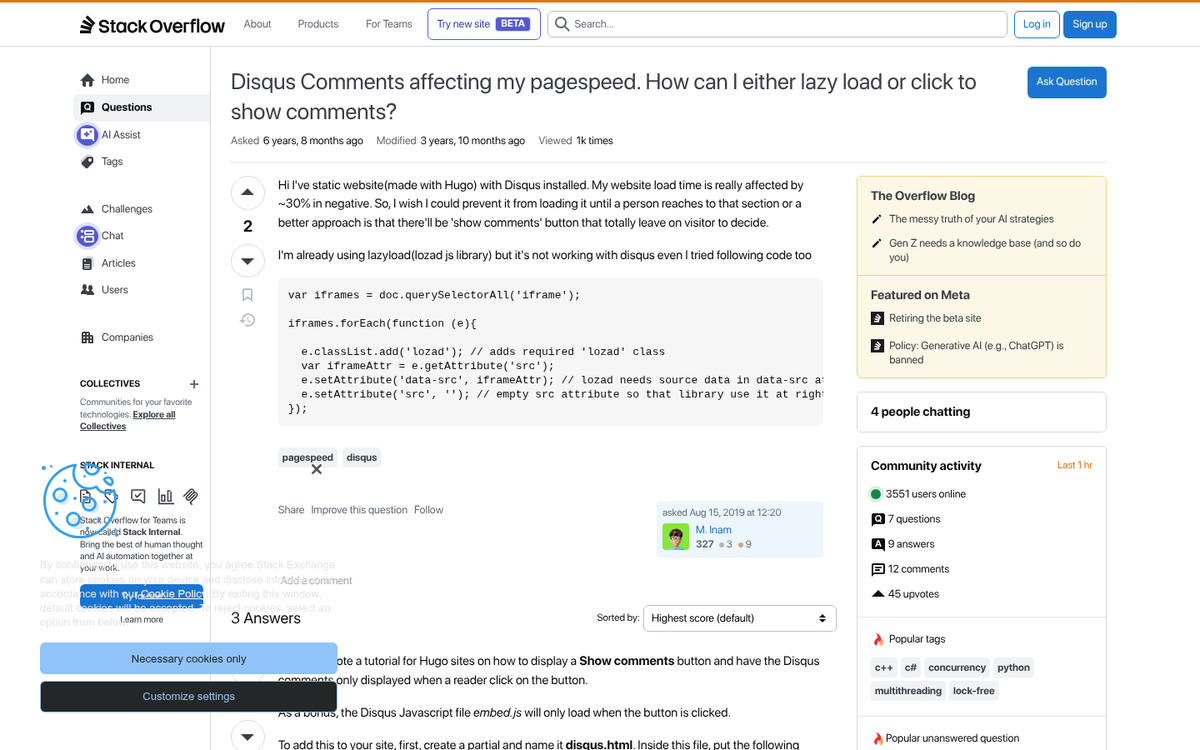
Disqus is known for adding between 500KB and 1MB of page weight on its own. To put a finer point on it: the Disqus script alone loads approximately 814KB of data on a page with no comments at all. One site measured 113 separate requests to load a static post, the majority of them triggered by the Disqus JavaScript. After making Disqus load optionally, that same page dropped to just 11 requests totaling 61KB - it's a dramatic difference.
There are some mitigations worth learning about. Disabling the "Tracking" setting inside your Disqus dashboard alone can remove 50+ requests and around 40KB of data - it's a real reduction, though it still leaves a bloated script on the table. Additionally, lazy-loading Disqus so it only initializes when a user scrolls down to the comment section can improve your scores. One site saw their Google PageSpeed Insights mobile score jump from around 60 to 90+ after putting lazy loading in place, and Curiosum reported a 10%+ improvement in Google Lighthouse scores after deferring the Disqus load.
That alone is a big drag on perceived performance.
So, can you make Disqus reasonably fast? Yes, with enough workarounds. But that's the point - you're spending engineering time patching the performance holes of a commenting plugin, instead of just using a leaner alternative. If you apply the same lazy-loading strategy to WordPress default comments or another lightweight solution, you'll almost always end up with a faster result and less difficulty.
Paid Versus Free
Disqus is one of the few commenting plugins that has paid tiers, and the pricing structure is worth understanding.
The free version of Disqus is not actually free in the traditional sense. Disqus runs ads inside the comment plugin on your site, ads that you have no ability to control or remove, and ads that generate revenue for Disqus instead of you. You're basically lending your site's real estate to another company's monetization without seeing a penny of it.

If you want to remove those ads, you'll need to pay. The entry-level paid plan has historically sat around $10 per month, though Disqus has adjusted its pricing and plan structure over the years, so it's worth checking their latest pricing page directly before assuming anything. That fee removes ads and unlocks some extra features. But it still comes with traffic limitations that can be a problem if your site has a breakout post.
If you want the full suite of moderation tools - like advanced analytics, pre-moderation workflows and priority support - you're looking at their higher-tier plans, which have been priced higher. For most bloggers and small publishers, the value proposition basically doesn't hold up - you can get comment moderation for free with other tools.
So immediately, this is a reason I'd not recommend Disqus. The free version hands your ad inventory to someone else, and the paid versions charge a recurring fee for functionality that other plugins give you at no cost.
Other Reasons to Avoid Disqus
Disqus is an external resource, and that brings with it a whole class of problems you can't control. Every page load triggers requests to Disqus's servers - servers you have no control over. Even with lazy loading, you're still depending on a third party's uptime, response time and infrastructure decisions for a core part of your site's functionality.
Disqus is also difficult to customize. It looks the way it looks, and if your site has a distinct design, Disqus will stand out as an obvious third-party embed - it will cut back on the sense of a cohesive user experience, and a disjointed design tends to convert less well.
There are also problems if you ever want to migrate away. Importing comments into Disqus is pretty easy. But exporting them out is a different story. Many site owners have found that exports are unreliable or incomplete, and that's also the case on bigger sites. Getting locked into a comment platform because you can't extract your own data is an operational danger.
There are also the usual friction points with any third-party login system. Users who haven't commented in a while might not remember their Disqus password. Rather than going through account recovery, they simply don't comment - it's a conversion you've lost, and it leaves a slightly frustrating impression that carries over to future visits.

And then there's privacy. Disqus collects user data across every site that runs it, aggregating behavior and likely using it for ad targeting purposes - the same model that Google and Meta use, and it raises the same problems. Your readers are handing their data to a third party simply by loading your comment section - even if they never actually comment. With increasing awareness of privacy problems among web users and regulatory pressure in many markets, this is a real reputational consideration for site owners who care about their audience's trust.
Even setting that aside and focusing purely on performance: given that a single Disqus embed can trigger over a hundred network requests and load nearly a megabyte of data, the bar for justifying it is high. Most sites are better served by WordPress's native comments with Akismet taking care of spam, a lightweight alternative plugin, or simply disabling comments altogether if engagement is low. The performance cost, the pricing model, the data privacy concerns and the migration danger all point in the same direction - Disqus is a hard sell for the majority of WordPress site owners in 2026.

1 response
Thoughtful replies only - we moderate for spam, AI slop, and off-topic rants.
Excellent post sir