




At its core, schema markup is a standardized vocabulary of code that you add to your website to help search engines interpret your content more accurately. Rather than leaving Google, Bing, or an AI overview to guess what your page is about, schema tells them explicitly - whether that's a product, a recipe, a local business, an FAQ, or dozens of other content types.
For website owners and managers, this matters more now than it did even a few years ago. As AI Optimization (AIO) and Answer Engine Optimization (AEO) become central to modern SEO strategy, schema markup has moved from a nice-to-have to a foundational ingredient - it directly influences whether your content gets surfaced in featured snippets, knowledge panels, voice search results, and AI-generated answers.
This glossary entry breaks down what schema markup is, how it works, why it matters for your site, and how to start thinking about implementing it - even if you're not a developer.
Quick Answer
Schema markup is structured data code added to a website's HTML to help search engines better understand your content. It uses vocabulary from Schema.org to label elements like reviews, products, events, and FAQs. This enables rich results in search listings, such as star ratings, prices, and FAQs, improving click-through rates. While not a direct ranking factor, schema markup enhances how your content appears in search results, making it more visible and informative to users.
What Schema Markup Actually Means
A search engine can read the words on your page. But without extra context, it has to guess if "Apple" refers to a fruit, a company, or an album. Schema markup removes that guessing by labeling the data.
Kind of like labeling the ingredients in a recipe. The chef can see everything laid out in front of them. But labels tell them what each thing is and how it fits into the dish. Schema markup does the same thing for search engines reading your page.
The vocabulary behind this comes from Schema.org, a shared resource launched on June 2, 2011 by Bing, Google, and Yahoo. The idea was to create one common language that all search engines could use to interpret structured data. Before that, each search engine had its own standards and they didn't always line up.
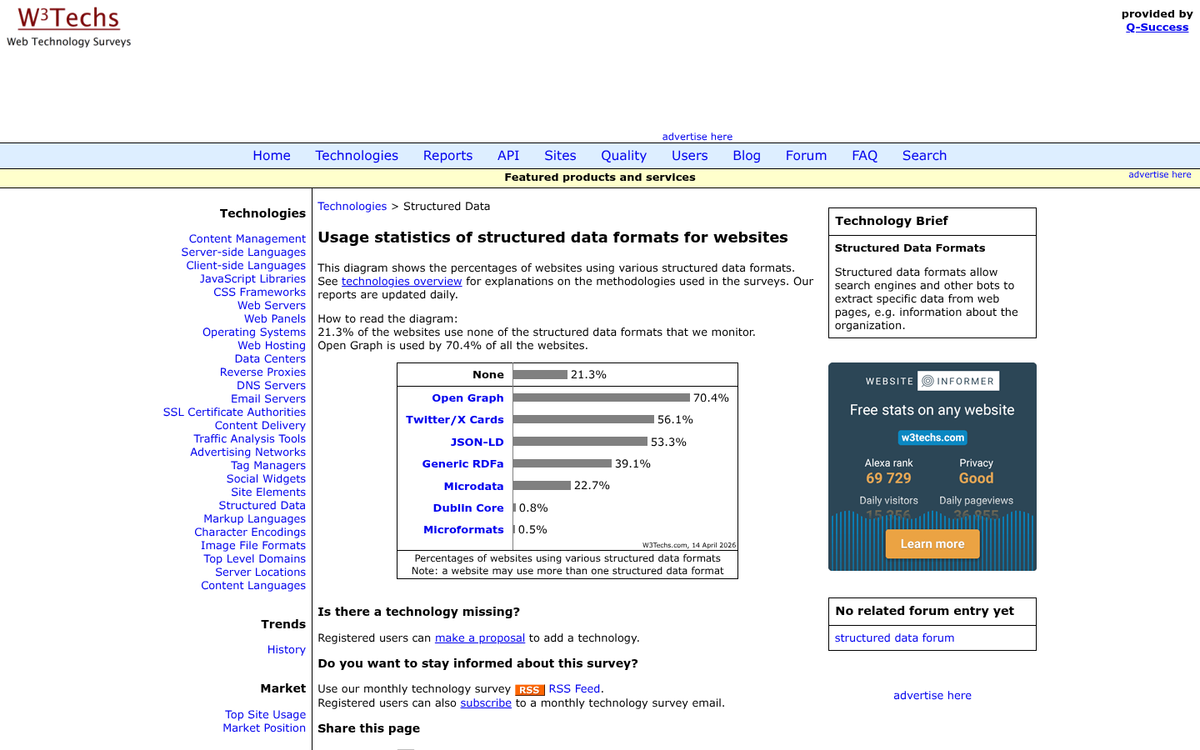
Schema.org has grown quite a bit since then. There are now over 800 schema types, covering everything from local businesses and recipes to events, products, and medical conditions, giving search engines a structured way to read content.
Schema markup doesn't change what visitors see on your page. The code sits in the background, readable by search engines but invisible to people browsing your site. What it can change is how your page appears in search results - things like star ratings, product prices, or event dates can show up directly on the results page when the right schema is in place. If you're also curious about zero-click search, schema is often a contributing factor there as well.
The next section gets into the different formats you can use to write this code, which is where things get more interesting.
The Three Formats Used to Write Schema Code
Schema markup can be written in three different formats: JSON-LD, Microdata and RDFa. They all do the same job, but they live in different parts of your page code.
| Format | Where It Lives | Usage Rate |
|---|---|---|
| JSON-LD | Inside a <script> tag in the <head> | 70% |
| Microdata | Embedded within the HTML body | 46% |
| RDFa | Embedded within the HTML body | 3% |
JSON-LD is the one Google recommends and it's not hard to see why- it sits separately in the head of your page, so you can add or edit it without touching the rest of your HTML. That separation makes it much easier to manage and that's also the case if you're working with a CMS like WordPress where the body content is not something you want to dig around in.
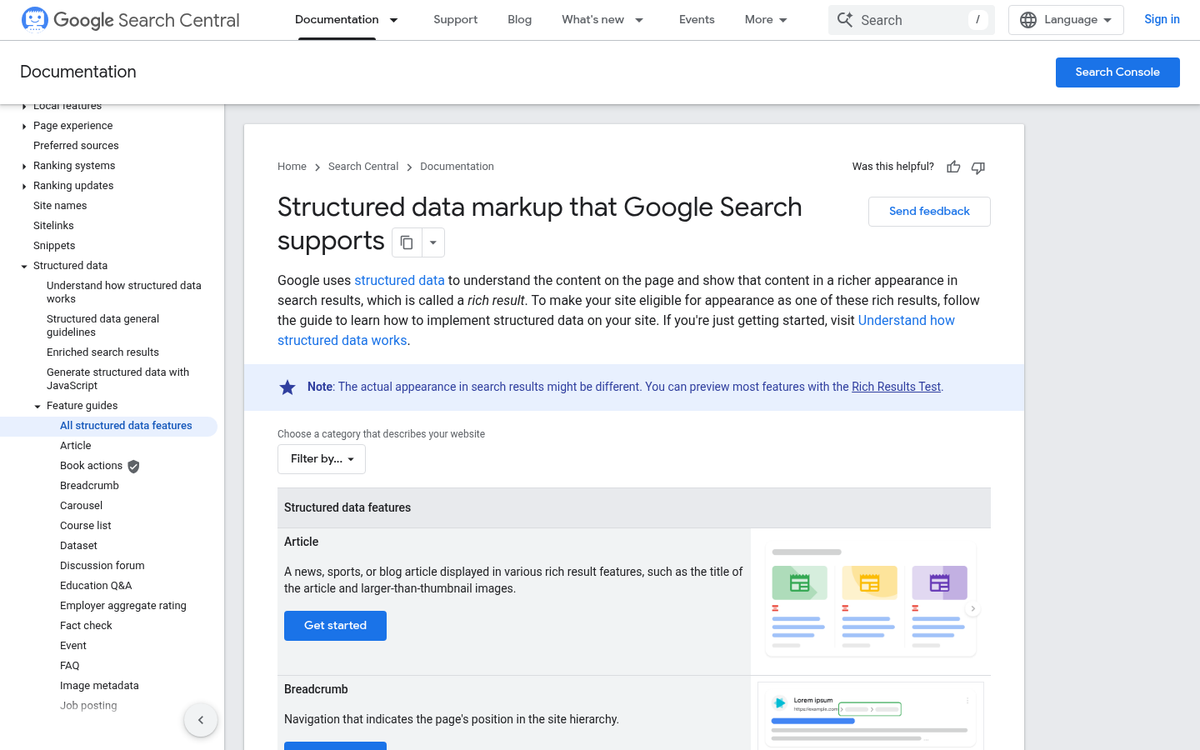
Microdata takes a different strategy- it wraps directly around your existing HTML elements, which means your schema and your content are mixed together- this works fine in principle. But it gets messy fast as your page grows.
RDFa is rarely used at this point, as its 3% adoption rate shows- it follows the same embedded strategy as Microdata but with a tougher syntax that most developers have moved away from.
The format you choose should match how your site is built. JSON-LD is the safest starting point for most setups because it keeps your structured data separate from your page layout. A format that doesn't fit your tech stack can make future updates harder than they need to be. If you're on WordPress, knowing how tags and other elements affect your site's structure can help you make smarter decisions about where your schema code lives.
How Search Engines Use Schema to Build Rich Results
Once a search engine reads your schema code, it uses that structured data to build what are called rich results - the improved listings you see in search with star ratings, prices, FAQs, event dates, and more. These are visual upgrades that give users more information before they even click, which changes how they use search results.
About 36.6% of searches show at least one rich snippet, and the click-through rate difference is significant. Rich results get clicked 58% of the time compared to 41% for standard results; it's an actual gap, and schema markup is what makes those rich results possible.
The types of rich results available depend on the schema type you use. Product schema can surface prices and availability. Review schema pulls in star ratings. Event schema shows dates and locations directly in search. FAQ schema expands your listing with question-and-answer pairs right on the results page and gives search engines the context to build something more helpful for the user.
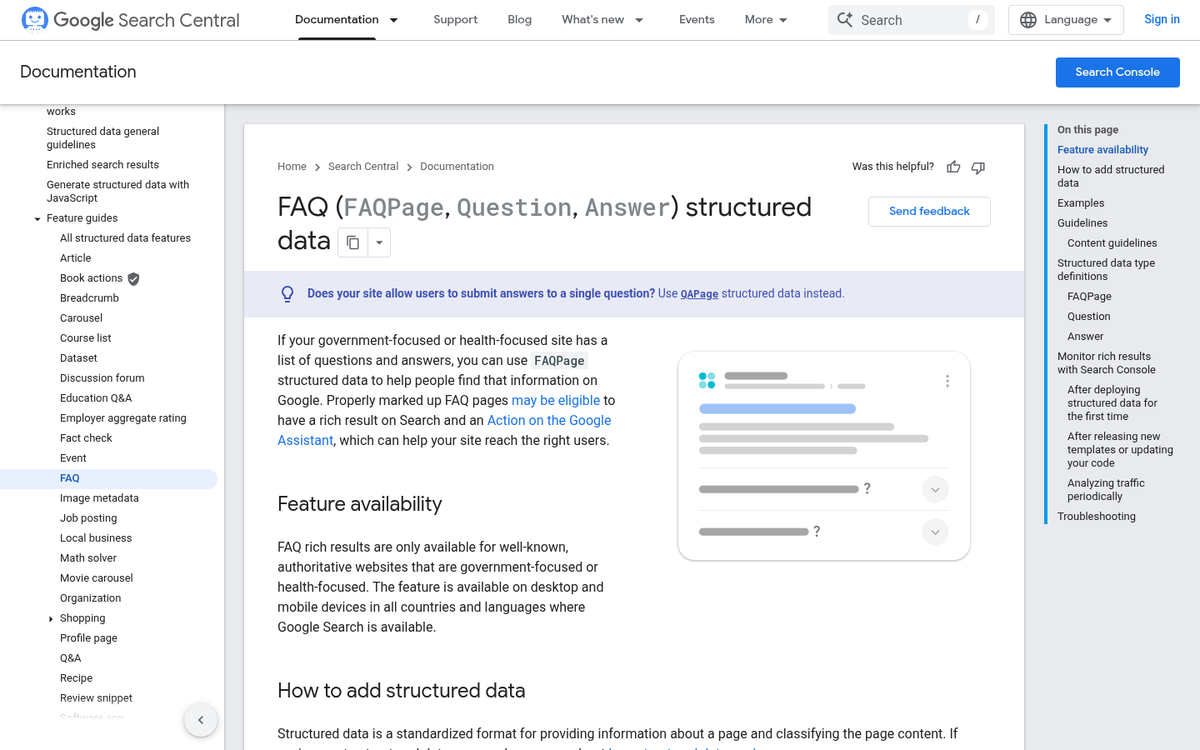
Real-world results back this up. Nestlé saw an 82% increase in click-through rate after putting schema markup across their recipe pages. Food Network recorded a 35% increase in visits after adding structured data to their content. These aren't small numbers for a pretty easy implementation.
It's worth understanding what's going on under the hood here. Search engines like Google don't display whatever schema you add - they cross-reference it against the visible content on your page. If your schema says a product costs $10 but the page shows $25, Google may ignore the markup entirely. The data has to match what's on the page. Understanding how Google structures and displays your site in search can help you think through these signals more clearly.
Schema doesn't guarantee rich results. But it's the only way to be eligible for them. If you don't have it, Google has no reliable structured signal to work from and your listing stays as plain text. Pairing schema with the right plugins to improve your blog's rankings gives you a stronger overall foundation.
Why Schema Markup Matters for AIO and AEO
AI Overviews and answer engines don't browse your website the way a human does. They scan for structured, machine-readable signals to choose whose content is authoritative enough to pull into a direct answer. Schema markup is one of the clearest ways to give them that signal.
When Google's AI generates an overview at the top of search results, it draws on content it can confidently interpret. Schema helps with that by labeling your entities, facts, and relationships in a language AI systems already understand.
Answer Engine Optimization takes this further. AEO positions your content as the direct answer to a question, and schema supports that by telling search engines what your content is about and why it's relevant. A FAQ schema, for example, tells search engines that your page directly addresses questions - which is the format AI-driven results tend to favor. You can evaluate how well your content meets these standards using our AEO Content Grader.
Only around 30% of websites use schema markup. But 72.6% of first-page Google results use it. That gap tells you something helpful. Most websites aren't doing this yet, which means the ones that do have a structural benefit in how AI and answer engines interpret their content.

Schema also helps with entity recognition. AI systems build a picture of who you are, what you do, and how you relate to other topics on the web. By marking up your organization, products, or content types, you make it easier for those systems to place you in the right context instead of guessing. This kind of credibility is also part of improving your site's E-A-T score, which signals authority to both AI and traditional search systems.
In a search environment where AI is increasingly the first stop for answers, being machine-readable isn't a technical bonus - it's a baseline expectation that most websites still haven't met.
Adding Schema Markup to Your Website
There are a few ways to get schema markup onto your site, and the right one can depend on how comfortable you are with code. WordPress users have the easiest path - plugins like Yoast SEO and Rank Math can generate and add schema markup for you without touching a single line of code.
If you want a bit more control without going manual, Google's Structured Data Markup Helper is a middle ground. You paste in your URL, show elements on the page, and tag them with the relevant schema properties. Google then generates the code for you to copy into your site.
For those who work directly in the code, adding JSON-LD manually has the most flexibility. JSON-LD is Google's recommended format, and you place it in the <head> section of your page - it keeps the markup separate from your HTML, which makes it easier to read and update later.
Start with the schema types that are most relevant to what your site does. FAQ schema works for pages with question-and-answer content. Article schema fits blog posts and news content. Product schema is a must for e-commerce pages, and LocalBusiness schema helps if you serve customers in a physical location.
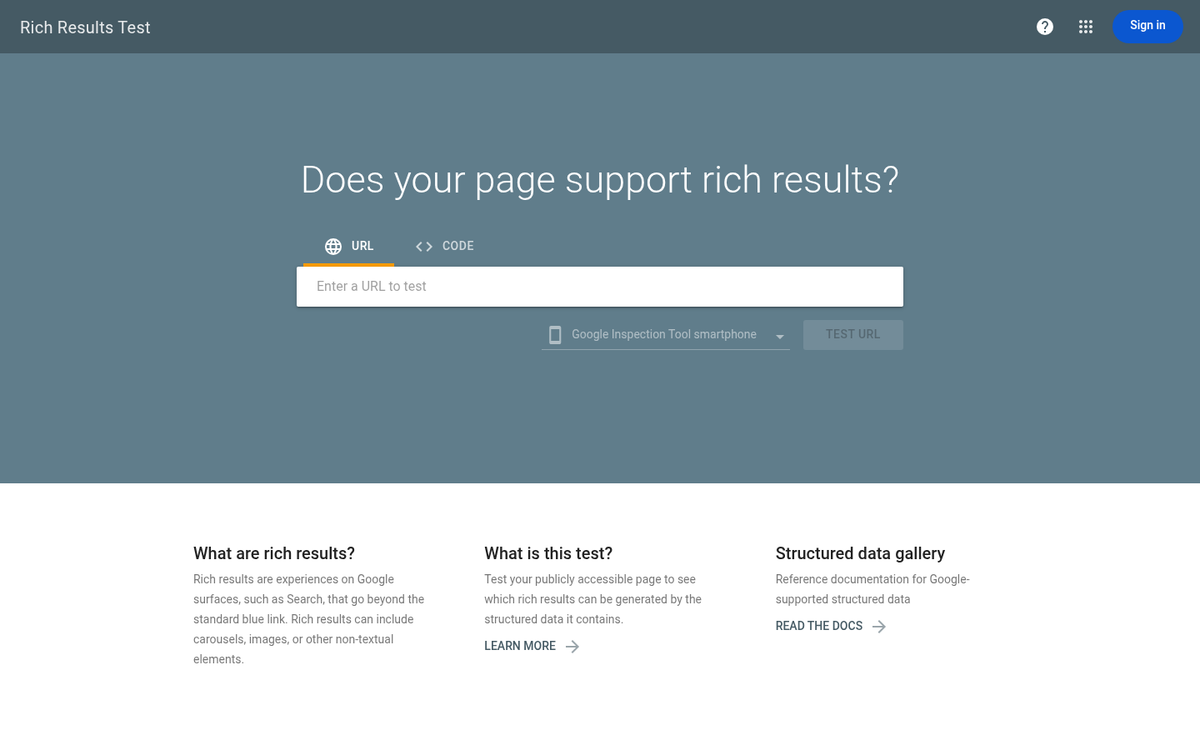
Once you've added your markup, you can use Google's Rich Results Test to check your work. You paste in a URL or code snippet and Google tells you what it found and if it's valid - it's a quick and reliable way to catch errors before they become a problem.
Only mark up content that's actually visible on the page. Google's guidelines state that schema markup should match what users can see. If you mark up content that's hidden or not present in the page text, your markup can be flagged as misleading and might not be counted at all.
Your Schema Markup Checklist Before You Go
Here's a quick action checklist to move forward:
- Identify your top schema types - Article, FAQ, Product, LocalBusiness, and HowTo are great starting points for most sites
- Choose JSON-LD format - it's Google's recommended method and the easiest to implement without touching your core HTML
- Test every page with Google's Rich Results Test - catch errors before they cost you visibility
- Schedule a quarterly schema audit - your content evolves, and your structured data should too
Schema is less about writing code and more about making your content easier for humans and machines to trust. Schema tells the story behind your content - who you are, what you're offering, and why it's relevant. That investment pays off in rich results, stronger click-through rates, and increasingly, citations inside AI-generated answers.
FAQs
What is schema markup in simple terms?
Schema markup is code added to your website that helps search engines accurately understand your content, labeling it as a product, recipe, FAQ, or other content type instead of leaving search engines to guess.
Which schema markup format does Google recommend?
Google recommends JSON-LD, which sits in the head section of your page separately from your HTML, making it easier to add and update without disrupting your existing page content.
Does schema markup directly improve search rankings?
Schema doesn't directly boost rankings, but it makes your content eligible for rich results like star ratings and FAQ listings, which can significantly increase click-through rates compared to standard search listings.
How does schema markup help with AI search results?
Schema provides machine-readable signals that AI Overviews and answer engines use to identify authoritative content, making it more likely your content gets cited or surfaced in AI-generated answers.
How do I check if my schema markup is working?
Use Google's Rich Results Test by pasting your URL or code snippet, and Google will identify what structured data it found and flag any errors that could affect your search visibility.