Key Takeaways
- "Limited by Budget" means your campaign missed 5% or more of potential traffic in the previous week due to insufficient daily budget.
- Your daily budget should be at least 50% higher than your average daily spend to avoid capping your own performance.
- If you have low conversions alongside budget limits, tighten keyword targeting, improve ad copy specificity, and build negative keyword lists.
- If conversions are strong, increase your daily budget rather than changing ad copy or keywords, since those elements are already working.
- Use ad scheduling and geographic targeting to concentrate your budget during peak conversion periods rather than spreading it inefficiently.
What Does "Limited by Budget" Mean in Google Ads (2026)?
There are so many different status codes you can encounter in Google Ads that, when you get a call saying your ads have stopped running, the usual response is a tired sigh and a "What is it this time?"
One such status code, preventing your ads from running throughout the day, is the Limited by Budget flag. This is more of a status signifier than a true error, and of all the possible reasons your ads aren't running, it's probably one of the better ones to encounter. It means your ads are doing well enough to exhaust your budget, and that you have real room to grow. What do I mean? Read on.
What Does Limited by Budget Mean?
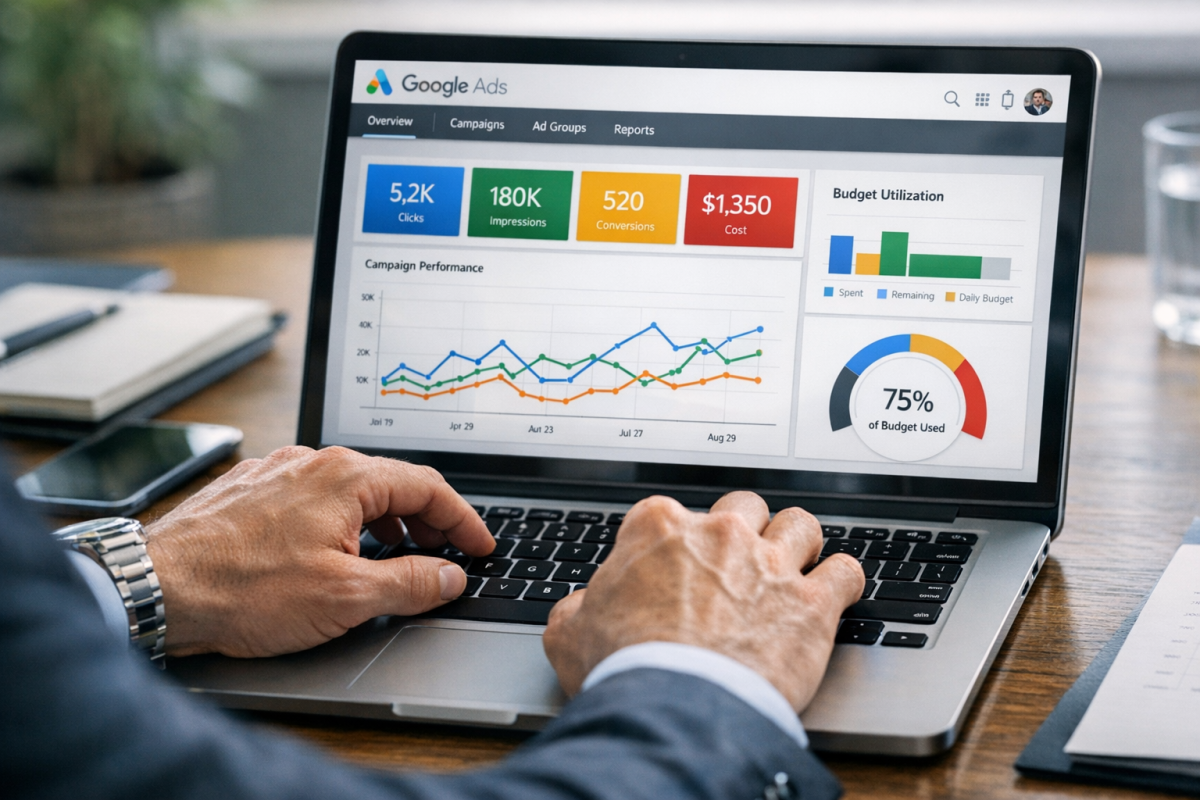
Google Ads introduced the "Limited by Budget" campaign status back in 2009 as a way to alert advertisers when their daily budget is too low relative to their potential audience. According to Google's help documentation, a campaign flagged as "Limited by budget" means it missed out on 5% or more of potential traffic in the previous week. You may also see a related variant: "Projected to be limited by budget," which means Google's simulations suggest the campaign could miss 5% or more of future weekly traffic if nothing changes.
You see the status at the campaign level. It can appear at any point during the day, though it tends to show up in the afternoon or evening once the daily budget has been exhausted. Finding the exact time your budget runs out each day can help you plan adjustments more effectively.
Here's a simplified example. Say you have a campaign with fairly broad targeting on a high-volume keyword. You're paying $1 per click and your maximum daily budget is $100, giving you roughly 100 clicks per day. But Google estimates the potential audience could yield 500 clicks per day. You could be spending $500 per day to capture all of them, but your budget cuts things off at 100 clicks. Once that $100 is gone, your ads stop showing entirely - and Google flags the campaign as Limited by Budget.
Now layer in bid adjustments. If you're bidding $1 per click with a $100/day budget and yielding around 200 clicks, then you add a +100% bid adjustment, your average CPC jumps to $2. Now you need roughly $200/day to sustain the same volume - and suddenly you're budget-limited even though nothing about your targeting or audience changed. If you're trying to keep costs down, learning how to get the minimum bid and low click cost can make a real difference.
Another scenario worth noting: if your daily budget is $10 and your average CPC is $8, you're spending 80% of your budget on a single click. You'll generate only 1-2 clicks per day, which is rarely enough data or volume to run a meaningful campaign. There are strategies for making sales even with a low budget AdWords campaign, but it requires careful optimization.
A general rule of thumb: your daily budget should be at least 50% higher than your average daily spend to avoid budget-capping your own performance.
What Limited by Budget Actually Does
When you run out of budget while there are still potential impressions and clicks left in the day, you miss all of those potential opportunities. Google simply stops showing your ads once the money runs out. That's the core problem.
Running out of budget early in the day typically signals one of a few things:
- Your targeting is too broad, resulting in a high volume of clicks but few qualified conversions.
- Your targeting is solid, but your audience is larger than your current budget can sustain.
- Your targeting is solid, but your bids are higher than your budget can comfortably handle on a daily basis.
Being limited by budget means you're leaving potential conversions on the table. Every impression your ad doesn't get is a potential customer you never reached.
There are several broad factors that contribute to this status:
- Your budget cap. If the cap is too low relative to your audience size and keyword competition, you'll exhaust it well before the day ends.
- Your bidding strategy. Smart Bidding strategies like Target CPA or Maximize Conversions can sometimes spend aggressively early in the day if they're not constrained properly. Make sure your budget aligns with the strategy's spending behavior.
- Your bid adjustments. Device, location, audience, and time-of-day bid adjustments can all inflate your effective CPC significantly. A +100% mobile bid adjustment, for instance, can double your spend on mobile traffic alone.
- Your network targeting. Running across Search, Display, and YouTube simultaneously will exhaust your budget far faster than limiting yourself to one or two networks. If you're trying to get cheaper clicks through YouTube, that's worth exploring separately.
- Your ad copy. Overly broad or overly clickable copy can drive a lot of unqualified traffic, which can contribute to high clicks but low earnings. More specific copy typically earns fewer but better clicks.
- Your keywords. Broad match keywords in 2026 cast a very wide net, especially with Google's expanded interpretation of match types over recent years. This can expose you to a much larger and less qualified audience than you intend.
Being limited by budget isn't always a disaster, but you need to diagnose what's actually happening before making any changes.
Diagnosing and Fixing Limited by Budget Ads

The first thing to do is examine the specific campaign that's being limited. You want to answer one question: are those clicks producing valuable conversions, or not?
If you have a high click volume but very few conversions, you're likely pulling in an audience that's only loosely related to what you're offering. The budget is being exhausted, but not productively.
If you have a high click volume and a strong conversion rate, that's a completely different situation - and a much better one. You're not wasting money; you're just running out of it too soon.
If Your Conversion Rate Stinks

If you have a low conversion rate and you're being limited by budget, something is off. Your ads are spending money without generating meaningful returns. Common culprits include:
- Overly broad keyword matching (especially broad match without proper negative keyword lists)
- Ad copy that's too generic and attracts general curiosity rather than purchase intent
- Display or YouTube campaigns reaching audiences with no real commercial intent
- Landing pages that don't align well with the ad's messaging
This situation often accompanies a lower Quality Score as well. A low conversion rate paired with a high click volume typically means you're reaching a lot of people with the wrong message.
Think about a billboard for a car dealership. The vast majority of people driving past aren't in the market for a new car. The dealership pays for massive exposure with a very low conversion rate - but billboards are cheap, and the goal there is brand awareness over time, not immediate conversions. Online advertising works differently. You have the data and tools to target narrowly. When you do it right, you get fewer impressions and fewer clicks, but far more conversions per dollar spent.
Here are the changes to make when your conversion rate is the problem:
- Lower your individual bid. Dropping a position or two in the auction will reduce your CPC and stretch your budget further. You don't need to be #1 to convert well.
- Write more specific, intent-driven ad copy. Broad copy attracts broad audiences. If your product is enterprise-level software, your ad copy should reflect that - and naturally filter out the self-employed and small businesses who aren't a fit.
- Tighten your keyword targeting. Shift from broad match to phrase or exact match where possible, or use broad match with a robust negative keyword list to control what you're actually matching against.
- Build out your negative keyword list. Identify which search terms are consistently delivering clicks without conversions and add them as negatives. This is one of the highest-leverage changes you can make in Google Ads in 2026, especially given how aggressively Google's broad match has expanded in recent years.
- Audit individual ads within the campaign. Since "Limited by Budget" appears at the campaign level, you might find that one ad inside the campaign is consuming 90% of the budget due to overly broad targeting. Identify it, tighten it, or pause it.
- Review your audience and demographic targeting. If you're running Performance Max or Display campaigns, check the audience signals and placement reports to see if you're showing up in irrelevant contexts.
Often the solution isn't just tweaking your ads - it's a more fundamental reset of the targeting strategy. Don't be afraid to pause a campaign and rebuild it. You can always reactivate the old version if the new one underperforms.
If Your Conversion Rate Rocks
If you're getting strong conversions from your ads but you're still hitting the budget limit, congratulations - this is genuinely good news. It means your advertising is working. You're just not putting enough fuel behind it.
When this is the case, do not touch your ad copy or keyword targeting, at least not initially. Those are the things working in your favor. Instead, focus on expanding your capacity to spend efficiently:
- Increase your daily budget cap. This is the most direct fix. The same strategy with more budget simply gets you more of what's already working.
- Aim for a daily budget at least 50% above your average daily spend. This gives Google's algorithm enough room to operate without constantly hitting a ceiling, which can negatively affect Smart Bidding performance.
- Lower your individual bids where possible. If you're bidding aggressively to hold a top position, test pulling back slightly. You may find your conversion rate holds steady at a lower average CPC, which means more conversions per dollar.
- Use ad scheduling to concentrate budget during peak hours. If your conversion data shows that 7pm-10pm drives the bulk of your conversions, make sure your budget isn't already exhausted by noon.
- Review geographic performance data. If one region is driving the majority of your conversions, consider tightening your geographic targeting so your budget concentrates where it performs best.
- Add negative keywords to remove any remaining unqualified traffic. Even a great campaign typically has some waste. Removing it stretches your budget further without changing what's working.
- Review your Smart Bidding targets. If you're using Target CPA or Target ROAS, make sure your targets are realistic and that your budget is large enough to give the algorithm sufficient daily data. A budget that's too tight can actually impair Smart Bidding's ability to optimize.
Once you make these adjustments, you should see your conversion rate hold steady - or improve - while total conversion volume increases. From there, it becomes a feedback loop. More conversions bring in more revenue, which frees up more ad budget, which opens the door to scaling further. Keep incrementally increasing until you hit a point of diminishing returns, then revisit your strategy and start the process again.
The "Limited by Budget" status is one of the few Google Ads warnings that signals opportunity rather than failure. Treat it that way.