One of the best forms of advertisement online right now is PPC, through Google, Facebook, or another network. And the numbers back it up: according to Google, businesses generate an average of $8 in profit for every $1 spent on ads - an 8:1 ROI that's hard to ignore. People who click on Google Ads are also 50% more likely to buy than organic visitors, making PPC one of the highest-intent traffic sources available.
At least, that's the potential.
The reality is, it's hard to effectively use PPC on a low budget. You're effectively replacing the money you would spend with time and effort invested. It may be cheaper in terms of budget, but it's not cheaper in terms of time and knowledge. That's why you see so many people railing against PPC in general, or against Google Ads specifically. These are people who didn't have the time or the knowledge to run an effective campaign, and didn't have the budget to replace those sufficiently. They claim Google Ads is too expensive, too ineffective. And, for them, it was.
My goal with this post is to keep you from becoming one of those people. I'm going to try to educate you about the techniques and methods you can use to make an effective Google Ads campaign, without having to dump a lot of money into it.
Be aware, however, that you have to value your time. When you're doing this yourself, you're spending time you could be spending on other tasks, potentially tasks only you could do. You can hire someone to run Google Ads for you; you can't necessarily hire someone to do those other tasks.
The other thing to know is that PPC is very scalable. When you get a system that works when you're paying $10 a week, that same system is going to work, and is going to be more effective, when you bump your budget up to $50 a week. At some point, you'll find diminishing returns, but there's a very high ceiling. For context, most small businesses are spending between $1,000 and $3,000 per month on Google Ads as of 2026 benchmarks - so there's plenty of room to grow into.
Key Takeaways
- Negative keywords prevent wasted clicks by stopping ads from showing for irrelevant or low-intent searches.
- Phrase and exact match keyword types give budget-conscious advertisers more control over when ads appear.
- Narrowing targeting by location, time of day, and device eliminates low-quality clicks without reducing relevant reach.
- Higher Quality Scores naturally lower your cost-per-click and improve ad positioning without increasing spend.
- Remarketing targets previous site visitors who showed purchase intent, making them cheaper and higher-converting than cold audiences.
Generalities: How to Run a Cheaper Campaign
PPC works on a simple system.
You run ads, and you pay X amount of money each time a user clicks an ad. There are only so many variables that can change in order to reduce costs. You can target better users to get more clicks with fewer wasted views. You can target different keywords where your clicks are cheaper. You can make changes to campaigns to reduce competition and increase click-through rates. Perhaps most importantly, you can change the destination of your links to encourage more conversions - after all, if you get 100% CTR but 0% conversion rates, all you're doing is wasting money.
Worth knowing: the average CPC in Google Ads is currently $5.26, according to WordStream's 2025 benchmarks. However, costs vary significantly by industry. The most affordable niches include Arts & Entertainment ($1.60 CPC), Restaurants & Food ($2.05), and Travel ($2.12). If you're in a lower-cost vertical, your runway on a tight budget goes much further.
The average Google Ads conversion rate sits at 2.85% across industries, per Databox's benchmark data from over 2,000 companies - though 65% of industries saw improved conversion rates in 2025, according to LocaliQ Senior Marketing Manager Cliff Sizemore. That's an encouraging trend for advertisers willing to put in the optimization work.
You'll find that every tip and bit of advice I give will help optimize one part or another of this process. When you boil things down, it's all relatively simple. The point of the following advice is to give you specific, actionable tips you can use to reduce costs or boost sales immediately.
Proactive and Reactive Negative Keywords
When you're running a PPC campaign, you're centering it around keywords. That's how the systems work. You target keywords and your ads run for queries related to those keywords. Have you ever heard of negative keywords, though? Various studies and polls have shown that as many as 25% of businesses aren't using them.
Negative keywords are, essentially, keywords that make your ad not run for that query. So if your keyword was "Nike running shoes" and someone typed in "Why do Nike running shoes suck?" you wouldn't really want your ad to run there. The user has a negative opinion and is looking for verification; they're pretty unlikely to change their minds and buy based on your ad.
Another example might be "cat food" as a keyword. By leaving it as is, someone looking for a specific cat-themed food truck would see your ads. They don't care about your cat food, though, and might not even have a cat. So, you would want to make "truck" a negative keyword.
Negative keywords can be divided into two categories, though they will share many of the same words. There are proactive negative keywords, and reactive negative keywords.
Proactive negative keywords are lists of keywords you add to the negative words list immediately. You know the keywords on this list, like "sucks," aren't going to be beneficial places to run your ad, so you eliminate them. You can find long lists of such negative keywords pretty easily, using tools or lists that are publicly available.
Reactive negative keywords are more like the truck example. You wouldn't need to list "truck" as a negative keyword if that search literally never comes up. It wouldn't hurt to do so, but it doesn't help so there's no benefit. Basically, what you'll be doing is keeping an eye on the Google Ads search query reports you get. When you see users clicking your ads from a query that isn't helpful, you can add that set of keywords to your negatives list.
By adding negative keywords to the list, what you're doing is restricting the places your ads can run. That allows you to more finely tune the people who see your ads, and thus the people who click them. You don't want clicks from people who have pre-existing negative opinions and have no intention to buy, or from people who are finding your ads in searches for similar but unrelated products or services. Those people aren't going to convert, flat out. This way, you're not wasting money on their clicks.
Pick the Right Match Type
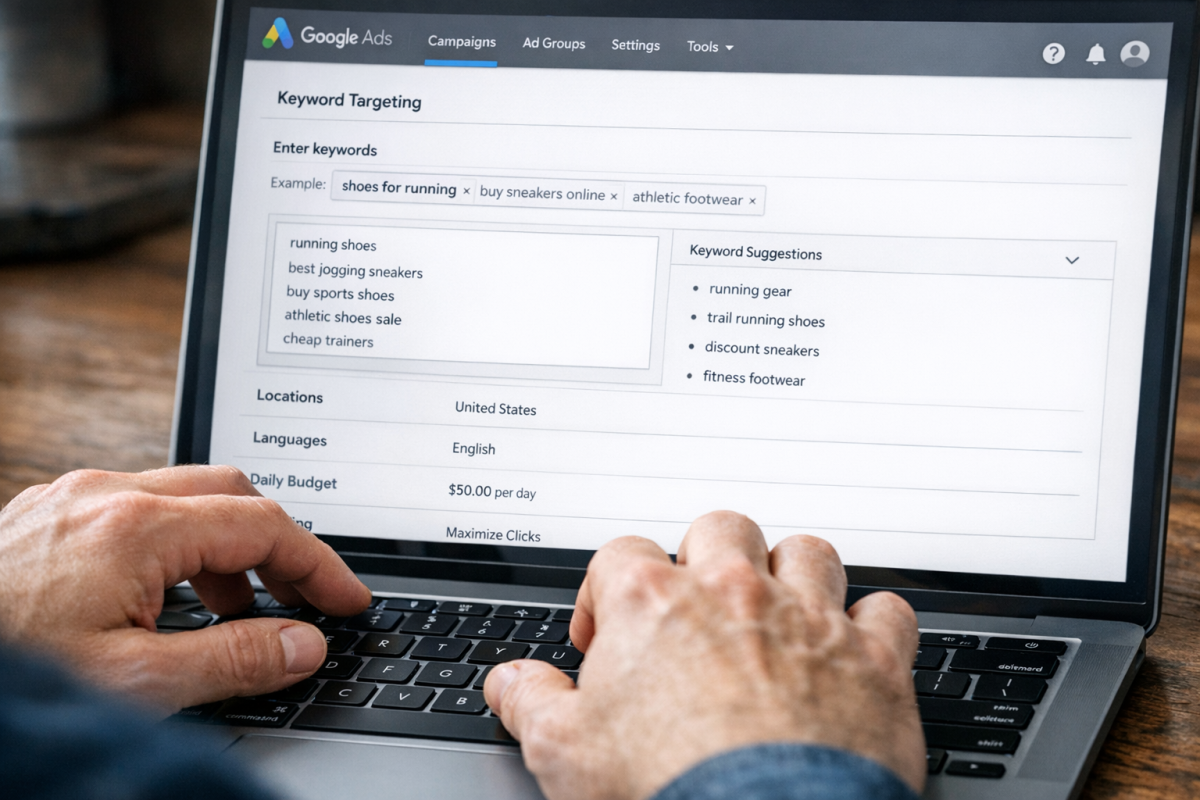
Match type is what determines how precisely your keyword is followed for ad visibility. For example, if your keyword was "running shoes" and you used broad match - the default in Google Ads - your ad could show up for loosely related queries that Google's algorithm determines are relevant. This gives Google significant control over when your ads appear, which can be useful but also costly if left unmonitored on a tight budget.
One tier more controlled is phrase match. By putting the keyword in quotation marks like "running shoes", your ad will show for searches that include the meaning of that phrase. Searches like "best running shoes for beginners" would qualify, but something entirely unrelated would not.
Even more specific is exact match, where you put the keyword phrase in brackets like [running shoes]. This limits your ad to searches that match the exact term or very close variants of it.
It's worth noting that Google has significantly reduced the distinction between match types over the years, with broad match now powered by AI-driven intent matching rather than simple keyword overlap. That said, on a low budget, phrase match and exact match remain your safest bets for maintaining control over spend. Broad match can work well once you have strong negative keyword lists in place and enough conversion data for Smart Bidding to optimize against - but it's risky territory when you're just starting out.
Narrow Targeting by Location, Time, or Device
The narrower your targeting, the smaller the audience who will see your ads.
This can be a good thing or a bad thing, depending on how well you've deduced your targeting options. If you've done it properly, you've eliminated a large audience that wouldn't buy but might click. If you've done it poorly, you've just lowered the number of people who see your ads without any rise in quality. Your goal is to cut out as many people who won't buy as possible, while keeping in as many who will as you can.
Google Ads has a lot of targeting options, but the three I'm going to mention here are the three in the subhead.
- Location. Google's geotargeting can be surprisingly specific. You can choose to target an entire country, or to eliminate countries and target the regions left over. I recommend restricting your ads to a specific country, usually the United States, or whatever your home country happens to be. That's for Internet-based services or products you can ship nationally. For more specific targeting, you can target areas within a country, like states, counties, or cities. If you have a local business with a restricted delivery range, this is more ideal. You can also do a geographic radius around a particular location. This is perfect for mobile ads and for local businesses with a very small delivery or service range.
- Time targeting is also known as dayparting. Dayparting allows you to choose certain hours during a day and certain days during a week and limit your ads to running during those segments. If you know that 90% of your conversions happen between noon and 10pm on weekdays, there's no reason to let your ads run at 3am and drain your budget.
- Device targeting is the difference between desktop and mobile users. You're going to want to reach both types of users, but different ads work for different devices, so try to create distinct desktop and mobile ads where possible. Mobile now accounts for the majority of Google searches, so don't neglect it - but also don't assume mobile and desktop audiences behave the same way. A well-optimized mobile site can even affect your cost per click.
Enable and Monitor Conversion Tracking
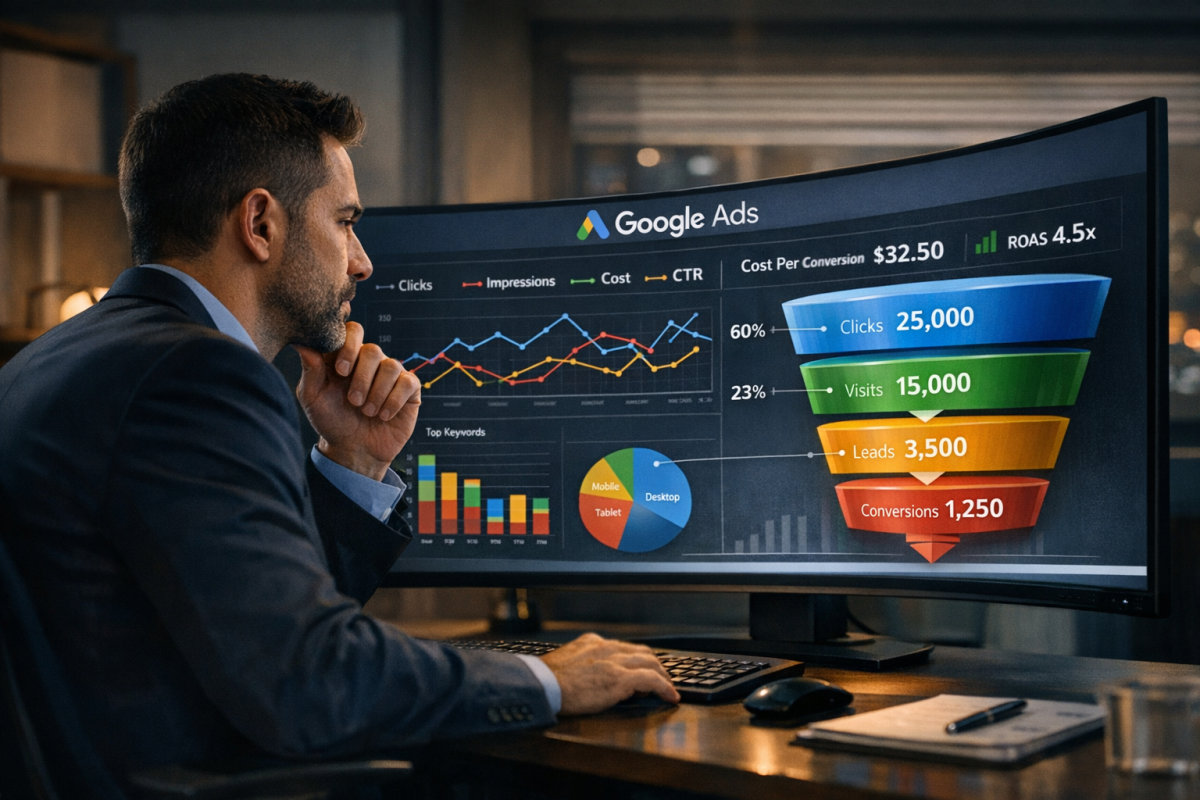
Conversion tracking is something you need to enable in Google Ads by placing code snippets on your site. It will track users who arrive on your site based on your ads, and segment them by which ad they used to get there. It will show you how many people enter your site, and how many of those people convert.
The primary reason to track this is to see how effective your ads are. With conversion tracking, you'll be able to differentiate between people who convert from ads and people who convert from other sources, like your social campaigns or organic search.
When you track who converts from your ads, you can then make a few comparisons. Take the number of people who convert and compare it to the number of people who clicked your ads; this gives you your conversion rate. Ads with a higher conversion rate are generally good, but not always.
The other comparisons you can make involve money. Compare the amount of money it costs per click with the number of clicks it takes to get a conversion; this gives you the cost per conversion. Now figure out the average value of a conversion. This allows you to see how much it costs to make how much money. If you find ads that have low value and high costs, you need to remove or adjust them.
Conversion tracking also feeds Google's Smart Bidding algorithms. The more conversion data you feed into the system, the better automated strategies like Target CPA or Target ROAS can optimize your bids in real time - which becomes increasingly valuable as your budget scales up.
Use Personalization to Your Advantage

One often-overlooked lever for improving PPC performance is ad personalization. Research shows that personalized ads drive 30% more sales than non-personalized ones - a significant edge when every dollar counts.
In practice, this means tailoring your ad copy and landing pages to match the specific audience segment seeing them. Google Ads allows you to layer audience signals on top of your keyword targeting, including in-market audiences, customer match lists, and remarketing audiences. When you know something about who's seeing your ad - whether they're a returning visitor, an existing customer, or someone who's been browsing your product category - you can write copy that speaks directly to them.
Even small adjustments, like referencing a user's location in the ad headline or customizing the landing page headline to match the ad they clicked, can meaningfully lift conversion rates without increasing your spend.
Target Competitors Directly

One interesting technique you can use is targeting competitors rather than fighting over general keywords. Surprisingly often, you'll find that competitors are secure in their branded keywords and won't run ads for them. This leaves the space wide open for your ads to capture their potential customers.
Now, you can't use their trademarks or brand names in your ad copy; that can violate trademark policies. You can, however, use their brand name in your keywords. Target branded keywords your competitors are using, and write general copy designed to attract users to your ad instead of to their organic search result.
While you're at it, make sure you do the same to your own branded keywords. These won't necessarily be high-converting external targets, but you don't want a competitor to snipe your own traffic. Think of it like securing your domain name so a squatter can't swoop in and impersonate you.
Don't Demand the First Ad Spot

Google Ads is like organic search results; there are multiple positions per page.
Often, the top bidders all show up in order based on a combination of bid amount and Quality Score. There's an underlying assumption many marketers make, that the top result is always the best. This is because, in organic search results, it's almost always true. The number one spot in organic results gets the most clicks, the most attention, and the most traffic.
For ads, however, that's not always the case. Often, the advertisers putting up the money for the top spot aren't necessarily optimizing their copy or their landing pages as well as they could be. Therefore, you could hold the second or third position and still bring in more conversions than the person in the top spot - simply by being more relevant and better optimized.
Don't fall into the trap of thinking that the top spot is required for success. Often, the second or third position is perfectly acceptable and significantly cheaper. I wouldn't recommend going lower than the third spot, however, as visibility drops off sharply. This is an easy cost-saving measure, because positions two and three are never as expensive as position one.
Minimize Overlapping Keywords

This is another keyword issue, and it comes up surprisingly often when you have large, sprawling ad campaigns with a lot of individual ads you might not review frequently. Basically, what ends up happening is you have specific and general keywords that overlap. To carry over the running shoes example, you might have "running shoes in Seattle" and "shoes in Seattle" as two different keywords across two different ads.
What often happens in this case is that a single search query triggers both. The user generally won't click on both, but you're still wasting impressions and potentially splitting your budget inefficiently. Even if they only click one, you've created unnecessary internal competition within your own account.
Minimize keyword overlap as much as possible. Regularly audit your campaigns and use Google's search terms report to identify where this is happening.
Improve Your Quality Scores

Every keyword you target has a Quality Score that indicates how relevant your ad, keyword, and landing page are relative to what the user is searching for. It's calculated on a scale of 1 to 10, with 10 being the best. It's an individual calculation, and it can change over time.
Consider the running shoes example. If you sell black Nike running shoes, and you run an ad targeting the "black Nike running shoes" keyword with a landing page dedicated to exactly that product, you'll likely earn a high Quality Score. On the other hand, if you sold Converse and not Nike, your score would be lower - the user is searching for one brand and you're delivering a mismatched answer.
Quality Score is a measurement, not a dial you can turn directly. When your ads have higher relevance, better targeting, and strong CTRs, your Quality Score rises naturally. You don't improve Quality Score and then watch metrics respond - it's the other way around.
Having high Quality Scores does have meaningful practical effects. A higher score makes you eligible for lower CPCs, lower bid estimates, higher ad positions, and broader auction eligibility. It's always worth investing in relevance at every level: keyword, ad copy, and landing page. If you want to go deeper, see our guide on how to increase your Google AdWords Quality Score and learn how long Quality Score takes to update.
Make Use of Remarketing

Remarketing is a cookie-based (and increasingly, first-party data-based) process that allows you to serve ads to users who previously visited your site but didn't convert. There are a lot of reasons why users don't immediately convert. Some might not like your offerings or your prices. Some are simply busy. Others want to discuss the purchase with someone else before making a final decision.
In many cases, the user is perfectly willing to buy, but the time isn't right.
The problem is, as time passes, they tend to forget about your product and their intention to buy. By remarketing to them, you remind them that they were interested and give them another chance to convert. Remarketing audiences are among the highest-intent groups you can target in any PPC campaign - and they're often cheaper to reach than cold audiences.
Google also offers more advanced options like Customer Match, which lets you upload your own customer email lists to target existing customers or past buyers with tailored messaging. If you're wondering how Facebook Ads vs AdWords compares for remarketing, both platforms support this approach with their own advantages.
Test Every Change You Make
This should go without saying, but testing is the key to a well-spent budget. Every change you want to make, you should test first. Test with smaller audiences or with lower budgets as a proof of concept. Only commit to a full rollout after A/B testing confirms your changes are working. If you find that increasing your budget is actually lowering conversions, testing smaller increments first will save you from a costly mistake. Only