





When you're running ads on your blog, it pays to have some variety. With one ad slot, you can run one ad that people get tired of after a week, or you can run a half-dozen ads in that same slot, rotating between views and refreshes.
If you browse the internet with ads enabled, you've seen this a million times before. Rotating ads are the default when it comes to third party ad networks, though often in-blog ads for the blog's own products aren't rotated.
With ad rotations, you can effectively double or triple your ad slots and give each ad an amount of rotation based on whatever criteria you want. The landscape for doing this has changed significantly since the early days of blog advertising, so let's look at what's actually relevant in 2026.
Key Takeaways
- Rotating ads lets you effectively double or triple ad slots by cycling multiple creatives through a single placement.
- AdSense handles rotation automatically on Google's end; adding custom scripts rarely helps and can hurt Core Web Vitals scores.
- Custom PHP or JavaScript rotation scripts offer flexibility for weighting ads by CPM, scheduling by time, and limiting repeat impressions.
- WordPress plugins like Advanced Ads and AdRotate cover most publishers' rotation needs without requiring custom code.
- Always review each ad network's terms of service before implementing rotation, as some techniques can violate policies.
Google Ads & AdSense Automatic Rotation

If you're using Google AdSense for your ads, you don't need to do much of anything on your end. Ad rotation is largely controlled from the advertiser side, where advertisers configure their ad sets within Google Ads. Google's algorithm optimizes which creative is shown based on performance signals, audience data, and auction dynamics.
One important nuance worth knowing: for Display and Video 360 campaigns, Google may automatically switch the "Rotate indefinitely" setting back to "Optimize" after 90 days. This is worth being aware of if you're managing ads from the advertiser side as well as the publisher side.
You can use a script to rotate the ad module that appears on your page, but there's rarely a good reason to do so with pure AdSense placements. AdSense serves ads based on the page content, user signals, and auction results - not your rotation logic. Running an unnecessary script just slows your site down and can hurt your Core Web Vitals scores, which in 2026 remain an important ranking factor.
Where rotation scripts do make sense is when you want to rotate between AdSense units, ads from other networks, and directly negotiated blog-based ads - mixing and matching across different sources.
Custom Ad Rotation Scripts
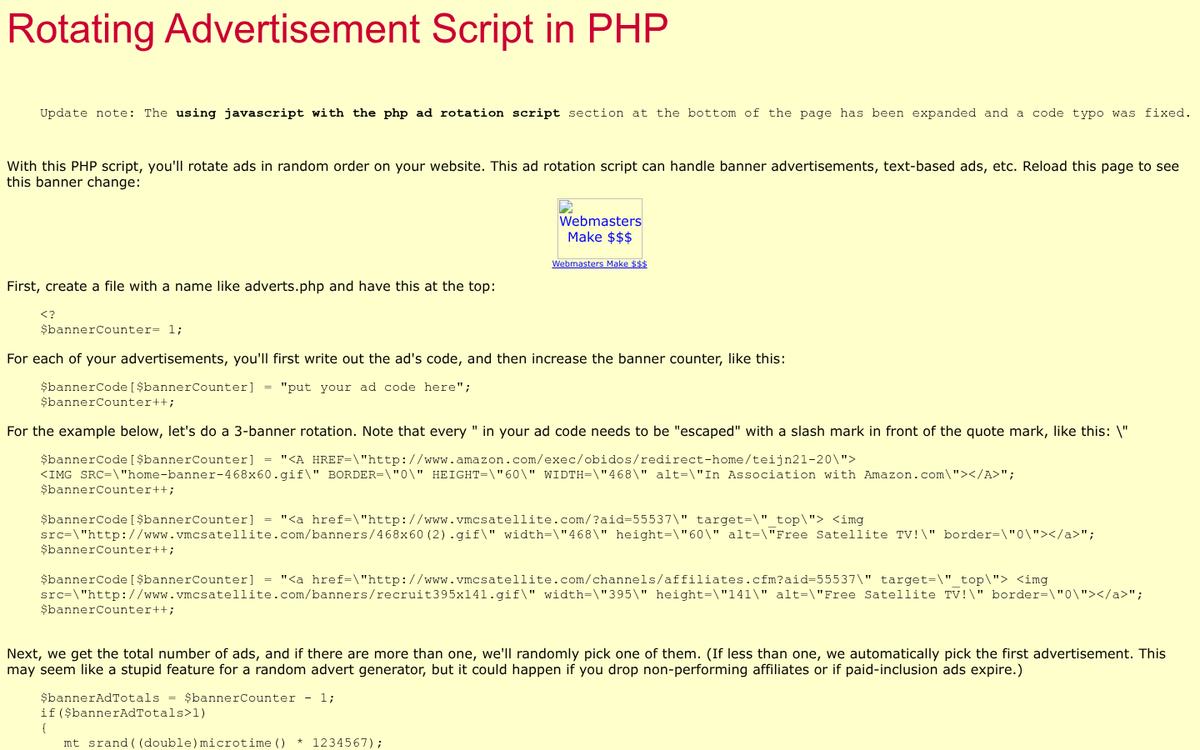
The most flexible option is building your own ad rotation logic. This was true in 2017 and it's still true today, though the tooling has evolved.
A basic PHP-based rotation script works by storing your ad creatives in an array and randomly or sequentially serving one per page load or per session. You can add logic to weight certain ads more heavily - for example, if a direct advertiser is paying a higher CPM, you can serve their ad proportionally more often.
JavaScript-based rotation is also common. A simple approach using vanilla JS (jQuery is largely unnecessary in 2026) can swap ad creatives client-side on a timer or per page refresh without any server-side logic at all.
What can you do with these scripts? At the basic level, you're splitting between two or more creatives - useful for A/B testing or simply giving different advertisers their fair share of impressions. More advanced implementations let you tie rotation to user sessions, limit how many times a specific creative is shown to the same visitor, or apply time-of-day scheduling.
If you want to track performance properly, pairing your rotation script with your analytics platform (Google Analytics 4, Fathom, Plausible, or similar) is worth the extra effort. Tag each ad variant so you can see which one is actually driving clicks and revenue.
Before implementing any rotation script, always review the terms of service for each ad program you're running. Google's policies, for instance, prohibit implementations that artificially inflate impressions or draw undue attention to ads. Ads that visibly fade in and out while the user watches can be flagged. Keep transitions subtle or stick to per-load rotations rather than animated on-screen swaps.
One smart addition to any rotation setup is basic user-level frequency tracking. By storing a session or cookie value, you can ensure a visitor doesn't see the same creative every single time they visit. This improves user experience and can improve click-through rates by keeping your ad inventory feeling fresh.
From a revenue optimization standpoint, if you're managing direct ad deals, weight your rotation by effective CPM. If one advertiser pays $5 CPM and another pays $2 CPM, the higher-paying advertiser should get proportionally more impressions. It's a simple calculation that adds up meaningfully over time.
Third Party Ad Rotation Options

1: AdRotate Banner Manager for WordPress
AdRotate remains one of the most well-known ad rotation plugins for WordPress, and it's still actively maintained as of 2026. It gives you a central dashboard for managing banner-style ads without touching your theme code. It works with HTML ads, JavaScript-based ads including AdSense, and most affiliate network banners.
The free version supports unlimited ads, self-hosted banners, HTML5 creatives, and basic dynamic rotation. You can inject ads into posts and pages, rotate ads in a grid layout, and it supports WordPress Multisite.
The paid tiers unlock the features most serious publishers actually need - ad weighting, scheduling by date or time of day, mobile-specific ads, location targeting, Google Analytics integration, and widget injection. The single site license runs 30 Euros, scaling up to a developer license at 200 Euros for those managing multiple sites.
It holds a solid rating on the WordPress plugin repository and has an active support forum. If you're on WordPress and want a no-fuss rotation solution, it's still a reasonable starting point in 2026.
2: Advanced Ads
Advanced Ads has become one of the most capable ad management plugins available for WordPress and deserves its own mention in 2026. It handles ad rotation, scheduling, targeting by user role, device type, post category, and more. The free version is genuinely useful, and the premium add-ons are modular - you pay for what you need rather than a single all-or-nothing upgrade.
It integrates cleanly with AdSense, Google Ad Manager, and affiliate networks, and it has solid documentation. For most bloggers and content publishers, Advanced Ads or AdRotate will cover everything you need without writing a line of custom code.
3: Google Ad Manager (Free)
For publishers who've outgrown simple plugin-based rotation, Google Ad Manager (the free tier, formerly DoubleClick for Publishers Small Business) is worth serious consideration. It lets you manage both direct-sold ad inventory and programmatic demand in one place, with sophisticated rotation, targeting, and reporting built in.
The learning curve is steeper than a WordPress plugin, but if you're running a meaningful volume of traffic and mixing direct deals with programmatic, it's the professional-grade solution. It integrates directly with AdSense and gives you far more control over how impressions are allocated across your inventory.
4: Other WordPress Plugin Options
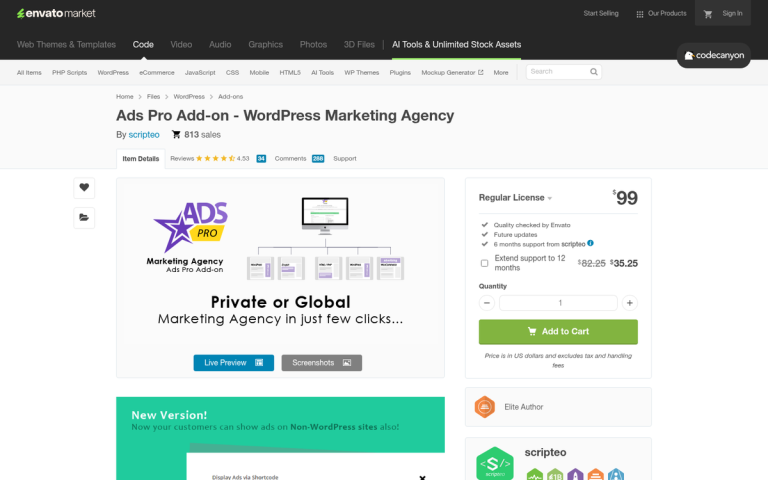
The WordPress plugin ecosystem in 2026 gives you plenty of choices beyond just AdRotate. Ads Pro, WP QUADS, and Advanced Ads all have strong reputations and active development. Each has different strengths - Ads Pro leans heavily into visual ad placement and grid layouts, WP QUADS is lightweight and AdSense-focused, and Advanced Ads is the most flexible for complex targeting rules.
When evaluating any ad management plugin, check that it's been updated recently, has active support, and is compatible with your current version of WordPress. An outdated ad plugin is a security liability, especially any tool that allows external parties to interact with your site.
5: Custom & Self-Hosted Ad Servers
If you're managing a larger operation - multiple sites, direct advertiser relationships, and significant traffic - a self-hosted ad server gives you the most control. Open-source options like Revive Adserver (the successor to OpenX) are free to self-host and provide enterprise-level rotation, targeting, and reporting. You'll need a server environment to run it and some technical comfort, but it's a legitimate option that serious publishers use.
The older paid scripts (PLX Ad Trader, Calendar Scripts' AMY, ClipperSoft's MySimpleAds) that were popular in the mid-2010s have largely faded from relevance. Some are no longer maintained, and recommending them in 2026 wouldn't serve you well. The combination of modern WordPress plugins and free tools like Google Ad Manager or Revive Adserver covers the same ground more reliably.
As you can see, it's generally easier than ever to set up ad rotation - whether through a WordPress plugin, Google Ad Manager, or a lightweight custom script. The tools have matured considerably. Just make sure whatever approach you take plays nicely with your ad network's terms of service, keeps your site performance healthy, and gives you the reporting you need to actually optimize what's running.

2 responses
Thoughtful replies only - we moderate for spam, AI slop, and off-topic rants.
I found a ton of useful things here Kenny! Much obliged 🙂
Thanks for this, i have been looking for a way to use my two ad network on my website and this post really explain everything in details.