





Before we begin, I find that there's a lot of confusion as to whether an ad-related topic is focusing on the publisher perspective or the advertiser perspective. Some topics are easy to identify; if I'm talking about the cost of ads, I'm talking about the advertiser side. If I'm talking about your earnings, it's probably about the publisher side of things. Google previously kept a clear separation between AdSense and AdWords as the publisher and advertiser sides, respectively, but AdWords was rebranded to Google Ads back in 2018, and the broader Google Ads umbrella now encompasses both sides of the ecosystem.
In any case, what I'm talking about today is AdSense, the publisher side of things, and the publisher side of other ad networks as well.
Like all things with Google, ads can be pretty complex. The list of ad policies for AdSense is a mile long, and there are a whole lot of different restrictions, guidelines, and placement policies for different kinds of ads as well. Let's talk about how AdSense combines with other ad networks, and see where we stand.
Key Takeaways
- Google AdSense allows publishers to run ads from multiple networks simultaneously on the same page without restrictions.
- Combining networks like AdSense and Media.net can increase RPM by 20-30% as networks compete for the same inventory.
- Google's Valuable Inventory Policy requires content to exceed ads in screen real estate, replacing older fixed ad-per-page limits.
- Ad placement rules prohibit encouraging accidental clicks, misleading labels, content pushed below the fold, and ads in pop-ups.
- Diminishing returns on ads vary by site; prioritizing user experience is the best guide for ad density decisions.
Can You Use AdSense With Other Ads?

This is a pretty common question. Can you use Google AdSense ads on your site alongside ads from other ad networks? The answer is yes.
There are no restrictions in AdSense relating to the number of ad networks you can use on any given page. Per Google's official support documentation, non-Google ads may be placed on the same site or page as Google ads. If you want to run ads from AdSense alongside ads from Media.net, Adsterra, or the other alternative networks, affiliate links, self-serve ads, or whatever else, you can. Google doesn't restrict you from doing so.
It's also worth noting that combining networks can have a meaningful impact on revenue. If your RPM is around $10 without AdSense, you can realistically expect a 20 to 30 percent uplift when combining networks like Media.net and AdSense simultaneously, as the two networks effectively compete for the same inventory and drive up your effective CPM.
What Does Google Care About?

Google actually has a lot of different policies relating to ads that may be limiting your ability to use other ad networks. They don't explicitly say "hey you can only have three ads on your page", because they know there are different layouts for ads that can be reasonable. One site with three ads might be very unobtrusive, while another might have three large banner ads stacked on top of each other directly above the content, pushing it below the fold and making the site much less user-friendly.
A lot of it comes down to your placement, so here are the guidelines for ad placement, in summary form:
- You are not permitted to place ads in a location that encourages accidental clicks. Accidental clicks can get your AdSense account banned, and there's no way to recover from that ban.
- You are not permitted to use site design elements to draw undue attention to ads. None of those arrows that point to ads, blinking banners highlighting ads, or weird animations drawing attention to them.
- You are not allowed to label your ads in a way that is misleading, like "support us by clicking an ad" or "helpful links". Anything that directly encourages users to click on ads is not allowed, and anything disguising the fact that they're ads is bannable.
- You are not allowed to place images aligned to look like they're associated with non-image ads. Using a text element and then using CSS to align some images to make them look like image ads is misrepresenting the content of the ads and usually makes advertisers very angry.
- You are not permitted to run ads in a layout that pushes content below the fold. If a user loads the page and all they see is ads and maybe your article headline - alongside your navigation - that's a very poor user experience. Typically a responsive design will solve device issues that cause this, so if you have too many ads pushing content down, you need to move or remove some of them.
- You cannot offer any compensation for clicking ads. Absolutely nothing. Remember that bit about encouraging clicks? Incentives are very much in that category and can get your account removed.
- You cannot put ads in an element that refreshes itself automatically. Infinite scrolling pages can load new ads, but they can't then refresh the other ads on the page; this would cause additional views for those ads, which throws off all the numbers and can be considered view fraud.
- You cannot place ads on exit-intent windows, log-in windows, or error pages. Anything that isn't visible when the user loads the page cannot have an ad in it.
- You cannot place ads in dynamic content, like chat windows or within software. If you want ads in an app, Google has ads that can do that, through AdMob.
- You cannot put AdSense ads in emails. You can't slip one by Google either, unless you just refuse to send emails to the entire Gmail domain.
- You are not permitted to put AdSense ads in pop-ups, pop-unders, in software, or in new windows.
Additionally, while you can put ads on a site that uses pop-ups or pop-unders, the site cannot have more than three such additional windows spawning. Google knows that such techniques are effective enough that they can't ban them completely, but they can ban excessive use of such techniques.
None of that directly mentions the number of ads that can go on a single page, so we have to dig a little deeper for that information.
Types of Ad Unit

AdSense offers several different styles of ad unit. The main categories you'll encounter are display ads, in-feed ads, in-article ads, matched content units, and search ads. Google also introduced auto ads some years back, which use machine learning to automatically place and optimize ads across your pages without requiring you to manually place individual units.
If you want a deep dive into the variety of different ad sizes you can use with Google AdSense advertising, you can check out this page, which shows you all of the most common sizes with images so you know precisely what you're looking at.
The type of unit you use doesn't actually matter to Google in terms of ad density restrictions. They don't say "oh you can only have three display ads but you can have up to five text ads." Ad density is controlled entirely by their Valuable Inventory Policy. If you're running paid campaigns alongside your AdSense setup, it's worth reviewing the most common Google AdWords mistakes to make sure you're not leaving money on the table.
The Valuable Inventory Policy

If you're wondering why you remember there being a fixed number of ads you can run on a page, and why I'm not mentioning those numbers now, it's because they changed years ago. Google changed their policies in 2016, moving away from fixed numbers, because as always, webmasters ruin everything.
Basically, if Google says "you can only have up to five ad units on your page", webmasters read that as "you can pack five ad units into your page" and disregard any other considerations. The letter of the law is more important to them than the spirit of the law. They'll happily make pages virtually unusable as long as they comply with the rules just right.
So Google decided they had enough and rolled out a more blanket policy that generalizes the rules and leaves them more up to interpretation. This gives webmasters more design flexibility, while also allowing more leeway to train the underlying algorithm. The algorithm can now make judgments for ads based on their density and position.
The Valuable Inventory Policy is their solution. Here's what it says:
"Advertising and other paid promotional material added to your pages should not exceed your content. Furthermore, the content you provide should add value and be the focal point for users visiting your page. For this reason, we may limit or disable ad serving on pages with little to no value and/or excessive advertising until changes are made."
Examples of unacceptable pages include mirroring pages, putting pages in frames with ads on them, rewriting or scraping content from other sources with no added value, pages with more ads than content, pages with automatically generated content with no curation, pages with no content besides ads, and pages that don't meet Google's webmaster quality guidelines.
This includes all ads on the page. You must have at least as much content on your page as you have ads, and this goes by screen real estate, not by word count. It includes all AdSense ads as well as all non-Google ads. You can use 5 Google ads and 2 non-Google ads, as long as they're tastefully positioned and are not obstructing content. You can also use 2 Google ads and 5 non-Google ads in the same way. Again, the focus is on content, with advertising taking a secondary role.
The fact is, the more content you have, the more ads you can support. One of the main arguments in favor of this policy is the advent of websites that scroll forever, loading more content as they go. If Google enforced a 3-ads-per-page max or whatever, users would quickly be able to scroll down past where the ads are, giving you a lot of user traffic with no way to monetize it. Infinite scroll sites are allowed to load more ads as they go, as long as those ads are still in a reasonable proportion compared to the primary content of the site.
Yield Management and Google-Certified Networks
One feature worth understanding if you're running multiple ad networks is Google's yield management functionality, powered by Google Ad Manager. This allows multiple Google-certified ad networks to compete for your ad units in real time, which can meaningfully increase your overall revenue compared to running a single network in isolation.
If you're using AdSense through Google Ad Manager, you can set up third-party networks to compete alongside AdSense demand. The network that bids highest wins the impression, which is a more efficient way to monetize your inventory than simply defaulting to one network or manually splitting placements between networks.
One metric to keep an eye on when running this kind of setup is your AdSense coverage rate, which ideally should be around 90%. If your coverage rate drops significantly below that threshold, it can be a signal that something is wrong - whether that's a policy issue, a targeting gap, or a technical problem with your ad implementation.
Other Limitations
One thing you may need to concern yourself with when you're running ads from more than one ad network is any limitations imposed by those other networks. Not all networks are as forward thinking or as adaptable as Google tends to be, and as such, they may have outdated policies they haven't revisited in years. Make sure to check the policies for any individual ad network you want to use in conjunction with AdSense.
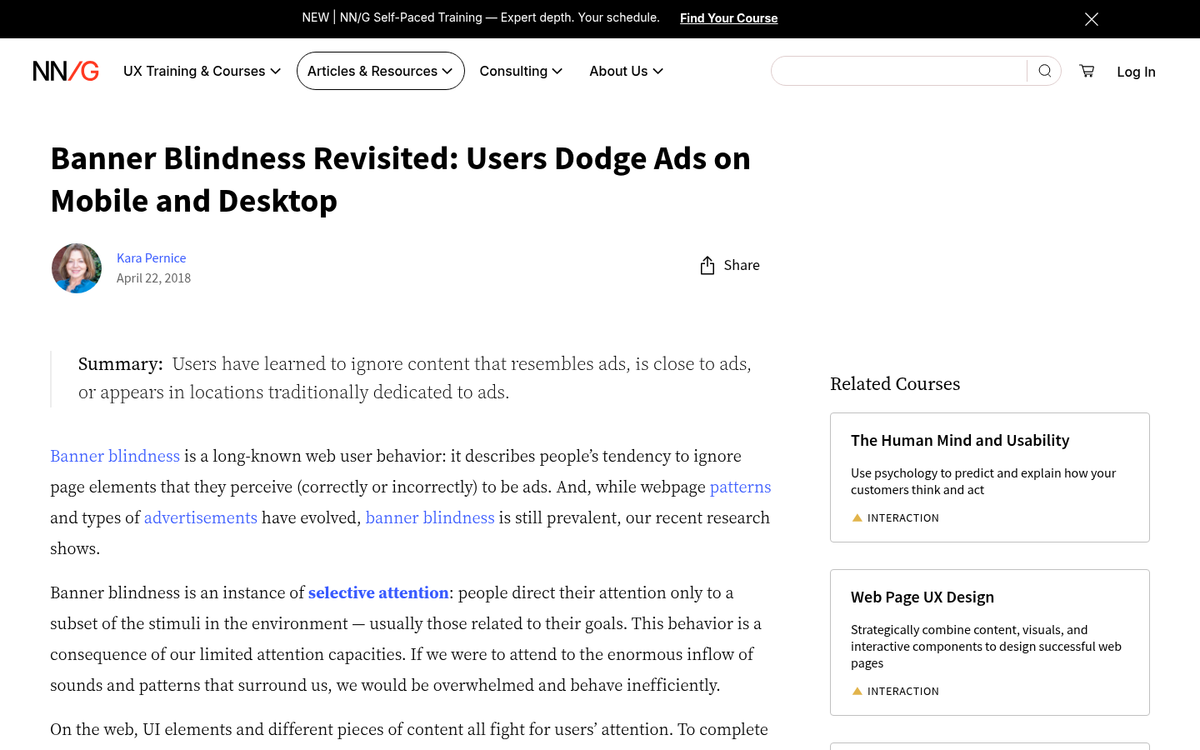
Another restriction you have will be the viability of your ads. Remember that ads will perform differently whether they're above the fold or below it, and where they're positioned on the page. They also have to compete with each other, as well as banner blindness.
There's a point of diminishing returns, and that point varies depending on the website. If you tend to have relatively short content, having a small number of ads is probably better. If you tend to write lengthy case studies and longer content, you can fit in more ads without decreasing the viability of each of them.
Keep in mind the different kinds of ads you'll be running as well. Affiliate links - which need to be disclosed as per FTC guidelines and similar regulations around the world - may be valuable, but they do still count as ads, and Google can identify them even if you use redirects. In-stream video ads also count against your ads level, though they're going to be based on the play time of the video, not the screen real estate used to display them.
Above all, the user experience is paramount. If you have so many ads that your users are leaving the page in disgust, or reporting the ads as spam, or are otherwise taking action to avoid them, you probably have too many ads. You want your users to engage with your content, and experience ads on the side. Adding more and more ads to counteract declining engagement rates on your ads will only accelerate the total collapse of your audience.
Pretty much every major Google policy update since the original Panda update has been focused on improving the experience for web users, and that philosophy has only become more pronounced over time. As long as you keep user experience at the forefront of every decision you make about ad placement and density, you should have a solid instinct for where your limits are. Keep your users happy, and Google will be happy enough to reward you.


4 responses
Thoughtful replies only - we moderate for spam, AI slop, and off-topic rants.
Hey, great article. Can I have one question? Say I use adsense and nongoogle network on my page. Google says I cannot use their ads in a sticky sidebar, but that other network allows that. Can I use the sticky nongoogle ad along with adsense that is non sticky?
Hey Ted, great question! Yes, that setup should work fine. Google's policies only apply to their own AdSense units, so as long as your AdSense ads are placed in non-sticky positions, you're following their rules. The other network's sticky ad is their own business, and since they allow it, you're good on that end too. Just make sure your AdSense ads are clearly separate and not mimicking the sticky behavior. Always a good idea to double-check Google's latest policies though, as they do update them occasionally!
Hello. For example, if you decide to use another ad publisher on a few specific pages, do you think it's necessary to set up an 'exclusion' on Adsense for those URLs so Google knows not to attempt to post ads there? Or is Adsense smart enough to see five ads from another recognized ad network, and then not insert ads?
Thanks for the content.
Hey Matt, great question! AdSense isn't automatically aware of other ad networks on your pages, so it won't simply "back off" on its own. If you're placing another network's ads on specific pages, it's a good practice to either exclude those URLs in AdSense or adjust your ad placement settings manually. This helps avoid overcrowding and keeps everything compliant with ad policies. Better safe than sorry!