Key Takeaways
- A single pageview can generate anywhere from 5 to 100+ hits, as every server request counts separately.
- Hits are an outdated metric from logfile analysis days and are largely useless for modern general web analytics.
- Pageviews split into simple pageviews (total loads) and unique pageviews (distinct pages loaded per session).
- Related metrics like sessions, visitors, impressions, and clicks each have distinct definitions that vary across platforms.
- Different analytics tools define metrics differently, so understanding your specific platform's definitions matters most.
Hits vs Pageviews: What's the Difference?
This is a question I see occasionally, but primarily not one that most people even realize is a question. What do I mean? Well, when I say you got a hit on your website, you assume that means one person visited your site. If I tell you your site got a pageview, you assume the same; one person visited your page.
Now what if I told you that one pageview might actually be anywhere from 5 to 50 or more hits all rolled into one? You might start questioning it. You might assume my idea of a pageview is more of a session, and that each page the user loaded was a hit in that session. Unfortunately, you're going in the wrong direction. Rather than expanding what a pageview is to encompass multiple hits, you have to shrink what you think of as a hit.
What is a Hit?

A hit, as measured by most analytics programs, is each time the server is queried. Every server request, large or small, is a hit.
Now, this doesn't seem too strange, right? A user types in your URL, their browser sends a request to load your site, your site loads, that's a hit, right? Not quite.
See, the way the web works is that the communication between a client browser and a site may actually be a number of back-and-forth communications. They ping your server for a response and it says it's alive and okay. They request your website and your server sends the basic HTML. It reads the HTML and sees several scripts at the top - for analytics, a chatbot, a heatmap, say - and it sends your server a separate query for each one. It sees that you have fifteen images on your site and sends queries to load each one of them. It sees a few more scripts, calls to external resources, fonts, and all the rest of that stuff.
All in all, one user visiting your site could be loading 10, 20, 30 or more different elements. Scripts, images, individual script files, CSS files, fonts - anything external that's hosted on your server is a hit on your site. Items hosted on CDNs are not hits on your server, but they are hits on the CDN.
To put it in concrete terms: a basic web page consisting of just four files - two images, one JS file, and one CSS file - generates five hits when loaded: one for the HTML file itself and four for the resources. On average, a typical page includes around 15 hits, and using average statistics, one visit generates approximately 3 pageviews and 45 hits. For a more complex, image-heavy gallery page, you could easily be looking at 50 to 100 hits per pageview.
Now take a look at the site you're on now. How many hits do you think one user would generate from one view? Now go take a look at Google's search homepage. It's a lot sparser, right? A lot fewer elements to load, and thus a lot fewer hits. One pageview to Google.com might be worth roughly half a dozen hits, while one pageview to a typical content-heavy site could be 20 to 30.
If you're interested in the history, hits are a relic of the era of logfile analysis, where your only means of seeing what happened on a site was to check the log files of what was requested by whom and when. It's a very old metric, and frankly should be dropped from all but the most specialized tools these days.
What is a Pageview?

Now, that whole process I described above? Where the user submits their request, the server responds, and the back-and-forth happens to load all of the elements across different hits? All of that, together, once the page fully loads, is called one pageview.
This means the "value" of a pageview in hits can vary wildly. One pageview to Google.com might be worth a half a dozen hits, more or less depending on dynamic elements like their doodle or personalization features. One pageview to a typical content site could be 20 to 30 hits. One pageview to an image-heavy gallery page could be 50 or 100 hits.
Pageviews can be divided into simple pageviews and unique pageviews. Raw, simple pageviews is just a count of the number of times a page on your site is loaded, generally by tracking the loads on your analytics code. Unique pageviews counts the number of times different pages are loaded within a session. A user who refreshes your page - perhaps because something broke, the page loaded slowly, or an element didn't render properly - is generating more than one raw pageview of the same page. They have one unique pageview but multiple raw pageviews equal to however many times they refreshed.
It's also worth noting that in modern analytics platforms like GA4, the language has shifted somewhat. GA4 moved away from the traditional session-based model and toward an event-based model, where a "page_view" is simply one type of event among many. The concept is the same, but how it's recorded and reported has evolved.
Hits are Worthless

The idea of hits in their actual, original definition is valueless for general web analytics. When one pageview is worth such a wildly varied number of hits, counting hits or treating them as a meaningful metric is just not useful.
That's just the thing, though - virtually nothing actually tracks hits in that way anymore. Even those old GeoCities-era hit counters were actually counting pageviews, or rather, individual hits on that one specific element of the hit counter, which would occur once per pageview.
This is what primarily led to the blurring of the definition of hits and pageviews. People think of one pageview as one hit, because when measured that way, they're functionally the same thing.
Hits are not used in their original definition by anyone doing general analytics today. The only real reason to look at hits in the traditional sense is if you suspect your website is slow because it's loading too many individual elements. Reducing the number of HTTP requests - combining scripts, using CSS sprites, lazy-loading images, and leaning on your CDN - can reduce your hit count and generally improve page speed. This kind of performance optimization is still very relevant in 2026, especially as Core Web Vitals continue to play a role in search rankings.
Other Related Terms
There are other view-related metrics that you might encounter when reading your analytics. Here's a breakdown of the most important ones, because things have only gotten more layered over time.
Impressions, for example, is another term that often gets conflated with pageviews, but they're not quite the same. An impression is a view, but with a specific connotation. Impressions are primarily a marketing term used in advertising contexts - pay-per-mille (PPM), meaning pay per 1,000 impressions, is still a common pricing model for display ads. But impressions can also refer to how many times a specific element on the page was actually seen by a user. If an ad or a call-to-action is below the fold, your page might have 10,000 pageviews but that element might only register 4,000 impressions, because not everyone scrolled far enough to see it. This distinction matters enormously for conversion analysis.
Another metric is unique visits or visitors. One user is one visitor. One user can generate multiple pageviews, impressions, and hits. One user browsing your site all day is still just one unique visitor. This is a fuzzy metric, though. Three different people using the same computer to visit the same site might only register as one unique visitor, because the website has no reliable way to differentiate between them without a login function. Conversely, one person browsing with a VPN or a rotating IP could register as multiple visitors. These two forces tend to pull the number in opposite directions, roughly balancing each other out - but it's worth keeping in mind that unique visitor counts are estimates, not hard facts.
A session is another metric you'll see frequently. It's an accumulation of the actions a user takes while they're on your site - all of the pages they've viewed, all of the events they've triggered, all of the elements they've loaded. One user can have multiple sessions in a given day. Most analytics platforms end a session after 30 minutes of inactivity; if the user leaves and comes back after that window, or goes idle for 30 or more minutes, a new session begins when they return. Tracking users across sessions typically requires cookies or, increasingly, first-party login data, since third-party cookie support has been deprecated or restricted across most major browsers as of 2026. This metric is also occasionally called visits; one visitor can visit your site several times, each time generating a new, unique session.
Clicks are yet another metric, used in a few different ways. In platforms like GA4, clicks are events - clicking a link, an image, a button, a video play trigger, a social share button, an ad. One user can generate a large number of click events in a single session. Clicks also have a slightly different meaning when tracked by heatmap tools like Hotjar or Microsoft Clarity. These apps track each time the user actually clicks their mouse anywhere on the page, including on non-interactive elements. If users repeatedly click something that isn't a link - a bold heading they assume is clickable, for example - a heatmap will show that clearly. This kind of data is invaluable for identifying missed conversion opportunities and UX friction points.
Referrals are a semi-related form of metric, but really supplementary data. Referral data tells you where the user came from when they arrived at your site. This is tracked in a variety of ways - UTM parameters, referrer headers, and so on - and gives you more context about which of your traffic sources is performing and how. One caveat in 2026: dark social (traffic from messaging apps, private shares, and similar sources) is increasingly difficult to attribute accurately, so direct traffic in your analytics is often larger than it used to be.
Engagement is another metric you can track, covering things like comments, shares, scroll depth, time on page, and more. In GA4 specifically, engagement rate has replaced bounce rate as the primary health metric for user interaction - an "engaged session" is one where the user spent at least 10 seconds, viewed at least two pages, or triggered a conversion event. It's a more nuanced measure than the old bounce rate, but it's also a fuzzy one for reasons I'll get to in a moment.
Derived Metrics
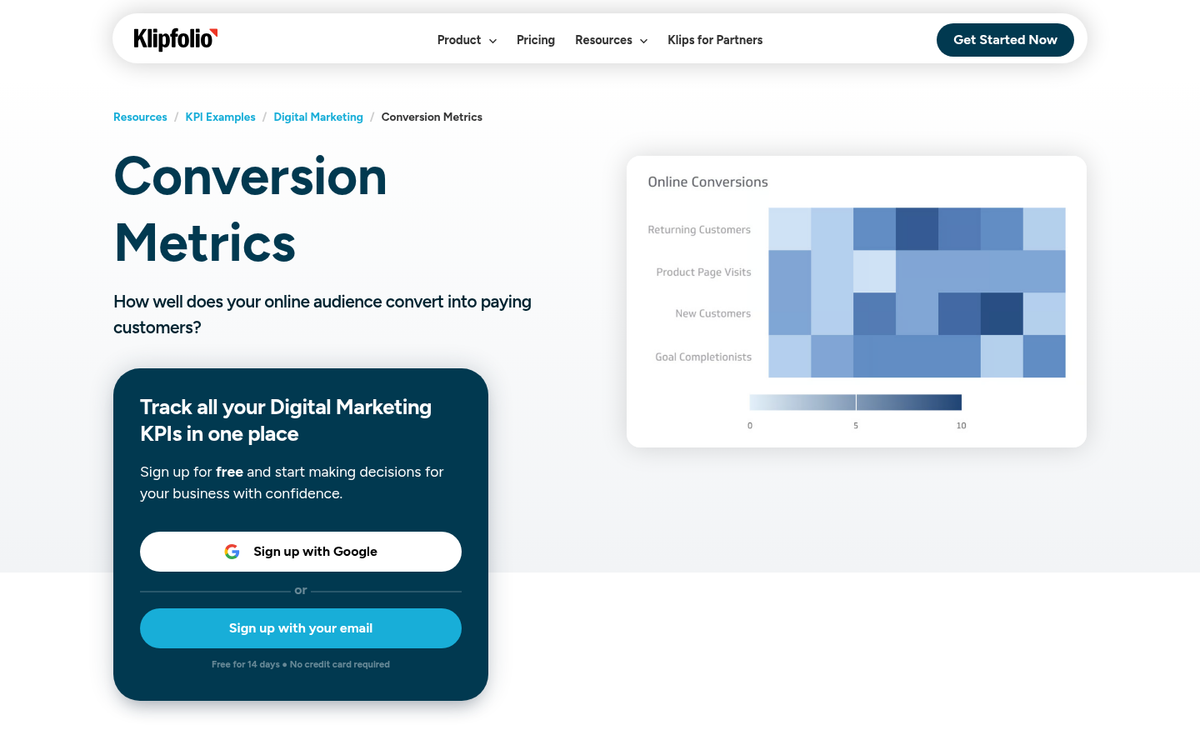
On top of all of this, there are a lot of metrics that take several of these individual data points and combine them into something more meaningful. For example, you might want to know your conversion rate. You take the number of conversions and divide by the number of unique visitors or sessions, and you get a percentage. You can compare virtually all of these metrics against each other, and against external data like ad spend, revenue, and so forth. Your cost per conversion can fluctuate based on how these derived figures shift over time, which is worth keeping in mind when analyzing performance across different periods.
All of these are called derived metrics because they're derived from an equation using multiple pieces of data. This is in contrast to the raw metrics listed above, which are generally just called recorded data or tracked metrics. Understanding which ad networks offer the best cost per conversion often comes down to how well you interpret these combined data points.
Difference in Definition

One thing you have to watch out for is that different analytics platforms define these terms in slightly different ways, and it matters more than most people realize.
Engagement is a perfect example. On Facebook and Instagram, engagement includes any interaction with a post - likes, comments, shares, but also link clicks, "see more" expansions, reaction changes, and profile clicks. Add them all up and you'll often find the number is far higher than the sum of just likes, comments, and shares. This inflated figure makes deriving meaningful engagement rates tricky, especially when comparing across platforms that count engagement differently.
Similarly, the shift to GA4 introduced new definitions that differ significantly from what Universal Analytics users were used to. Bounce rate, sessions, and user counts are all measured differently in GA4, which caused a lot of confusion when the forced migration happened in 2023. If you're pulling historical comparisons between pre- and post-GA4 data, you need to be careful - the numbers are not apples to apples.
At the end of the day, everything is a little fuzzy. Most of these definitions exist in their current form because dominant platforms set a standard and everyone else aligned with it for cross-compatibility. When one system changes the definition - as Google did with GA4 - it creates ripple effects across reporting, benchmarking, and data interpretation.
What matters most is not the exact dictionary definition of any given metric, but a clear understanding of how the specific analytics tool you're using defines and records it. It's like slang. Knowing the textbook definition doesn't help you when everyone around you is using the word differently.