




Crawl budget is shaped by two forces working together: crawl capacity, which is how much the crawler can handle without overwhelming your server, and crawl demand, which reflects how much the crawler actually wants to revisit your pages based on their perceived value and freshness. The result is a helpful ceiling on how your site gets seen, indexed, and finally surfaced in search results or AI-generated answers.
For most small websites, crawl budget doesn't become a problem. But if you manage a large site - one with thousands of pages, frequent content updates, or a tough architecture - how you allocate that budget matters enormously. Wasted crawls on low-value or duplicate pages mean your most important content may never get processed at all. In the context of Answer Engine Optimization, AI systems need to find, read, and process your content to cite it in replies, so an inefficient crawl budget can quietly undermine your entire visibility strategy.
This entry breaks down how crawl budget works, what factors change it, and the steps you can take to make sure crawlers are spending their time on the pages that actually matter.
Quick Answer
Crawl budget refers to the number of pages Googlebot (or other search engine crawlers) will crawl on your website within a given timeframe. It's determined by two factors: crawl rate limit (how fast the bot crawls without overloading your server) and crawl demand (how often Google wants to recrawl your pages). To optimize crawl budget, block unimportant pages via robots.txt, fix crawl errors, improve site speed, reduce duplicate content, and ensure your most important pages are easily accessible through internal linking.
What Makes Up Your Crawl Budget
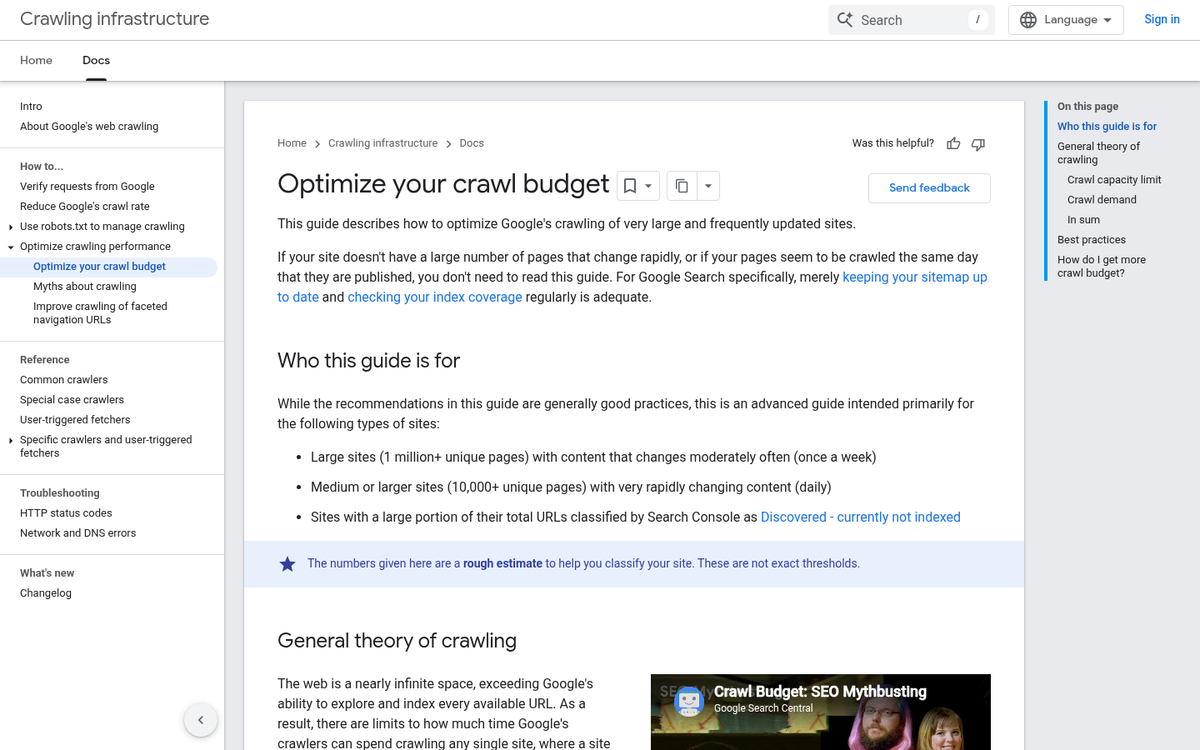
Google determines your crawl budget from two things: crawl capacity limit and crawl demand. Both matter, and they work together to determine how much of your site Googlebot actually gets through.
Crawl capacity limit is about how hard Googlebot can crawl your site without putting too much strain on your server. Google doesn't want to slow your site down for users, so it pays attention to how your server responds. If your server is fast and stable, Googlebot feels comfortable crawling more. If it's slow or returning errors, Googlebot pulls back. Server errors can seriously impact crawlability, so keeping them in check matters.
Crawl demand is the other side of the equation - it's about how much Google actually wants to crawl your pages. Pages that are popular or updated frequently get more attention from Googlebot. Less popular pages with stale content don't get the same level of interest.
In practice, that means two sites with similar page counts can have very different crawl budgets. A fast server and a strong link profile can earn more Googlebot attention than a slow server with thin content across thousands of pages.
It's also worth knowing that certain events can cause crawl demand to spike. A site migration is an example - when URLs change across a large site, Google needs to recrawl and reprocess pages at once. If you've recently changed your URLs, recovering your shares after a URL change is one of several things to manage. The same goes for a big content push or a sudden increase in backlinks. Google notices these changes and responds by crawling more.
These two elements don't work in isolation. If your server can't manage the demand, crawl capacity can become the bottleneck. If Google has little reason to crawl your pages, even a fast server won't change that. The two things set the upper and lower limits of what Googlebot will do on your site.
When Crawl Budget Becomes a Problem for Your Site
Not every site needs to stress about this. If your site has less than 1,000 pages and loads fast, Google will probably get through it. Crawl budget is a concern for bigger sites where Googlebot has to make harder choices about what to crawl and how.
The bigger your site gets, the more this starts to matter. A site with 250,000 pages where Google only crawls around 2,500 pages per day could take as long as 200 days for a change to get picked up. That delay can hurt your ability to rank updated content or get new pages indexed at all.
A helpful gut-check comes from Yoast, which suggests a rough 10:1 ratio - for every 10 pages on your site, you'd want Googlebot to crawl at least 1 per day to keep things moving - it's not a hard rule. But it gives you a quick way to gauge if your crawl rate is keeping pace with your content.

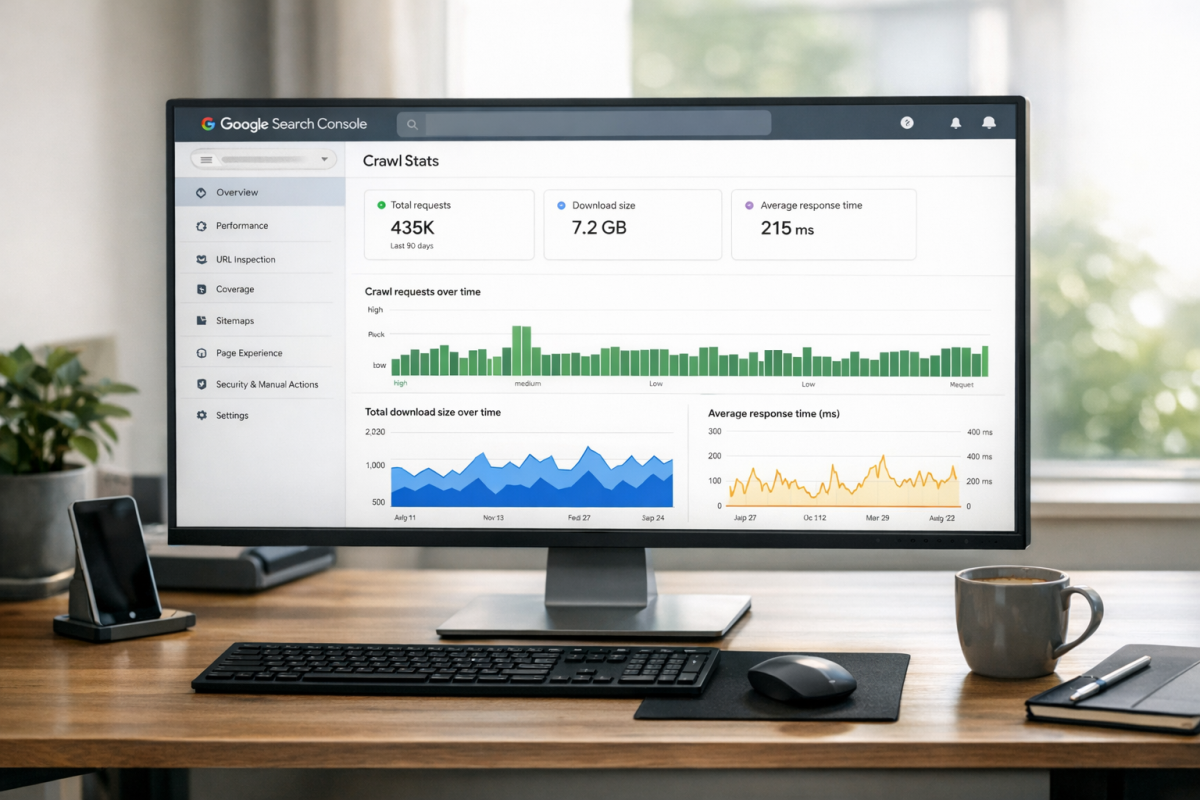
Google Search Console is your best starting point to check where things actually stand. Go to Settings and look at the Crawl Stats report to see how many pages Googlebot visits each day and if that number has been dropping. You can also use the Page Indexing report to see how many of your pages are indexed versus just submitted.
If a large chunk of your pages aren't indexed, or Googlebot's crawl rate is far below your total page count, the budget isn't stretching far enough. A site with 5,000 pages but only 200 crawled per day has a problem to work through. For smaller sites, the numbers usually look fine and there's nothing to act on.
Pages and Patterns That Drain Your Crawl Budget
Some pages quietly eat through your crawl budget without giving anything back. The question is whether your site is accidentally asking crawlers to index pages that hurt more than they help.
Duplicate content is one of the biggest culprits. When the same content lives at multiple URLs, crawlers visit each one separately and treat them as distinct pages. That burns through your budget fast and dilutes the value of the original page at the same time.
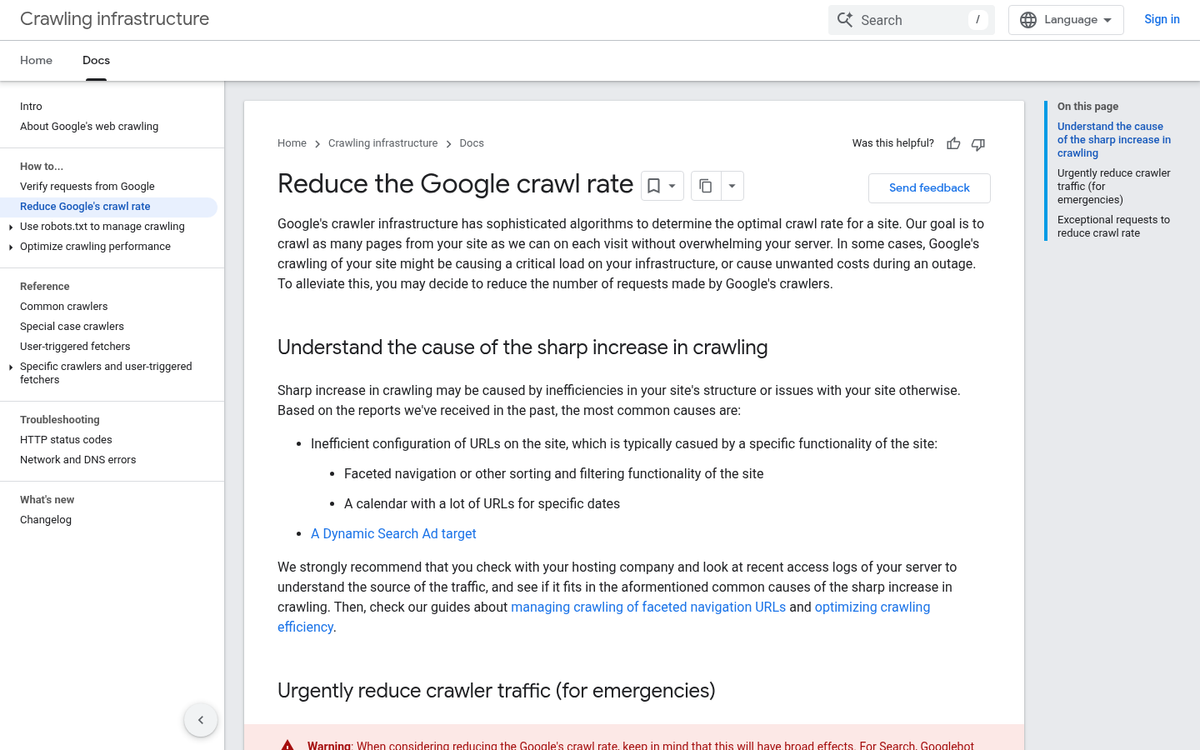
Faceted navigation gives you a similar problem at scale. A product category page with filters for size, color, and price can generate hundreds of URLs that all show nearly identical content. Most of the pages will never rank for anything. But crawlers don't know that without input from you.
Parameterized URLs are closely related to this. Tracking parameters, session IDs, and sort orders can all create new URL variations for the same underlying page. Left unblocked, these compile into a long list of low-value pages crawlers have to wade through.
Broken redirect chains and outdated URLs that are still accessible are also worth watching. Old pages that should have been blocked years ago can still appear in a crawl if nothing was done to stop them. It's also worth considering whether an infinite scroll plugin could be hurting your blog rankings in a similar way.
| Page or Pattern Type | Crawl Budget Impact |
|---|---|
| Duplicate content pages | High |
| Faceted navigation URLs | High |
| Parameterized URLs | High |
| Redirect chains | Medium |
| Thin or low-value pages | Medium |
| Outdated but accessible URLs | Medium |
| Clean, well-structured pages | Low |
Thin pages are worth a mention too. Pages with very little content give crawlers nothing helpful to work with and take up space that could go to pages that actually matter to your audience. If you've ever wondered whether removing tags from your WordPress blog is a good idea, reducing low-value indexed pages is a big part of that answer.
How to Reclaim and Direct Your Crawl Budget
You have more control over how crawlers spend their time on your site than you might think. A few focused changes can redirect crawler attention toward the pages that actually matter for your visibility in AI-generated answers.
Start with your robots.txt file, where you tell crawlers which parts of your site to skip. Blocking low-value URLs like admin pages, filtered search results, and duplicate parameter-based pages frees up crawl capacity for your content.
Canonical tags manage a related problem. When similar or duplicate pages exist across your site, a canonical tag points crawlers to the version you want indexed. If you don't have this, crawlers split their attention across near-identical pages instead of strengthening the one you care about.
Noindex directives go one step further by removing a page from the index entirely. Use these on thin content pages, tag archives, or internal search results that don't need to rank. Fewer indexable pages means crawlers can focus on the ones with substance.
Your internal linking structure also signals priority. Pages with more internal links pointing to them get crawled more. If your most answer-rich content is buried with no links pointing to it, crawlers might not find it in time to matter for AI replies. Auto-sharing tools can also help surface new content faster.
Keep your XML sitemap clean and current. Only include pages you want indexed and make sure it accurately reflects your live site. A bloated or outdated sitemap can send crawlers chasing pages that no longer exist.
Finally, page speed and server response times affect how many pages a crawler can get through in one visit. Faster responses mean more pages crawled per session. Using a free CDN for your WordPress blog is one straightforward way to improve those response times, and installing SSL can also contribute to better overall site performance and rankings.
| Tactic | What It Does | When to Use It |
|---|---|---|
| Robots.txt rules | Blocks crawlers from low-value sections | When parameter URLs or admin pages are being crawled |
| Canonical tags | Consolidates duplicate or similar pages | When multiple URLs serve near-identical content |
| Noindex directives | Removes thin pages from the index | On tag pages, filters, or internal search results |
| Internal linking | Signals which pages are most important | When key content lacks links from other pages |
| XML sitemap hygiene | Guides crawlers to indexable pages | After removing pages or restructuring your site |
| Page speed improvements | Allows more pages to be crawled per visit | When server response times are slow |
Why Crawl Budget Directly Affects Your AI Visibility
AI answer engines like ChatGPT, Gemini, and Perplexity don't browse your website in real time. They generate replies based on content that has already been crawled and indexed; it's why crawl budget sits between your content and whether it ever gets pulled into an AI-generated answer.
Think of it less as a technical setting and more as a content accessibility problem. You may have legitimately helpful, well-written pages that answer questions. But if those pages aren't being crawled efficiently, they're invisible to the systems that serve AI answers to users.
This matters more now than it did a few years ago. A growing number of people get their answers from AI tools without ever clicking through to a website. To appear in those answers, your content needs to be in the index. There's no shortcut around that step.
Crawl budget acts as a gatekeeper here. When Googlebot or any other crawler visits your site, it has a limited window to work with. If that window gets used up on outdated pages, duplicate content, or low-value URLs, your best content gets pushed down the queue - it may get crawled eventually. But "eventually" isn't enough when AI systems are pulling from what's indexed right now.
The difference between well-optimized content and AI visibility can depend on this. A page that answers a question clearly still has to get through the crawl stage before anything else matters. No amount of writing compensates for a page that sits un-indexed.
AEO - answer engine optimization - is becoming a part of how businesses think about search. Use our AEO readiness checklist to see where you stand. But most of the conversation focuses on content structure and topic authority. Crawl budget is the part of that equation that doesn't get talked about enough, and it's the part that makes everything else work.
Make Every Crawl Count
The clearest next step is to open Google Search Console and review your crawl stats and coverage report. Look for pages being crawled that add little or no value, and check if your internal linking legitimately guides crawlers toward your most important content or exists by accident. Small, deliberate changes - consolidating thin pages, fixing crawl traps, building purposeful internal links - compound faster than you might expect.
A leaner, better-organized site performs better in traditional search rankings and is better positioned for AI-driven search. As AI-driven answers increasingly draw from indexed content, the sites that get surfaced reliably are the ones where helpful content is easy to reach. A site structure functions as a map that helps search engines and AI systems find what your audience needs.
FAQs
What is crawl budget?
Crawl budget is determined by crawl capacity (how much a crawler can handle without overwhelming your server) and crawl demand (how much a crawler wants to revisit your pages based on value and freshness). Together, these set a ceiling on how your site gets crawled and indexed.
Does crawl budget affect small websites?
For most small websites under 1,000 pages that load quickly, crawl budget is rarely a concern. It becomes significant for larger sites with thousands of pages, frequent updates, or complex architecture where crawlers must make harder choices about what to visit.
What pages waste crawl budget?
Duplicate content, faceted navigation URLs, parameterized URLs, redirect chains, thin pages, and outdated accessible URLs all drain crawl budget without providing value. These force crawlers to wade through low-value pages instead of focusing on your most important content.
How can I improve my crawl budget efficiency?
Use robots.txt to block low-value URLs, add canonical tags to consolidate duplicate pages, apply noindex directives to thin content, strengthen internal linking to priority pages, maintain a clean XML sitemap, and improve page speed and server response times.
How does crawl budget impact AI search visibility?
AI answer engines like ChatGPT and Perplexity generate replies from already-crawled and indexed content. If your pages aren't efficiently crawled, they remain invisible to these systems, meaning even well-written, helpful content can never appear in AI-generated answers.