





Many of you out there want to get into the world of ebook publishing, but don't know where to begin when selling one. Amazon seems attractive at first, until you learn that you very likely only get 35% of what you price your book at certain price points. Other publishing platforms may give you more money per sale, but have lower volume and lower exposure, as well as potentially lower trust among people who don't know the sites. You'll end up losing out through either method.
My favorite method has been to set up a sales system through WordPress itself. WordPress is, of course, highly extensible and customizable with plugins, and one of the great plugins I like is Easy Digital Downloads. Before getting into the specifics of that, though, let's go through the entire process of making and selling an ebook.
Key Takeaways
- Selling eBooks directly through WordPress lets you keep more revenue than Amazon's 35% royalty rate at certain price points.
- A successful blog audience is essential before selling a self-published eBook; without one, sales will likely fail.
- Easy Digital Downloads plugin turns WordPress into a full eCommerce platform, trusted by 50,000 creators with 30 million orders processed.
- Promoting your eBook while writing it builds hype and momentum before launch, increasing early sales potential.
- Easy Digital Downloads supports multiple products, enabling authors to build ongoing income streams and grow their catalog over time.
Step 1: Decide a Topic
I'm assuming, if you're looking into eBooks, that you at least run a successful site with an ongoing blog. If you don't have a blog, or at least the name recognition that would help you run one, you can't expect a self-sold eBook to flourish at all. You're going to need the base of customers and content necessary to get people to buy your book.
When you're deciding what you want to write about, you have to look at your industry and your audience. What is your specialty? What do your users want to know most of all? What information can you bring to the table, using your unique resources or connections, that allows your book to do something unique? Your goal is to produce a book that goes above and beyond the normal limits of a blog post, while presenting enough value to make users want it. If you're struggling with this, it's worth understanding why some eBooks fail to get enough sales before you even begin.
Step 2: Write a Great Book
Once you have a topic, you need to actually write the book. You can, however, consider this step and the next step as happening at the same time. You shouldn't write your book in secret; promote it as you go.
It's worth noting that statistics show 97% of people who start writing a book never complete it - so simply finishing your book puts you ahead of nearly everyone who tries. Keep that in mind when motivation runs low.
As you're writing, consider that you want to be either broader or deeper than a normal blog post. Deeper is easier when you have access to a lot of data from a lot of sources. You can really get into the analysis and conjecture, potentially even with experiments and case studies. Don't worry if it takes a while to gather information; that information is worth gathering.
For a broad ebook, you're more likely to be drawing on personal connections to get as many tips and insights as possible. Successful broad ebooks tend to be very lengthy, with numerous contributors among the thought leaders of your industry.
If you need help with formatting and design, tools like Beacon - used by over 50,000 businesses for creating lead-magnet eBooks - can help you produce a polished, professional-looking product without a design background.
Step 3: Promote the Book Before Sales Start
While you're writing and editing your eBook, you're going to want to be promoting it. Build hype. Let people know you're excited to be writing it, and that you have some great information to share. Offer teasers and hints as to the content. Tell your users when you have a big name contributing, or tell them that you're getting really deep into the data.
You can also send out preview copies of some sections to important people in your industry, or even entire review copies of the book when it's closer to completion. You don't have to be worried about it leaking, but you might want to track individual copies to see if they do get loose.
Step 4: Install the Easy Digital Downloads Plugin
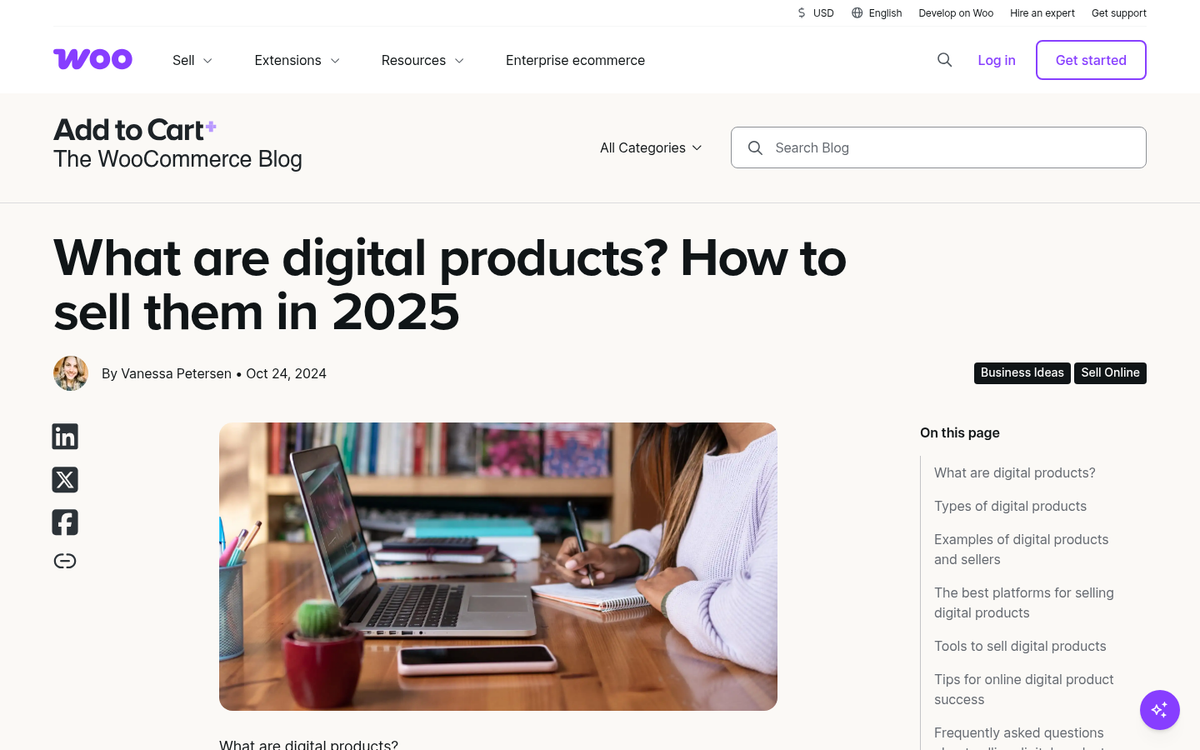
Once you're ready to start selling your book, you should set up the Easy Digital Downloads plugin. It's a well-established piece of software that has been helping creators sell digital products since 2012, is trusted by over 50,000 digital creators, and has processed more than 30 million orders. It currently has 40,000+ active installations on WordPress.org.
The plugin essentially turns your blog into a complete eCommerce platform designed for digital products. It has a cart system so users can buy more than one item at a time, and it integrates functionality to use promotional codes if you want to host giveaways or contests related to your book. It also makes payments easy through a number of different payment add-ons.
The core plugin is free, with paid plans starting at $199.50/year for the Launch plan - worth it if you plan to sell multiple products or need advanced features.
One of the coolest parts of the plugin, aside from how easy it is to set up and get selling, is the ability to store customer information and transaction histories. If, some time down the line, you want to release a free update to an older book, you can do that and push it out through the same system. Users who bought copies of the original will be able to download the new version when you update it.
The plugin also includes features for sales tracking, receipts, data exports, and more. It works with a range of add-ons, from Stripe and PayPal to Mailchimp integration and beyond.
If you want more ebook-specific features such as PDF encryption, watermarking, and print protection, consider the Ebook Store plugin, which has a free core version and a Pro upgrade available as a one-time payment of $49. It holds a solid 4.4/5 stars rating on WordPress.org and is a strong complement or alternative to EDD depending on your needs.
Step 5: Start Selling the Book
Once the plugin is installed and the hype has reached critical mass, it's time to start selling the book. Put it up for sale using your chosen plugin and let the sales roll in.
Step 6: Support the Book Post-Sale
Inevitably, some people are going to have issues with your book. Some of them will be disagreements which you can easily ignore or answer at your discretion. Others will be issues with corrupted files or errors in payment processing. You can support and handle these as best you can to keep the goodwill flowing.
After your book has been available for a while, you can send out messages to people who purchased it, soliciting reviews. Each review will give a little more credibility to your book and your position as an author, which you can leverage to sell more.
Step 7: Write and Sell More Books
One of the great benefits of the Easy Digital Downloads plugin is that it supports multiple products and multiple downloads at once. This means you need to take advantage of it by writing more books and selling them through your platform. Repeat the whole process and you'll be able to pull together a new income stream. You can also supplement your paid books with free titles, or ones that simply require an email sign-up as payment - a great strategy for list building and funneling readers toward your premium content.


3 responses
Thoughtful replies only - we moderate for spam, AI slop, and off-topic rants.
Very useful, thanks for the file download suggestion.
You're welcome Jen! I hope your eBook is a success.
I particularly agree with the part that you should create a hype about the book you are writing even before you finish.
This will ensure there is an audience ready for you book.
It's so exciting to publish and get immediate downloads and possibly purchases of your book.
There is the tendency to want to write more!