Not all that long ago, Google made one of the most impactful changes to its ad platform in years. The kicker is, they didn't really tell anyone about it. They just quietly rolled out new targeting options and expected marketers to find them on their own.
Suffice it to say, we found them. Oh, did we find them.
Quick - what's one of the biggest historical flaws with Google Ads, start to finish? Most marketers have long pointed to "the targeting." When you compare Meta (Facebook) ads to Google Ads, Meta has traditionally been the clear winner for audience precision. They both reach massive audiences, but Meta built its empire on granular interest-based targeting - if you want to reach someone based on their interest in an obscure French cheese, you probably can.
Google has made real strides in closing that gap, but it's still a different kind of platform. Google's demographic options have expanded meaningfully over the years, and in 2026, there's more to work with than ever - but it's worth understanding exactly what's available, what's not, and where the platform still has blind spots.
Key Takeaways
- Google consolidated demographic targeting into one unified section, but available options vary significantly by campaign type.
- Shopping campaigns have zero demographic targeting; Display and YouTube offer the broadest options including Parental Status.
- Roughly 40-50% of users fall into "Unknown" age and gender buckets, limiting reliable data-driven demographic decisions.
- Household Income targeting is only available in select countries like the US and UK, not globally.
- Google excels at intent-based targeting; Meta leads on identity. Smart strategies in 2026 use both platforms complementarily.
Google Ads Demographics in 2026

Google has consolidated demographic targeting into a single, unified demographics section rather than the old fragmented tab-per-category approach. Age, Gender, Parental Status, Household Income, and a handful of newer options are all accessible in one place, which makes building and reviewing audience segments significantly less painful than it used to be.
That said, not every demographic option is available across every campaign type - and this is where things get important:
- Search campaigns support Age, Gender, and Household Income targeting. Notably, Parental Status is not available for Search.
- Shopping campaigns have no demographic targeting available at all.
- Display and YouTube campaigns offer the broadest demographic options, including Age, Gender, Parental Status, and Household Income.
- Employment targeting (Company Size and Industry) is available only for Search campaigns.
Age targeting is broken into 7 brackets: 18-24, 25-34, 35-44, 45-54, 55-64, 65+, and Unknown. That "Unknown" bucket is worth paying attention to - in many accounts, roughly 40-50% of users fall into the Unknown category for both Age and Gender, meaning Google simply can't classify them. A Google rep has noted that hitting 60% classification is actually considered better than average. This is a real limitation when making data-driven decisions, and something to keep in mind when reading your demographic reports.
Utilizing Reports
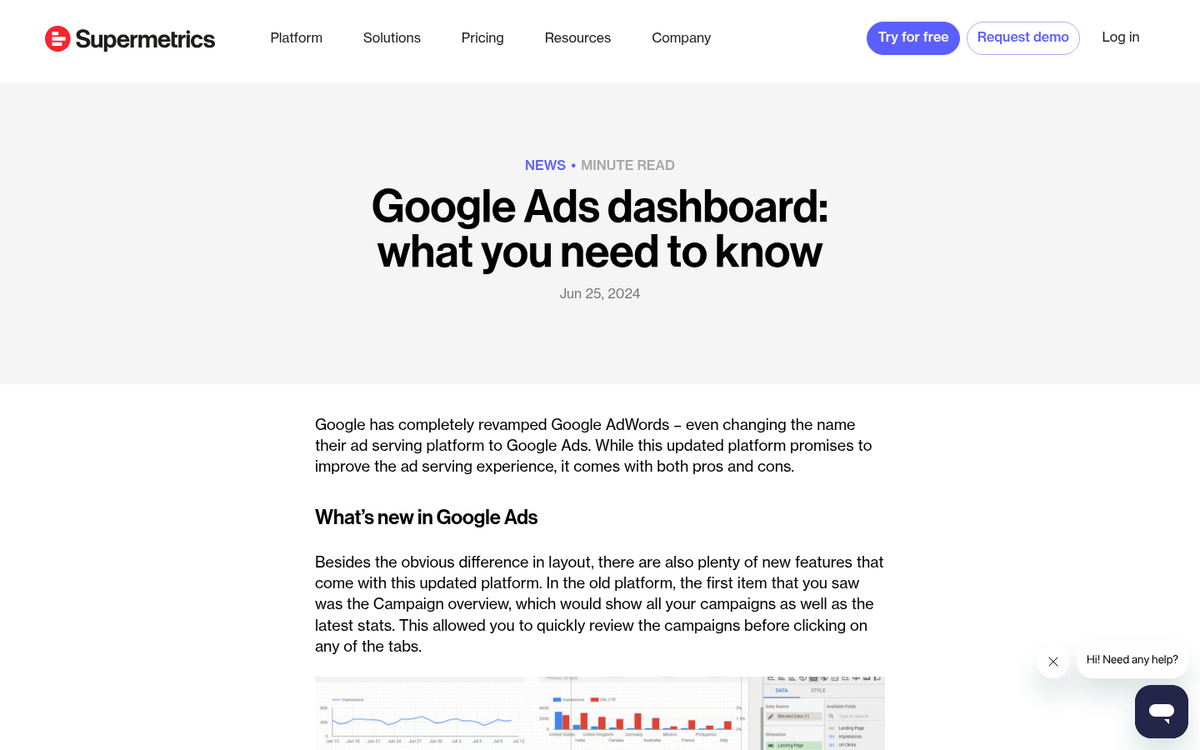
With demographic reporting, you're able to see at a glance which audience segments are performing best. What if you discovered that your most lucrative group was 35-44 year old men? You could immediately put that information to work with demographic bid adjustments or tighter targeting.
Google Ads demographic reporting lets you break down performance by combinations of demographics - age, gender, parental status - so you can see, for example, the CTR for 25-34 females or the conversion rate for 45-54 male parents. These combination views give you a richer picture of who's actually responding to your ads versus who you assumed your audience was.
The caveat, again, is that Unknown bucket. A significant portion of your data will be unclassified, so don't make sweeping changes based on demographic data alone without acknowledging the gap. To better understand why some visitors aren't being categorized, it helps to read up on why your traffic sources may appear as unknown.
Setting Bids and Adjustments

You can apply bid adjustments to demographic groups rather than excluding demographics you don't want to target outright. If 35-44 year olds convert at twice the rate of 18-24 year olds for your campaign, you don't necessarily need to exclude younger users - you can simply increase bids for the high-performing group and let the algorithm do the rest.
Bid adjustments for demographics are set at the ad group or campaign level depending on your campaign type. Navigate to your campaign, find the Audiences or Demographics section, and look for the bid adjustment column. From there, you can set positive or negative percentage adjustments per demographic segment.
If you're running Smart Bidding strategies like Target CPA or Target ROAS, keep in mind that demographic bid adjustments are largely overridden - Google's algorithm factors demographics into its bidding automatically. Manual bid adjustments matter most when you're on manual CPC or Enhanced CPC.
Household Income Targeting

Household Income targeting is segmented into brackets: Top 10%, 11-20%, 21-30%, and so on down the income scale. This is one of the more powerful demographic levers available - particularly for premium products or services where you want to avoid wasting budget on audiences who are unlikely to convert at your price point.
The important caveat here is that Household Income targeting is only available in select countries, including the US and UK. If your campaigns are running in other markets, this option simply won't be there, and you'll need to lean on other targeting approaches to approximate income-based segmentation.
Beyond Standard Demographics
Google Ads also offers targeting that functions like demographics but lives in different parts of the platform. These include:
- Device targeting. Desktop, mobile, and tablet, with the ability to apply bid adjustments by device type. Mobile behavior continues to differ significantly from desktop in most industries, making this one of the most practically useful targeting levers.
- Geographic location. Location targeting has become so sophisticated it's essentially its own discipline - you can target by country, region, city, or radius, and layer in location bid adjustments based on performance data.
- In-Market Audiences. These are users Google has identified as actively researching or comparing products in a given category. In-market segments have become considerably more refined over the years and are genuinely useful for bottom-of-funnel targeting.
- Affinity Audiences. Broader interest-based categories like "Sports Fans" or "Cooking Enthusiasts." Still not as granular as Meta, but useful for top-of-funnel reach on Display and Search campaigns.
- Household Income. As covered above - available in select markets only.
- Employment targeting. Company Size and Industry, available for Search campaigns. Useful if you're running B2B campaigns and want to layer an additional qualification signal onto your targeting.
The fact that Google still splits these across "In-Market," "Affinity," "Demographics," and "Detailed Demographics" sections rather than consolidating them into a single unified targeting hub remains a genuine frustration. To layer all the targeting signals you might want across a single campaign, you'll still find yourself navigating multiple menus.
Does this put Google Ads on par with Meta for audience targeting precision? Not exactly - they're still different tools built around different signals. Google's strength is intent: reaching people who are actively searching for what you offer. Meta's strength is identity: reaching people based on who they are and what they care about. The smartest advertising strategies in 2026 treat them as complementary rather than competitive, and use competitive analysis across both platforms to sharpen the other.