WordPress is the most popular blogging software suite on the Internet, and with good reason. It's easy to install, it's as secure as you could ask of a worldwide platform and it's easy to use. It has a wide range of features and can be run on all kinds of server architecture and software. And, of course, it's free.
What makes WordPress so powerful, however, is the wide range of plugins and themes you can use with the software. For themes, the sky is the limit; if you can mock it up in a design tool, someone can code it for you, generally for a very reasonable fee. For plugins, well, there are thousands of them available. You can do everything from enhance security and filter spam to automate blogging features and track your traffic.
It's this last feature that we're interested in today. Everyone knows you can integrate analytics tools with just about any website, and WordPress is no different. What follows are five plugins that expand upon the basic features of web analytics, customize them for WordPress utilization and give you access to the detailed traffic information you need to grow your site.
Key Takeaways
- MonsterInsights connects WordPress to Google Analytics without coding, offering real-time stats, enhanced tracking, and starts at $99.60/year.
- WP Statistics is completely free, stores data locally, and is a strong choice for GDPR-conscious site owners.
- TWIPLA stands out with cookieless, privacy-friendly analytics plus heatmaps, session recordings, and polls in one dashboard.
- WP SlimStat delivers real-time, granular visitor data including geolocation, browser details, and operating system information.
- StatCounter allows drill-down into individual visitor journeys, offering straightforward data with a free plan and paid options.
1. MonsterInsights

With over 3 million website owners trusting it, MonsterInsights is the most popular analytics plugin for WordPress - and it's easy to see why. The plugin connects your WordPress site to Google Analytics with just a few clicks, no code editing required, and presents your data in a clean, readable dashboard right inside your WordPress admin area.
One of MonsterInsights' standout features is its real-time reporting, with stats refreshing every 60 seconds. Whether you want to track page views, sessions, bounce rates, referral sources or eCommerce performance, it's all available at a glance without ever leaving WordPress.
The plugin also offers powerful enhanced tracking features, including outbound link tracking, file download tracking, form conversion tracking and affiliate link tracking. These go far beyond what a standard Google Analytics installation offers out of the box.
MonsterInsights is a premium plugin, with pricing starting from $99.60 per year. For serious site owners and businesses, this is well worth the investment given the depth of insight it provides and the time it saves versus configuring everything manually.
2. WP Statistics
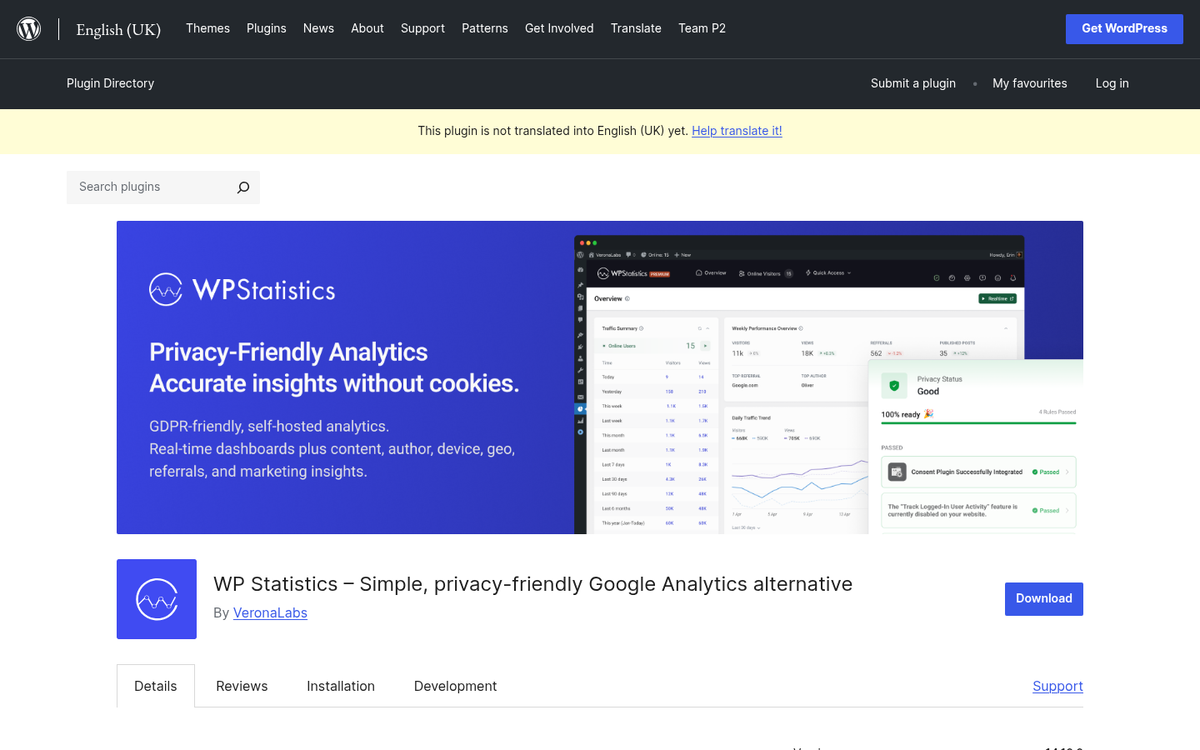
With over 600,000 active installations, WP Statistics remains one of the most widely used analytics plugins in the WordPress ecosystem. Unlike MonsterInsights, WP Statistics stores all of your data locally on your own server - making it a strong choice for site owners who are concerned about data privacy or GDPR compliance.
Through the plugin, you can see how many users are currently viewing your site, how many visits you get each day and plenty of information about who is visiting. You also get fairly detailed information about hits per page, as well as search referral traffic from major search engines including Google, Bing, Yandex, Baidu and others.
Statistics reporting is where WP Statistics truly shines. It's smart enough to exclude your administration team, search robots and other traffic that doesn't contribute to meaningful data. It prunes old data you no longer need, maintains an interactive map of visitor locations and allows you to receive email reports or exported data files, however you choose to configure it. Best of all, WP Statistics is completely free.
3. WP SlimStat
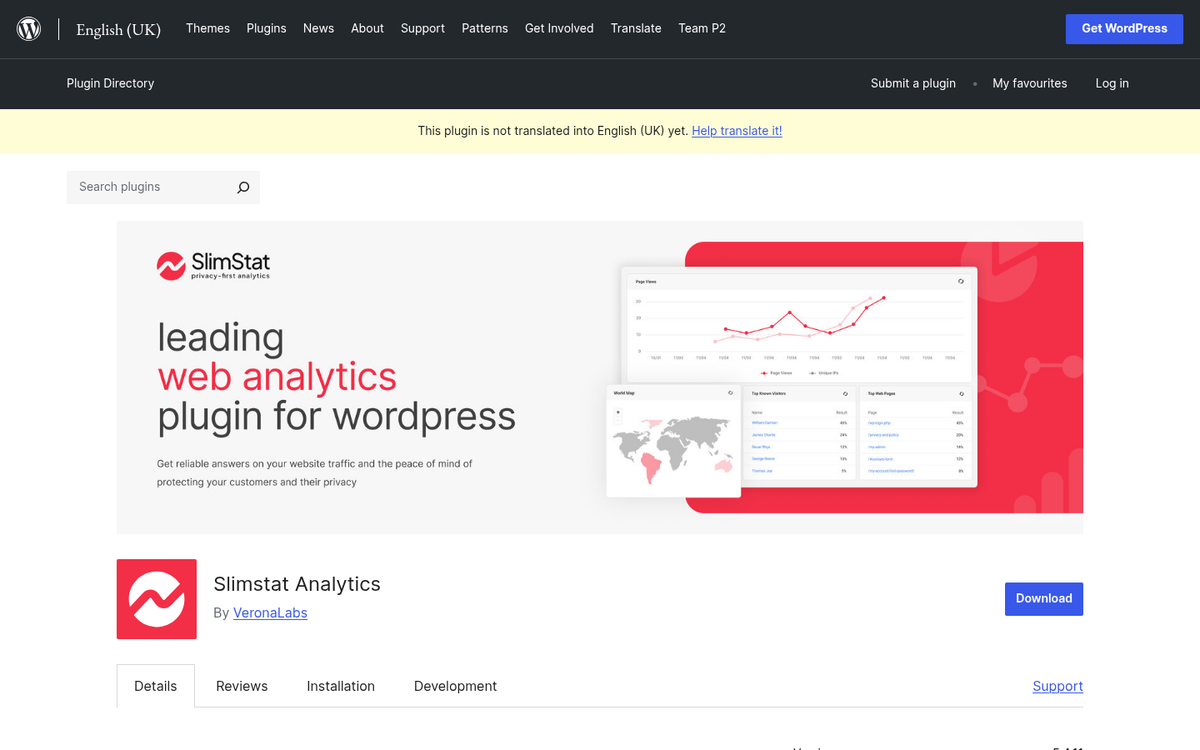
WP SlimStat is a capable self-hosted analytics plugin that gives you granular control over your visitor data. Detailed visitor logs show you everything from country and language to the browser and operating system of the user behind each click.
WP SlimStat offers some of the most accurate geolocation tracking available among WordPress plugins. If you have a wide-area audience or a global readership, it can be very revealing to see precisely where your traffic is coming from. You can also see what browser capabilities your users have, which can help inform decisions about your site's technology and multimedia choices.
The best part about SlimStat is the speed and granularity of its reporting. Reports pull real-time data, meaning every hit up to the moment you generate the report - not data delayed by an hour or batched overnight. For site owners who want immediate, on-demand insight without relying on a third-party analytics service, SlimStat is a solid option.
4. TWIPLA (Visitor Analytics IO)
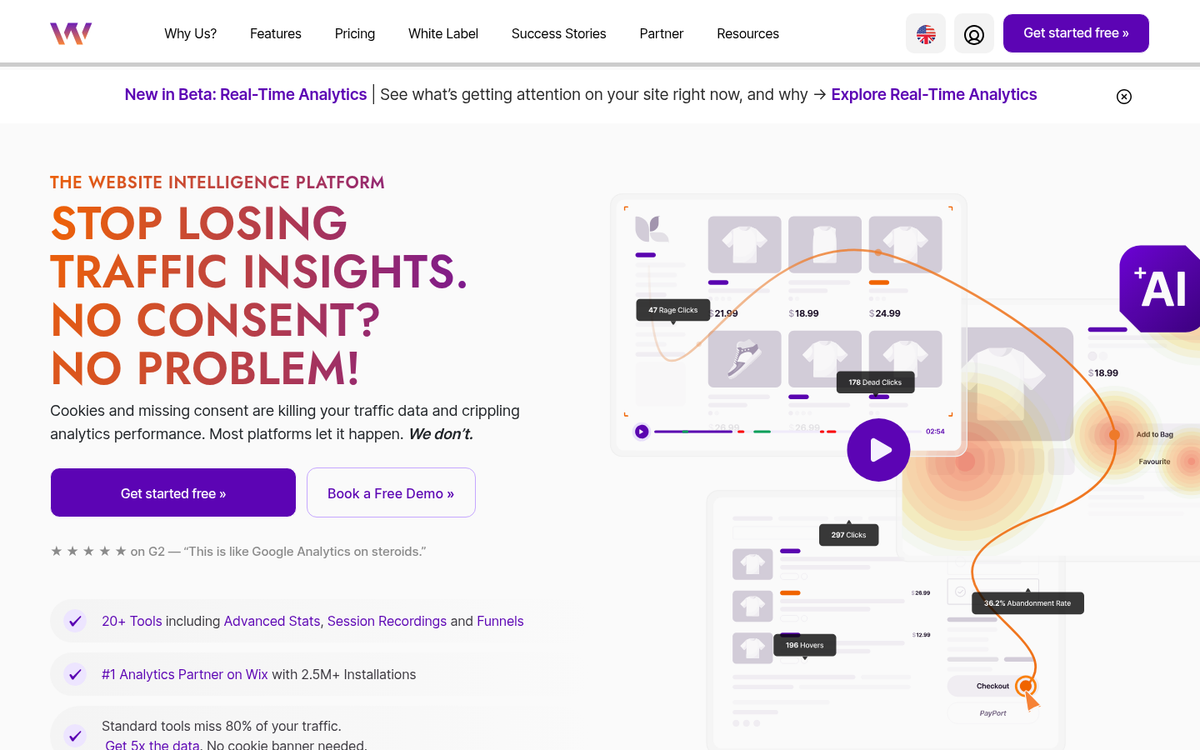
TWIPLA, formerly known as Visitor Analytics IO, has grown into one of the most installed analytics tools across website platforms, claiming over 2.5 million installs globally and billing itself as the number one web analytics tool on Wix before expanding aggressively into WordPress.
The plugin offers a comprehensive suite of analytics features including visitor statistics, session recordings, heatmaps, poll and survey tools and funnels - all in one dashboard. What sets TWIPLA apart from many competitors is its focus on privacy-friendly analytics. It is designed to be cookieless and GDPR compliant by default, which is an increasingly important consideration for site owners with European audiences or strict privacy policies.
TWIPLA has a free tier that covers core statistics functionality, with premium plans available for access to advanced features like heatmaps and session recordings. For site owners who want an all-in-one analytics and user behaviour platform without the legal headaches of cookie consent, it's worth a serious look.
5. StatCounter

StatCounter is one of the oldest names in web analytics and remains a reliable, no-fuss option for WordPress site owners. With over 100,000 active installations on WordPress, it may not be the biggest plugin in this roundup, but it has earned a loyal following over many years of consistent performance.
What makes StatCounter appealing is its simplicity and its detailed individual visitor logs. Rather than presenting aggregated data alone, StatCounter lets you drill down into individual visitor journeys - seeing exactly what pages someone visited, where they came from and how long they spent on your site. This level of detail can be invaluable for understanding real user behaviour rather than just headline numbers.
StatCounter offers a free plan with limited log size, while paid plans start from €16 per month and unlock larger data retention and more advanced reporting features. For bloggers and small business owners who want straightforward, honest visitor data without a steep learning curve, StatCounter is a dependable choice that has stood the test of time.