Fake traffic is impossible to stop coming into your website. There are thousands of bots crawling around the web at any given moment, and the problem has only grown worse over time. According to Imperva's research, bots now account for nearly half of all internet traffic - and malicious bots make up a significant chunk of that. Try to block them all and you'll end up catching legitimate traffic in the crossfire. Bots use rotating IPs, mimic real user behavior, and constantly evolve. You can't block spammers without risking blocking legit users, so you have to be smarter than a blanket ban.
Thankfully, fake traffic isn't always detrimental to your site in general. Where it does hurt you, though, is in your analytics data and your ad spend. Spider AF's 2025 Ad Fraud Report analyzed over 4.15 billion clicks and found an average fraud rate of 5.12% - with the worst offending networks pushing that figure past 46.9%. Some advertisers lost over half their ad budget to fake interactions. If you're running paid traffic, this is a very real problem worth taking seriously.
Outside of ad fraud, the other major area where fake traffic hurts you is within your analytics platform - whether that's Google Analytics 4 or any other tool you're using.
Why is this? Analytics platforms track data about users who visit your site, helping you understand where your traffic comes from, how it behaves, and where you can improve. If you're recording a lot of data about fake users, though, you end up with incorrect metrics. Your bounce rate looks higher, your engagement time looks lower, your demographics get skewed, and your referral sources become unreliable.
"Bad traffic" comes in many forms, some more malicious than others. Different forms require different solutions, so let's take a look at what's going on.
Key Takeaways
- Bots account for nearly half of all internet traffic; malicious bots alone represent roughly 40%, making complete blocking impossible.
- Fake traffic distorts analytics data by inflating bounce rates, lowering engagement time, and making referral sources unreliable.
- GA4 automatically filters known bots by default, but new and sophisticated bots mimicking human behavior can still slip through.
- The referral exclusion list doesn't remove bad traffic-it reassigns it to direct traffic, making spam harder to identify.
- Internal traffic filters, hostname validation, and regex-based exclusions in GA4 are the most effective ways to clean your data.
Bots
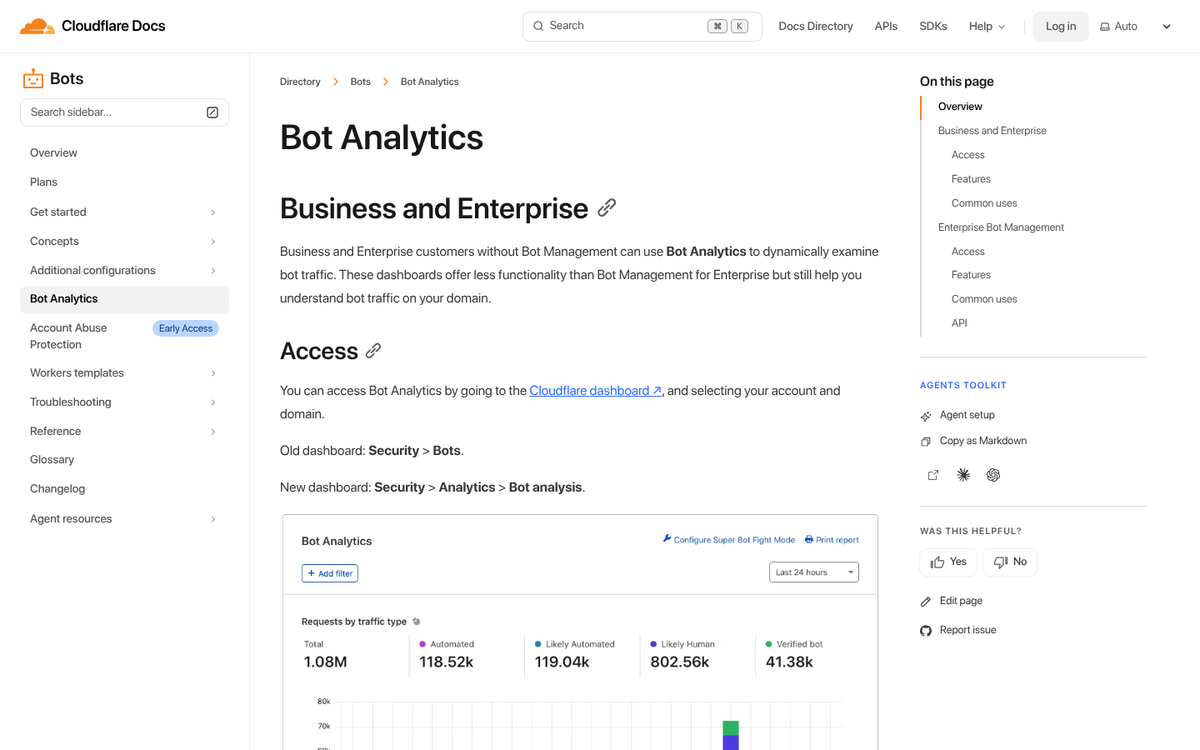
There are a bunch of different kinds of bots. Technically, any visit from a piece of software without a human involved is a bot. A script that visits a page, pulls a piece of data, and leaves is a bot. Google's web indexers are bots. They're not all good, and they're not all bad, so banning them across the board isn't a good idea. And of course, completely blocking them all is effectively impossible.
On the good side, you have bots like Googlebot. These are at worst unimportant and at best actively beneficial to you. Google's search crawlers are essential - without them, your content would never enter the search results, which would leave your business with no organic visibility whatsoever.
Good bots often tend to pay attention to your site's robots.txt file. They follow rules. Many of them don't even execute JavaScript, which is actually fine. If they don't execute scripts, they don't trigger your analytics tracking, and they won't show up in your reports at all. You never know they're there.
Bad bots ignore robots.txt. They don't necessarily execute scripts, but some of them do - because they want to see your page as it's displayed to a real user, or they need scripts to accomplish their goals. Some just want to scrape your content. Some want to register fake accounts or leave spam comments. Research from Barracuda Networks found that malicious bots alone account for around 40% of all internet traffic, which gives you a sense of the scale of the problem.
Bot sessions are also easy to identify in hindsight. On average, bot sessions last around 0.5 seconds and view just one page, compared to real human sessions that average around 43 seconds of engagement. That data alone tells you how much noise bad bots can inject into your reports.
Some bad bots fall under the heading of a botnet - a network of bots controlled by a single person, often numbering in the thousands of compromised devices. Botnets are typically made up of computers or IoT devices infected by malware. The owner can issue a command, and every infected device executes it simultaneously. Botnets are one of the most common mechanisms behind DDoS attacks and large-scale ad fraud operations.
There are also some bots, called referral bots, that can send data directly to your analytics platform without ever actually visiting your site. They do this by understanding how HTTP requests and analytics tracking work, and by pinging your analytics endpoint directly. This is how you end up with fake referrers showing up in your data.
Referral spam is especially problematic. Legitimate referrers show up because a real site has linked to you and someone followed that link. With referral spam, no such link exists. Why would a spammer do this? They want to see if you're paying attention to your analytics. If you are, you'll be curious why this site is apparently sending you traffic, and you'll click to investigate. The destination is typically an affiliate redirect, a spam site, or worse - a page that attempts to execute malicious scripts or trigger a drive-by download.
Not only is it a problem to have these showing up in your analytics - it's genuinely dangerous to click them without precautions. If you don't know how to handle potentially malicious sites, you could end up compromised, putting everything from your website credentials to your financial accounts at risk.
How GA4 Handles Bot Filtering in 2026

One meaningful improvement since the migration from Universal Analytics to Google Analytics 4 is that GA4 includes automatic bot filtering by default. GA4 uses both Google's own internal bot research and the IAB (Interactive Advertising Bureau) International Spiders and Bots List to identify and exclude known bot traffic from your reports automatically.
This is a significant step forward compared to the old Universal Analytics setup, where bot filtering was an optional checkbox that many site owners never thought to enable. In GA4, it's on by default.
That said, GA4's bot filtering is not a complete solution. It only catches known bots - bots that have already been identified and catalogued. New bots, sophisticated crawlers designed to mimic human behavior, and referral spam that never actually visits your site can still slip through. So while GA4 does more heavy lifting for you than its predecessor, you still need to be proactive. If you notice unusual activity, investigating a drop in traffic on Google Analytics can help you identify whether bots or other issues are affecting your data.
A Note on the Old UA-ID Trick

If you've been around the SEO world long enough, you may remember the old advice about using a non-default property ID (e.g., using UA-9876543-3 instead of UA-9876543-1) to avoid referral spammers who targeted the most common -1 IDs by default.
This advice is now largely obsolete. Universal Analytics was officially sunset in 2023, and GA4 uses an entirely different measurement ID format (G-XXXXXXXXXX). The old ID-spoofing referral spam tactics that plagued UA have not carried over to GA4 in the same way, though new forms of analytics spam have continued to evolve. Don't waste time worrying about the old UA tricks - focus on what's relevant to GA4, and consider reviewing a list of other outdated techniques you should avoid while you're at it.
Avoid the Referral Exclusion List

There's a referral exclusion list in Google Analytics, and at first glance it sounds like exactly what you want. You don't want certain referrers in your data, so you exclude them - simple, right?
Unfortunately, that's not how the tool works. What it actually does is strip the referrer attribution from a session while keeping everything else - the visit, the engagement time, the bounce signal, all of it. The result is that the bad traffic doesn't disappear; it just gets reassigned to direct traffic.
All you're doing is moving the problem from one bucket to another. Worse, you're moving it from a clearly labeled category you can filter, into a category where it becomes indistinguishable from real direct traffic. Don't use the referral exclusion list for spam filtering. If you're looking for better ways to manage your data, check out the top alternatives to Google Analytics or learn how to organize your ad campaigns in Google Analytics for cleaner reporting.
Implementing Filters in GA4

There's no good way to fully block fake traffic, because a lot of it isn't real traffic in the first place - and you can't block what you can't predict before it hits you. Rather than trying to purge it from your analytics after the fact or block it before it happens, the best approach is to implement filters that keep it out of your reports. This won't stop bots from attempting to crawl your site, but it will make your data significantly more meaningful.
In GA4, the filtering approach works differently than it did in Universal Analytics. Here's what you should be doing:
Internal traffic filtering: Make sure your own team's visits aren't inflating your numbers. In GA4, go to Admin - Data Streams - select your stream - Configure Tag Settings - Define Internal Traffic. Add your office or home IP ranges here, then go to Admin - Data Filters and activate the Internal Traffic filter. This is basic hygiene that a surprising number of sites overlook.
Developer traffic filtering: GA4 also gives you the option to filter out traffic flagged as coming from developers or testers. Use this during site development and QA periods.
Hostname validation: One of the most effective carryover techniques from the UA era is validating hostnames. In GA4, you can create audience segments or use Explorations to check which hostnames are generating sessions on your property. If you see hostnames that have nothing to do with your site, that's a red flag for ghost spam or cross-property contamination. While GA4 doesn't offer the same custom include filters for hostnames as UA did, you can use Looker Studio (formerly Google Data Studio) or the GA4 Explore reports to identify and segment out bad hostname data for cleaner reporting.
Regex-based exclusions: For referral spam that does make it through, you can build custom segments in GA4's Explore feature to isolate and exclude known spam sources from your analysis. It's not a permanent filter applied to all reports, but it does allow you to view clean data when you need to.
The biggest challenge with all of these approaches remains the same as it always has been: you have to keep up with it. Spam domains get dropped, new ones appear, and bot behavior evolves. Checking your acquisition reports regularly - particularly looking for sessions with extremely low engagement time and single-page visits from unfamiliar referrers - will help you catch new spam sources before they significantly skew your data.
Protecting Your Ad Spend from Bot Fraud
If you're running paid advertising, bot fraud deserves its own attention beyond just cleaning up your analytics. As noted earlier, Spider AF's 2025 research found that some advertisers were losing over half their ad budget to fake interactions. In some cases, blocking identified fake traffic sources led to a reduction in wasted spend of over 22% and dramatically improved attribution accuracy.
Practical steps here include:
- Enabling Google's Invalid Click Protection within Google Ads, which automatically filters some fraudulent clicks from your billing.
- Monitoring your click-to-conversion ratios closely. A sudden spike in clicks with no corresponding conversion activity is a strong signal of bot traffic. Understanding how Google Ads manages your budget can also help you spot irregularities faster.
- Considering dedicated ad fraud protection tools if your ad spend justifies it. Platforms like Spider AF, ClickCease, or TrafficGuard operate specifically in this space and offer more granular protection than platform-native tools alone.
- Reviewing placement reports in display and programmatic campaigns and excluding low-quality placements that generate high click volumes with zero conversions.
When all is said and done, you should end up with much cleaner, more reliable data - and a better-protected ad budget. The bot problem isn't going away, and if anything it's gotten more sophisticated over time. But with the right filters in place and a habit of regular auditing, you can make sure the data you're making decisions from actually reflects reality. If you want to go further, passing accurate conversion values to Google Ads is one of the best ways to ensure your campaigns are optimizing against real results rather than inflated numbers.