




For Answer Engine Optimization (AEO), faceted search creates a unique challenge. Each filter combination can generate a new URL, which means your site could be making thousands of pages that are nearly identical in structure - most of which confuse crawlers instead of inform them. When an AI model is trying to choose which page on your site best answers a query, a bloated, poorly structured faceted system makes that job harder.
The good news is that with the right technical setup and content strategy, faceted search can support your AEO work instead of undermine it - this entry will talk about what faceted search means in the context of AI optimization, the common dangers to avoid, and the helpful steps you can take to make your filtering system an asset instead of a liability.
Quick Answer
Faceted search is a technique that allows users to filter and navigate search results using multiple categories or attributes (facets) simultaneously. It combines traditional keyword search with dynamic filtering options, letting users narrow down results by selecting specific characteristics like price, color, brand, or date. Common in e-commerce and digital libraries, faceted search improves discovery by displaying relevant filter options based on the current result set, helping users quickly find what they need without reformulating their search query.
How Faceted Search Works on a Website
At its core, faceted search lets users narrow down a list of results by applying filters based on product or content attributes. These attributes are the "facets" - things like size, color, price range, brand, or material, and each facet groups items by a shared characteristic, and users can combine multiple facets at once to get to what they want.
Think about shopping for a jacket online. If you don't have filters, you could be scrolling through hundreds of options. With faceted search, you can choose "Women's", set a price range with a slider, pick "Black" from a color list, and choose "Size M" - all in a few clicks. The results update to show only items that match every selected filter.
The filters themselves come in a few different forms depending on what they're controlling. Checkboxes work well for categories where multiple selections make sense, like picking a few colors at once. Sliders suit anything on a range, like price or screen size. Dropdowns keep the interface clean when there are a lot of options but users will only pick one.

| Facet Type | Best Used For | Example |
|---|---|---|
| Checkbox | Multi-select categories | Color, brand, material |
| Slider | Numeric ranges | Price, rating, screen size |
| Dropdown | Single-select lists | Size, sort order, region |
| Toggle / Radio | Binary or exclusive choices | In stock only, free shipping |
Behind the scenes, each facet is tied to structured data in a database or product catalog. When a user selects a filter, the site queries that data and returns only the matching results - this structure is what makes the experience fast and predictable.
From the user's perspective, the whole point is control without difficulty. They don't have to type a well-worded search query - they just click what applies to them. How easy it is to use is a big part of why faceted search became a standard feature on e-commerce and content-heavy sites.
Why Faceted Search Signals Matter to AI Answer Engines
AI-powered answer engines don't read words on a page - they interpret structure. When a site's facets are well-organized, they send strong signals about what each page is actually about, and that clarity helps large language models build more accurate, confident answers.
Consider it from the AI's perspective. A product page filtered to "red, size medium, under $50" tells a model something very precise about the content. That specificity is useful, and it's the structured data that supports better, more accurate AI-generated replies.
Schema Markup Makes the Signal Stronger
Schema markup is the layer that turns visible content into machine-readable meaning. When faceted pages include structured data - product schema, breadcrumb schema, or filter attributes - AI systems can map those facts to real-world concepts more reliably. If you don't have it, even a well-designed facet system is harder for a model to interpret with confidence.
This matters because AI answer engines pull from pages they trust to be accurate and organized. Schema gives them a reason to trust yours.
Crawlability Is Where Things Get Complicated
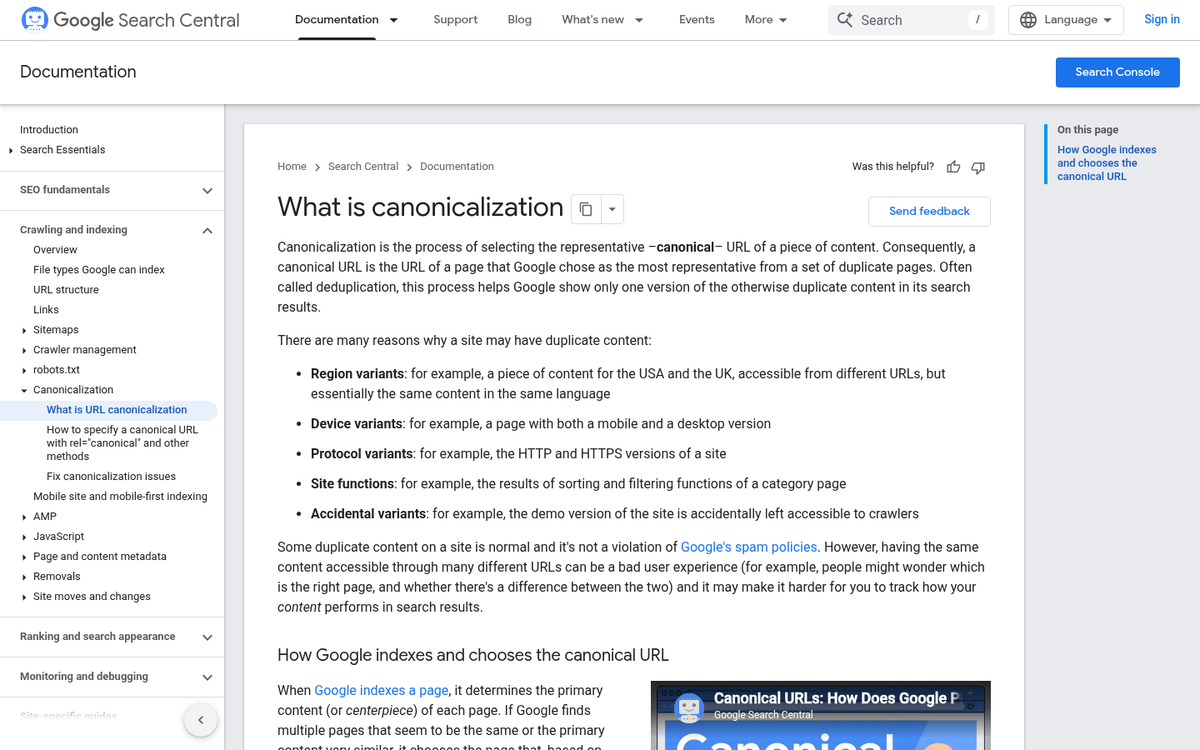
Every filter combination a user applies can generate a new URL. A single product category with five filter types can produce hundreds of web addresses, and most of them carry nearly identical content. Search crawlers - like the ones that feed AI systems - can get stretched thin across the pages and miss the ones that actually matter.
The technical fix is to use canonical tags to point duplicate filter URLs back to the main category page, keeping crawl attention focused and preventing diluted signals across near-identical pages.
Clean Data Supports Better AI Answers
When faceted content is crawlable, tagged with schema, and free of duplicate noise, AI models have a much cleaner picture of your site's content. That picture feeds directly into the quality of answers those models generate when users ask relevant questions. Sites that invest in this structural hygiene earn more confident placements in AI-generated replies.
There's also a business case worth mentioning. Research suggests a roughly 20% lift in conversions for sites with well-implemented faceted search, which aligns with how much users trust a system that helps them find what they need. If you run an online store, exploring ways to include calls to action on your Shopify blog can help you make the most of that improved user experience.
Faceted Navigation Pitfalls That Hurt Your Search Visibility
The biggest problem with faceted search isn't the concept itself - it's what it does to your URLs. Every time a user applies a filter, your site usually generates a new URL. Filter by color, size and price together and you might have dozens of URL combinations pointing to nearly identical pages. Search crawlers see these as separate pages to index, and that creates problems fast.
This is called URL parameter bloat, and it's one of the most common technical problems for e-commerce and catalog sites. Crawlers have a limited amount of resources to spend on your site. When they burn through that budget on hundreds of thin filter pages, your content that actually matters gets crawled less frequently or skipped entirely.
For AI answer engines, this matters even more than it does for traditional search. AI systems that pull answers from the web use clean, authoritative, well-structured pages. When your product or category content is diluted across dozens of near-duplicate filter URLs, no single version of that page looks authoritative enough to reference. The signal gets scattered.

Duplicate content compounds this. A page filtered to show "blue widgets" and another showing "widgets in blue" may render identically. But crawlers treat them as separate pages competing with each other. That internal competition weakens the strength of the content you actually want to rank. This issue can also arise when you change a blog URL without properly redirecting old addresses.
How to Handle It
The standard fix is to use canonical tags to point all filter variations back to the main unfiltered page - this tells crawlers which version to treat as the authoritative one. For facets that add no indexable value at all, a noindex directive stops those pages from entering the index. This is similar to the question of whether to remove tags on your WordPress blog, where low-value pages can quietly dilute your site's authority.
You can also configure parameter handling directly in Google Search Console to tell crawlers how to interpret or ignore URL parameters - this won't solve everything, but it helps crawlers spend their time on pages that actually matter. If you run into server-level issues during this process, it's worth knowing how to diagnose and fix an internal server error before it affects your crawl results.
| Problematic Setup | Corrected Setup |
|---|---|
| Each filter combination generates a unique indexed URL | Canonical tag points all filter URLs to the main category page |
| No crawl directives on low-value filter pages | Noindex applied to pages with no unique content value |
| URL parameters ignored in Search Console | Parameters configured so crawlers know how to handle them |
| Crawl budget spread thin across hundreds of filter pages | Budget concentrated on core product and category pages |
When this is done correctly, AI systems and search crawlers see a cleaner, more coherent version of your site - which makes your content far easier to index and reference accurately. You might also consider whether an infinite scroll plugin could further hurt your blog rankings by creating similar crawlability challenges.
Structuring Your Facets to Help AI Understand Your Content
When AI answer engines scan your site, they need to make sense of what you sell or cover - and your facet structure is a big part of how that happens. Small, deliberate choices in how you label and group your facets can make a difference in how accurately AI surfaces your content to users.
Start with steady naming. If one page calls a filter "Color" and another calls it "Shade" or "Hue", that inconsistency creates noise. Pick one label and use it everywhere, because AI systems build through patterns and repetition across your site.
Keep your facet labels descriptive and human-readable. "Material: 100% Organic Cotton" tells a search engine something actual. But "Mat: OC1" tells it almost nothing. Write labels the way a person would say them out loud, and you'll land in a better place for users and AI.
Logical groupings matter too. Facets that belong together should sit together, and each group should have a name that goes well with its job. Think about how eBay manages this across roughly 1.7 billion listings - at that scale, structure isn't a bonus, it's what makes the whole system work. Your site is smaller. But the same principle applies.
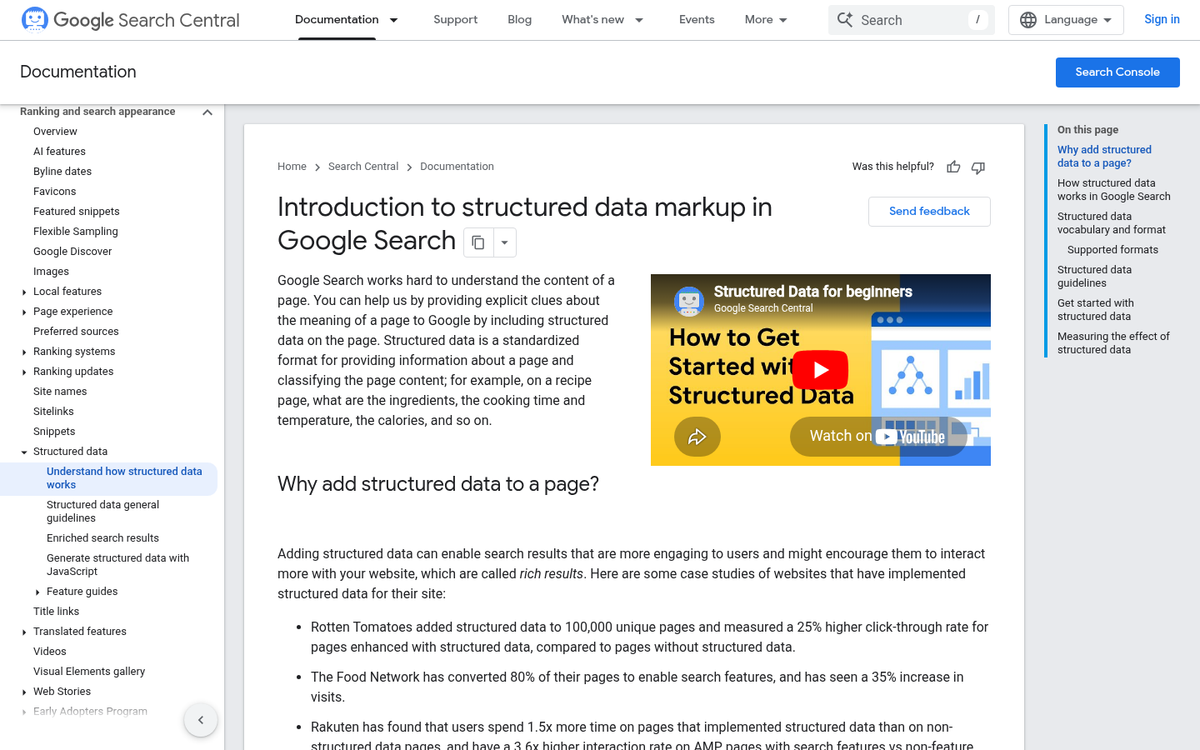
Schema markup is one of the most underused tools for this. Adding structured data to your product or content attributes - things like price range, category, rating, or availability - gives AI a direct line to the facts it needs. You want to tell it what each part of your content is about, instead of waiting for it to guess. If you run a Shopify store with a blog, this kind of structured approach applies just as much to your editorial content as it does to your products.
| Facet Practice | Less Helpful | More Helpful |
|---|---|---|
| Label naming | Col / Clr / Shade | Color |
| Attribute detail | Mat: Type A | Material: Recycled Polyester |
| Structured data | No schema markup | Product schema with attributes |
| Grouping | Mixed unrelated filters | Filters grouped by category |
You want to remove any ambiguity between what your facets say and what your content actually is. AI systems get better at representing your site when the structure you build is honest, consistent, and written for humans first.
Getting Faceted Search to Work Harder for You
The good news is that most of the work is easy. Clean, steady facet labels, canonical tags, structured data markup, and a crawl-friendly URL strategy are all easy improvements that compound over time. Getting these things right puts you ahead of the sites still generating duplicate content, confusing crawlers, and leaving helpful category-level context on the table.
A helpful first step is to audit your faceted navigation with fresh eyes - or better yet, through the eyes of a crawler. Look at what URLs your facets are generating, check if your markup accurately matches the filtered content, and find any facet combinations that could have been creating problems you haven't seen yet. Small fixes in this area tend to have an outsized impact on search visibility and on the AI systems increasingly shaping how people find information online.
FAQs
What is faceted search and how does it work?
Faceted search lets users filter results using product or content attributes like size, color, or price. Users combine multiple filters simultaneously to narrow down results without typing search queries.
How does faceted search affect AI answer engines?
Well-structured facets send clear signals to AI systems about page content. Poorly managed facets create duplicate URLs that confuse crawlers, making it harder for AI to identify authoritative pages.
What is URL parameter bloat in faceted search?
URL parameter bloat occurs when filter combinations generate hundreds of near-identical URLs. This wastes crawl budget and dilutes content authority, preventing important pages from being properly indexed.
How do canonical tags help with faceted navigation?
Canonical tags point duplicate filter URLs back to the main category page, telling crawlers which version is authoritative and keeping crawl resources focused on your most important content.
Why does schema markup matter for faceted search?
Schema markup transforms visible content into machine-readable data, helping AI systems accurately interpret product attributes like price, category, and availability without guessing.