Key Takeaways
- Shopify includes a built-in blog feature, but it's secondary to e-commerce, making it limited compared to dedicated platforms like WordPress.
- You can link an external blog, like WordPress.org or WordPress.com, directly in Shopify's navigation menu without complex setup.
- Shopify apps can enhance the native blog with related posts, SEO audits, product linking, and social media auto-sharing features.
- Page builder apps like Shogun, GemPages, and PageFly offer drag-and-drop control for more polished blog layouts than Shopify's default.
- Syndicating content from an external blog to Shopify is possible but requires proper canonical tags to avoid SEO penalties.
Shopify is one of the most-used e-commerce platforms in the world, so it comes as no surprise that people of all skill levels make use of it. The advanced users have already passed over this post, so this one's for you newcomers out there. When you're running an e-commerce storefront, one thing you usually want is an accompanying blog.
Blogs are sources of content, built up over the course of years of activity. Every new blog post is a new chance to rank in Google's search results. That means every new blog post is a chance for new visitors to find and visit your site, which as you might expect is a new chance for them to discover your store and make a purchase. According to BrightEdge, SEO generates over 1,000% more traffic compared to social media sources - so the math does favor building out your blog. The more content you have and the better your blog, the more likely these organic visits are to add up over time.
I'm not going to dig into the benefits of content marketing. You can read all about that elsewhere. Instead, I've put together five ways you can run a blog alongside your Shopify store.
1. Use the Default Shopify Blog Feature
Shopify understands the importance of a blog, and because of this, their platform actually includes a built-in blog feature. The trick is, it's just an extra feature for Shopify - not the main focus.
Every Shopify store comes with a default blog named News. You can change the name or leave it as is. In your Shopify Admin panel, go to Online Store and then Blog Posts. There will be a Manage Blogs button. Click it and you can add a new blog, choose how you want it to manage comments, and save it.
If you're fine with the basic News blog but want to change the name, go to the same Blog Posts section in the Online Store and then Manage Blogs. Choose the blog you want to edit and click Edit Blog. Change the title - remember that blog titles can be as long as 255 characters - and save it.
Shopify blogs give you the ability to edit meta data for your storefront, which is very important for SEO. Go to Manage Blogs and click the blog to edit, then find the Search Engine Listing Preview. Click the "Edit Website SEO" button and customize the page title and page description. Keep your SEO title under 70 characters and your meta description under 160 characters, or search engines may truncate them in results. For individual blog posts, your description can run as high as 320 characters before it risks being cut off.
The built-in blog is a starting point. But if you have any knowledge of how blogs work, you'll probably see some limitations. Shopify is first and foremost an e-commerce platform - the blog is a secondary feature. Compare it to something like WordPress, which is a massively popular platform with thousands of plugins that do everything from add minor features to change the way the whole site works, and the gaps become apparent; it's why you might want to see one of the more advanced options below.
2. Link an External Blog
The first alternative is to run a blog on an external platform and link to it from within your Shopify store. Shopify lets you add external links directly in your main navigation, which makes this fairly easy for visitors.
First, you can run a blog on another hosted platform. WordPress.com and Tumblr are two popular options. WordPress.com is free but restricts features unless you upgrade to a paid plan. Tumblr has gone through ownership changes over the years and has a more niche audience, so factor that into your choice. Blogger, once a popular option, has largely faded from relevance and is not recommended in 2026.
The other alternative is to run your blog on a self-hosted platform. WordPress.org remains one of the best options available - it's flexible, SEO-friendly, and has a giant plugin ecosystem. The tradeoff is that you'll need to pay for a domain name and web hosting, and you'll be responsible for keeping up with updates and maintenance, which you don't have to worry about with a hosted platform.
Regardless of which external platform you choose, adding a navigation link in Shopify is easy. Go to Online Store, then Navigation. Click the menu where you want the blog link to appear and click Add Menu Item. Enter the name of the link - like "Our Blog" - and paste in the URL of your external blog. Save the menu and you're good to go.
3. Use Apps to Enhance a Shopify Blog
I mentioned above that WordPress has a massive plugin library. But Shopify has its own robust app ecosystem as well. Shopify calls them Apps, and they have an app directory worth looking at.
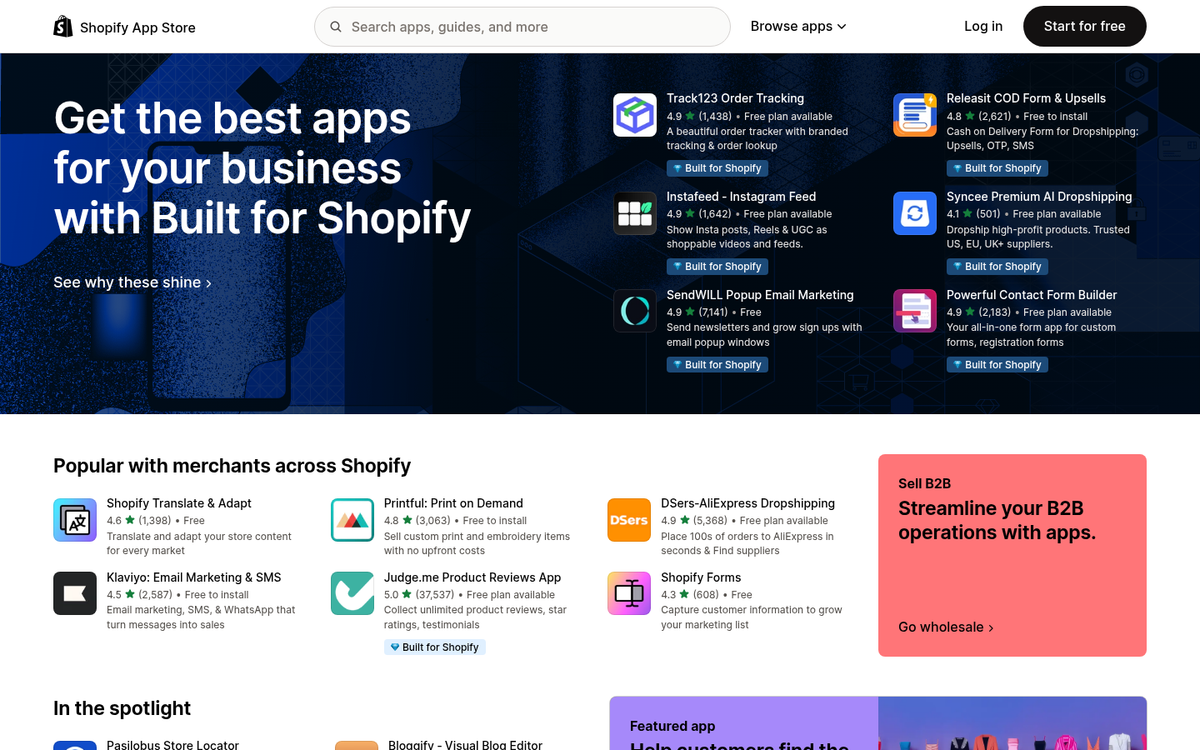
One strategy is to use apps to improve the functionality of the default Shopify blog. Since the native blog is fairly limited, developers have stepped in with tools to fill the gaps. Here are some categories of apps worth a deeper look:
- Related Posts apps - These add a "related posts" section to your blog, showing readers thumbnails and titles of other articles. The longer visitors stay on your site, the more likely they are to find their way to your store and make a purchase.
- Blog-to-product linking apps - These automatically insert links to relevant products within your blog posts, helping bridge the gap between your content and your storefront.
- Social media autopilot apps - These automatically share new blog posts to your connected social profiles when you hit publish, saving you a step in your promotion workflow.
- Sitemap apps - Submitting a sitemap helps search engines like Google discover and index all of your pages. Several apps can generate and maintain this for you automatically, similar to how dedicated sitemap plugins work on WordPress.
- SEO audit apps - Apps like Plug In SEO scan your site for common SEO issues and send you alerts when problems are detected, so you can fix them before they impact your rankings.
- Meta tag management apps - These give you more granular control over your SEO settings, including alt tags, dynamic meta descriptions, and more - closer to what you'd get from a plugin like Yoast on WordPress, though still not quite on that level.
- RSS feed apps - RSS may not be as mainstream as it once was, but offering a feed for your blog posts can still be a useful option for loyal readers and content aggregators.
Beyond these, there are plenty of apps that connect Shopify to third-party platforms. If you're using an email marketing tool like Klaviyo or Mailchimp, just to give you an example, there are apps that allow you to capture email addresses directly from your blog through pop-ups and embedded forms - turning blog readers into subscribers and eventually customers.
4. Use a Page Builder App to Reconstruct a Blog
The second app-based strategy is to use a page builder to create a more polished, advanced blog experience than Shopify's default layout gives.
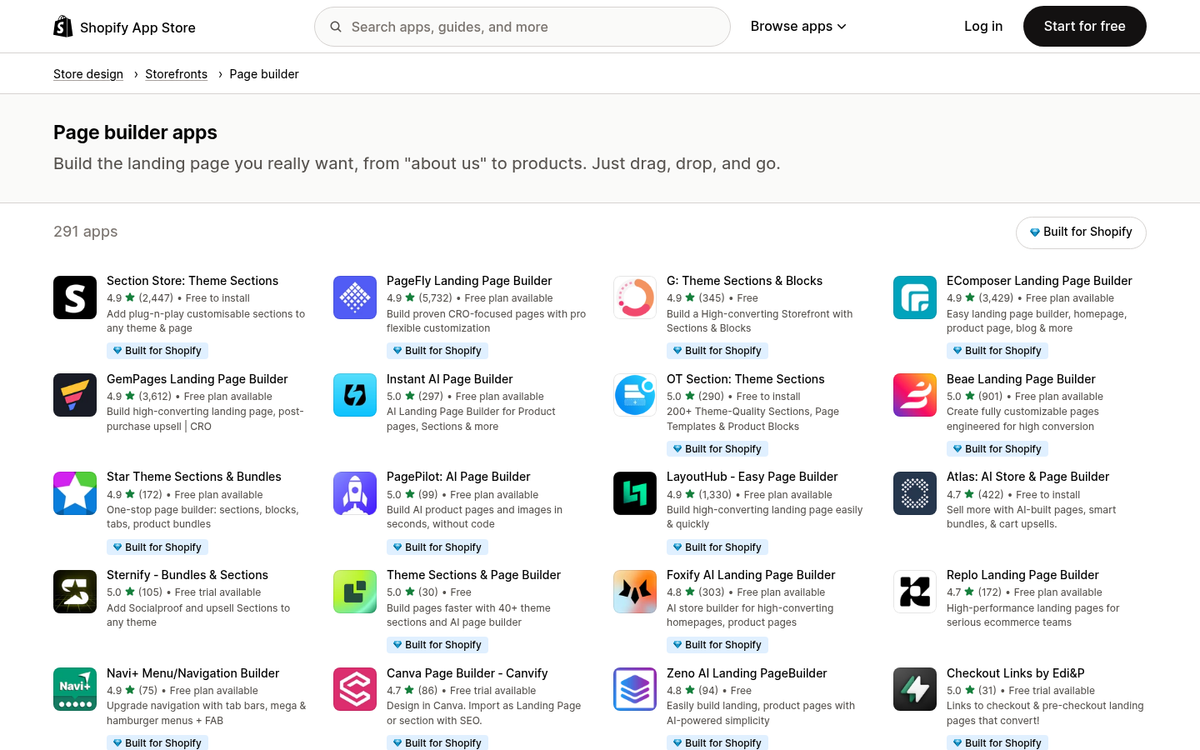
Several page builder apps give you drag-and-drop control over the look and feel of your blog posts and landing pages. Here are a few worth thinking about:
- Shogun Page Builder - A well-established page and blog post builder that produces significantly more visually appealing layouts than the Shopify default. It comes at a cost - plans typically range from around $39 to $249 per month depending on features - but the design quality is a noticeable upgrade.
- GemPages - A flexible page builder with a solid library of templates and integrations with popular third-party tools. If you're already using external platforms for email or analytics, GemPages makes it easier to tie everything together.
- PageFly - Another popular drag-and-drop builder with a free tier available, making it a lower-risk option if you want to experiment before committing to a paid plan.
- Custom head code access - Some apps give you direct access to the
<head>section of your blog pages, which is useful if you want to install tracking scripts, custom fonts, or other header-level customizations without digging into your theme code.
Which builder you choose will largely depend on your budget, your design goals, and how much time you want to spend on setup. Most give you free trials, so it's worth testing a couple before committing. If you're focused on driving traffic to those pages, it also helps to understand what makes a blog suddenly become popular.
5. Run a Synced Blog
Your last option is a hybrid strategy: run a blog on an external platform and syndicate the content onto your Shopify blog, giving your posts two places to be found.

This is a nuanced strategy that is going to need care. Duplicating content across two URLs can create SEO problems if not handled correctly - search engines may penalize you for publishing the same material in two places. What matters is canonicalization: make sure one version of the post is marked as the original so search engines know which one to rank. Apps like BlogFeeder have historically offered syncing functionality between external blogs and Shopify, though you'll want to verify the latest app availability and ensure canonical tags are properly taken care of before committing to this, as the app community changes frequently.
If you get the technical side right, syndicating content can extend your reach without requiring you to write double the posts. Just make sure that you're not accidentally undermining your own SEO in the process.