There are many reasons why you might have a dead website. Maybe you tried to start a blog a few years ago, but grew disinterested and abandoned it. Maybe you started a business but the business folded, and you never did much with your website. Maybe the foundation of your website crumbled, like it was based on technology no one cares about. Maybe your site was hacked and rather than fight back, you walked away entirely. Maybe you stumbled across an old domain with forgotten credentials and realized someone had poured real effort into it once upon a time. You know, many common reasons.
In any case, you have a dead site and you want to resurrect it. How do you go about doing so without causing issues?
Key Takeaways
- Before relaunching, assess existing content, backlinks, site architecture, and whether rebranding could alienate residual loyal visitors.
- Audit content for quality, plagiarism, and stolen imagery; preserve valuable URLs or implement redirects to protect existing link equity.
- Check Google Search Console for manual penalties, as unresolved penalties must be fixed before relaunching the site.
- After relaunching, a traffic drop exceeding 10-15% within 30 days signals serious problems like broken redirects or lost indexing.
- Websites can sell for over 30 times monthly profit, making a well-executed revival financially significant beyond just traffic gains.
Examine What's Left

Before you start to relaunch, take a look at what already exists for the site. Is it a complete unknown? Does it have some valuable backlinks or useful content that still receives a tiny trickle of hits? Does it have a popular brand attached, leading to a huge waste of potential?
You need to decide if you're going to keep the current look and feel of the site, or if you're going to rebrand it completely. This isn't a trivial decision; if there's any residual loyalty, you can't make too big a departure or you risk losing what advantage it has.
What about the current site architecture? Is the coding up to snuff, or is it old, out of date, and riddled with security holes? You need to, at the very least, update the code. You might need to invest in a whole new site design, complete with a mobile-ready responsive design. Performance matters more than ever too - 47% of consumers expect a web page to load in two seconds or less, so a slow, bloated old site simply won't cut it. Remember, just because the site is old doesn't mean you can get away with living in the past.
Examine Existing Content

Content is the biggest site audit you'll need to perform. You need to determine if the content meets today's quality standards. If the content is old and thin, out of date, or valueless, you lose nothing by getting rid of it. On the other hand, if you have some valuable content, you might want to figure out how to keep that content around. While you're at it, make sure you note the URLs of any content that has valuable incoming links, so you can preserve those links, either by keeping the URL or by implementing a redirect.
You will also want to make sure your content isn't stolen or plagiarized. If you were buying content from disreputable freelancers or scraping and spinning it before, this can be a common problem. Another problem might be if you bought the site from someone else, as-is. You never know what baggage it carried along with it.
Check for content theft outside of your site as well. If you have good content, it might have been stolen, and you want to report that theft to make sure your relaunched site has as much power as possible.
As a side note, check your images. People today are extremely conscious of image rights. If a lot of your images came from unsourced searches years ago, you probably don't have the rights to any of them, and you may want to replace them. For that matter, resolution and quality standards have increased significantly, and an old site with old imagery just looks old. Tools like Screaming Frog can help you crawl up to 500 pages for free to systematically identify broken images, missing alt text, and other on-page issues before you relaunch.
Assess Any Penalties
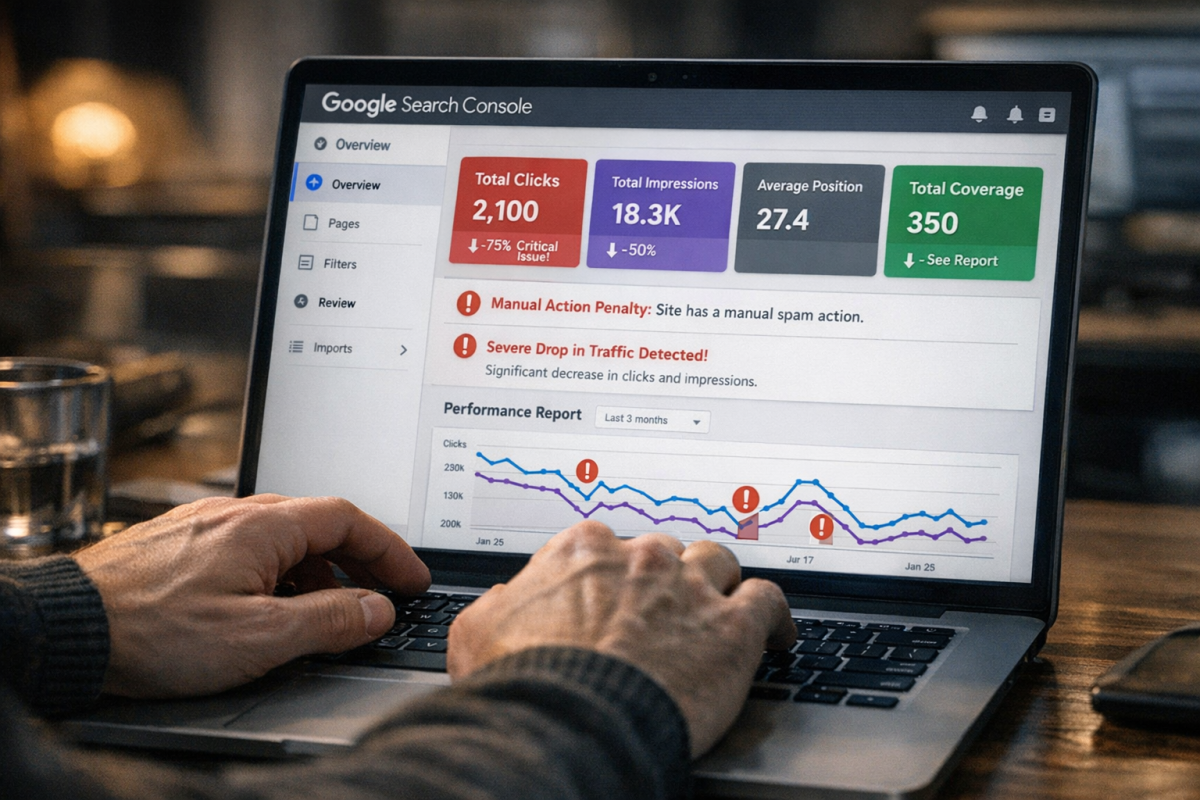
This is a critical check. If you have a working Google Search Console account attached to the site, log in and look for manual actions and penalties. Search Console remains the most direct way to identify any manual penalties Google has applied to your site.
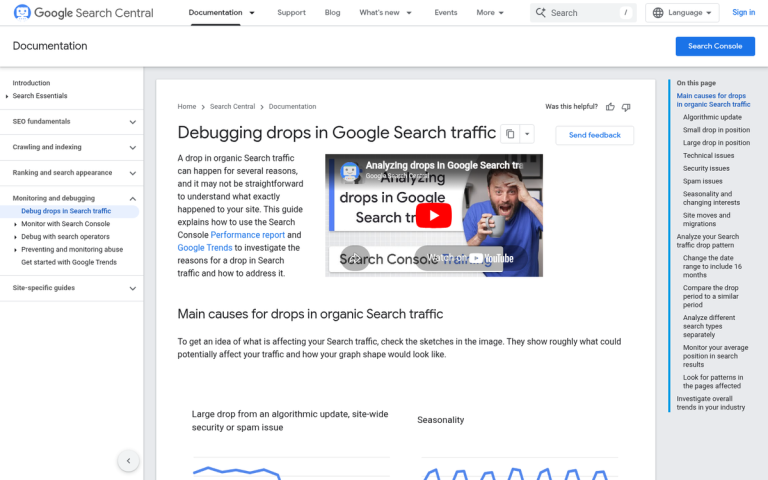
Often, the lack of traffic associated with a Google penalty is what kills a site in the first place. You will need to clear up the issues that led to the penalty before relaunching. Part of this is accomplished in your content audit, when you look for thin or copied content. Part of it will involve examining code errors or a toxic backlink profile. You may have a lot of work ahead of you, but it's work that has to be done before you flip the switch.
Prepare a Fresh Start

Depending on the extent of the damage you had to fix or replace, this could be easy or could be difficult. Implement any new site design and code you need, remove any dead and valueless content, and disavow bad links. Work to return to as much of a clean slate as possible.
Once you have this fresh start, begin to build a content calendar. You're going to want to fill out your site with all of the basic content, buff up any borderline existing content, and restore content that maintained value before your relaunch.
From here, you need to produce and post content on a regular basis. Content marketing remains the core of successful web growth, and you need to hit the ground running. Take your time scheduling out posts for several months, just to make sure you have the leeway to deal with any unexpected issues that pop up.
One important note on post-relaunch expectations: a drop of 10-15% or more in traffic within the first 30 days is a red flag that something is seriously wrong - lost indexing, broken redirects, or blocked pages being the most common culprits. Monitor your top keywords daily using tools like Semrush or Ahrefs, ideally tracking your top 100 to 500 keywords so you can catch problems quickly with the right keyword ranking tools. Keep in mind that user experience changes can show effects within about a week, while SEO changes can take up to a month to reflect in rankings. After 3 to 6 months, you should do a full evaluation of rankings, traffic, and conversions against your pre-relaunch numbers to properly measure your progress.
Hype and Marketing
In the weeks and months leading up to your relaunch, you should start advertising its impending arrival. If you have an old mailing list, send out a message about the incoming return. Post on any attached social media accounts and start to get them active again. Run advertising when the site goes live to draw in a fresh influx of new users.
Moving forward, monitor your site performance and your audience closely. Analytics tools of various sorts will help with this. Figure out who is visiting, where they're coming from, and what they want to see. Entice them with more of the same, and bring in more users by refining your targeting on ads and with content.
It's also worth keeping the bigger picture in mind: websites can sell for over 30 times their average monthly profit, according to Flippa. That means even modest traffic and revenue gains from a well-executed revival can have a significant impact on your site's overall value - a compelling reason to do this right from the start.