





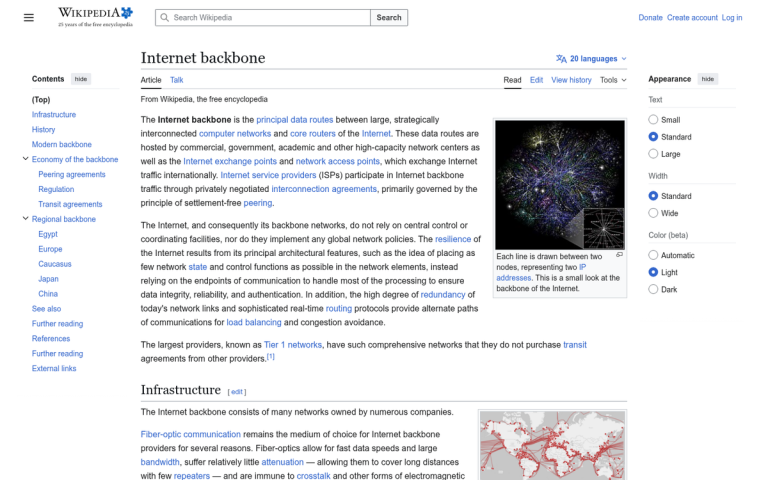
As you build and grow your site, you're going to accumulate links pointed at your pages. These links are a fundamental backbone of the Internet, and as such, are a fundamental part of Google's ranking algorithm. Links are important to your growth, but they can act as a double-edged sword. Links from the wrong kinds of sites can have little to no benefit, while some links can actually earn you search ranking penalties.
Key Takeaways
- Links range from exceptional to bad; harmful links from spam sites or link farms can trigger Google penalties or negative SEO attacks.
- Google's algorithms now better ignore low-quality links, but manual actions and inherited toxic profiles still warrant cleanup efforts.
- The cleanup process involves auditing backlinks, requesting removals from webmasters, and submitting a disavow file via Google Search Console.
- Top tools for backlink auditing include Ahrefs, Semrush Backlink Audit, Google Search Console, and Majestic for supplemental data.
- Over-disavowing is a real risk; always manually review flagged links before submitting, as removing good links can hurt rankings.
A Note on How Links Work
Links, as far as a website is concerned, come in four basic flavors. These are the exceptional, the good, the neutral and the bad. What works as an exceptional link to your site might be merely neutral to another, and a lot of factors go into that determination.
Exceptional links are links that come into your site from a high quality source that is highly related to your industry. In the world of SEO, for example, a link to your site from Ahrefs, Search Engine Journal, or Google's own Search Central blog might be an exceptionally valuable link. These links can boost your ranking significantly, funnel in quite a bit of traffic and are all around excellent to have.
Good links are links that come into your site from a source that is somewhat more removed than the exceptional links. Either they are lower quality sites, less popular sites or sites that are less related to your industry. Again using SEO as an example, a link from a mid-tier marketing blog with a few thousand monthly readers might be on the lower end of good. It's related, but it's not high profile enough to really move the needle on its own.
Neutral links are links that come into your site from a source that, frankly, doesn't matter much. A link from a page with minimal traffic, a link that's never clicked, a link from a site that's only barely related to your industry - these are neutral. They don't hurt you, but they don't do much to help your ranking either.
Bad links are links that come into your site from drastically unrelated sources or, more often, from spam blogs and link farms. A link from a site with bot-created spun content is going to be damaging, if not now, then in the future. Google's algorithms have become increasingly sophisticated at detecting and discounting or penalizing sites associated with these kinds of links. Additionally, such bad links can be part of an actual Negative SEO attack, aimed at your site deliberately to hurt your ranking.
The Solution to Negative Links

Bad links are understandably a problem. Sometimes, you have no control over them. You may not even know they exist until you pull a backlink profile and begin to look it over. Other times, you may have contracted a black hat SEO company unwittingly, only to be left with the damage when you drop them for a more legitimate provider. Yet other times, you may have fallen for a cheap backlink package on a freelance marketplace, convinced of its value by a compelling pitch.
No matter the cause of the negative links, you're still left with a penalty, either active or impending. You can't let bad links sit indefinitely - they can quietly erode your rankings over time.
The typical process for dealing with bad links looks like this:
- Realize you need to pay attention to your backlinks, either due to a manual action from Google, a ranking drop after an algorithm update, or a routine audit.
- Pull your backlink profile using a tool like Google Search Console, Ahrefs, Semrush, or Majestic.
- Scan through your backlink profile and identify any links coming from troublesome domains.
- Reach out to webmasters who own the domains identified in the previous step and ask them to remove the link to your site.
- Compile a list of links you believe shouldn't count against your search ranking and submit them through Google's Disavow Links tool.
It's worth noting that as of 2024 and into 2026, Google has publicly stated that its algorithms are much better at simply ignoring low-quality links rather than penalizing sites for them. That said, manual actions still exist, Negative SEO is still a real threat, and if you've inherited a site with a historically toxic link profile, a cleanup is still very much worth doing.
This can be a very time-consuming process, particularly if your site is large and old, having spent years accumulating links without auditing them. Step 3 can take an exceptional amount of time, step 4 is never guaranteed to work, and step 5 requires waiting for Google's processing.
Smart webmasters seek to automate any process they can, which is why tools designed for link auditing and disavow management continue to be popular. If a sudden drop in Google traffic prompts your audit, acting quickly can help minimize the long-term impact on your rankings.
Tools for Managing Bad Links
Remove'em was once a well-known tool in this space, though its current status and activity level are worth verifying before committing to it. The more widely adopted and actively maintained tools in 2026 for link auditing and cleanup include:
- Ahrefs - Widely considered the gold standard for backlink analysis. Its Link Intersect and toxic link detection features make it a go-to for most SEOs.
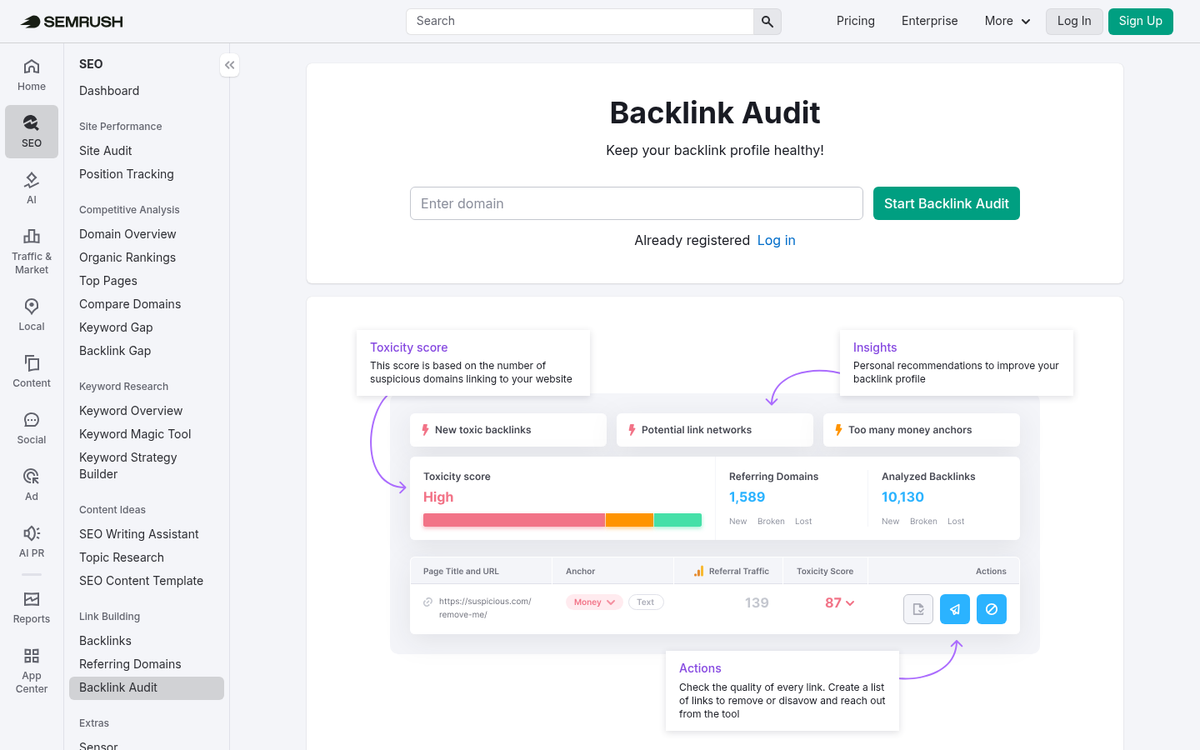
- Semrush Backlink Audit - Offers a dedicated backlink audit workflow that integrates directly with Google Search Console and can generate a disavow file with minimal friction.
- Google Search Console - Free, and often the first place you'll spot a manual action related to unnatural links. The disavow tool lives here as well.
- Majestic - Still a solid supplemental source for backlink data, particularly useful for its Trust Flow and Citation Flow metrics.
The general workflow across all of these tools is similar: connect your site, pull your backlink data, flag toxic or suspicious domains, attempt outreach for removal, and submit a disavow file for anything you can't get removed.
What to Watch Out For
Whether you're using an automated tool or doing this manually, there are a few consistent pitfalls to be aware of.
First, over-disavowing is a real risk. Automated tools make judgment calls based on programmed criteria, and they can flag neutral or even good links as harmful. Always manually review your flagged link list before submitting a disavow file. Disavowing a strong, legitimate backlink can hurt your rankings just as surely as leaving a bad one in place.
Second, not all tools use the same data sources. Running audits through multiple tools and cross-referencing the results will give you a more complete picture than relying on any single platform. There are several tools webmasters can use to track website growth that may complement your audit workflow.
Third, outreach rarely has a high success rate. Many spammy domains are abandoned, and webmasters of low-quality sites are often unresponsive. Don't spend weeks chasing removal requests when the disavow file is a faster and equally effective solution for links you clearly don't want.
If your site has been the target of a negative SEO attack or you've inherited a site with years of questionable link building behind it, a thorough backlink audit using one of the tools above is well worth the investment of time and money. The process isn't glamorous, but cleaning up a toxic link profile can meaningfully recover lost rankings and protect your site going forward.

1 response
Thoughtful replies only - we moderate for spam, AI slop, and off-topic rants.
Hi James,
Thanks for sharing Remove'em with your users, and the honest critique and feedback regarding the tool. I am with Virante, the company that developed Remove'em, and I hope you will consider sharing this comment to provide some additional insight for your readers.
If you have a site with fewer than 100 linking domains and a low-cost staff, it can certainly be more cost effective doing everything in spreadsheets, but in most cases you would expect your backlink profile to grow with time, and we feel the lifetime account at $249 (or less if you can find a coupon) is well worth the additional insight, management, and automation features you get. Especially considering you can always update the account with more information, upload additional links as you grow, etc, as it allows you to have a central location for managing/monitoring your backlink profile.
You are correct that the information in the free report shows the total number of LINKS, and once you have set-up your site in Remove'em it shows the number of Unique Linking Domains. The free tool is meant to provide a quick snapshot/analysis of the number of bad links pointing to your site, and we are using APIs that grab data meeting certain criteria. Unfortunately, due to costs and speed we do not pull down all of the link data in order to group by domains, etc., or we would also provide the list of links as part of the free report. We originally organized the links within the platform by link, but our users found it to be very cumbersome, and organizing/counting by domain proved to be significantly more beneficial to our users.
Lastly, while we do attempt to provide algorithmic determinations of good links vs. bad links, we certainly make no claim that our automated review should ever be the final decision. Even Google struggles with separating the two. We encourage all users to go through and flag their links as good vs. bad as part of a manual check leveraging our platform to help organize that data. The algorithm can be very helpful for that effort, and Remove'em provides a streamlined interface for managing that audit process regardless of the size of your backlink profile. Unlike many of the platforms out there, we also make a point to flag links as good, bad, and unsure (neutral)... as we would rather tell you something needs to be reviewed manually than give the impression, and make the mistake, of flagging good links as bad, and vice-versa.
I really appreciate you sharing Remove'em with your audience, and hope my comments are helpful/insightful for your readers. I would like to offer that if anyone needs assistance with their link removal efforts, our team would be happy to provide a quick 30 min. consult at no cost to help them determine the best strategy for any penalty recovery or link cleanup needs. They simply need to mention this article!
Regards,
Jake
VP Marketing @Virante