





Over time, URLs on the Internet have grown somewhat out of hand. Dozens of parameters, subfolders, subdirectories and extensions riddle links that could take multiple posts to share without a URL shortener. As such, URL shorteners have become a functional and valuable part of online marketing. Now, with Sniply, there's a new generation of URL shorteners.
But what's wrong with Bitly or other URL shorteners, you ask? Nothing, really. They're functional. They do exactly what they're supposed to do. They take a long URL and replace it with a short URL that takes up less space and looks better in your content marketing. The thing is, Sniply does that with an added bonus.
Sniply is a URL shortener that adds a customizable call-to-action overlay to the destination page - meaning your brand travels with every link you share, even when that link leads somewhere else entirely. It's a tool now trusted by over 100,000 marketers and featured on 300+ marketing blogs worldwide.
Key Takeaways
- Sniply is a URL shortener that adds a customizable call-to-action overlay to destination pages, keeping your brand visible everywhere.
- Unlike standard shorteners, Sniply tracks clicks, conversions, and engagement, and automatically includes Google UTM parameters for deeper analytics.
- The free plan offers unlimited Sniply links and 100 conversions monthly, making it a low-risk starting point for marketers.
- Paid plans unlock higher conversion limits, custom forms, Mailchimp integration, branded shortlinks, and removal of Sniply branding.
- Over 100,000 marketers use Sniply, making it a proven tool for content marketers sharing third-party links regularly.
How it Works
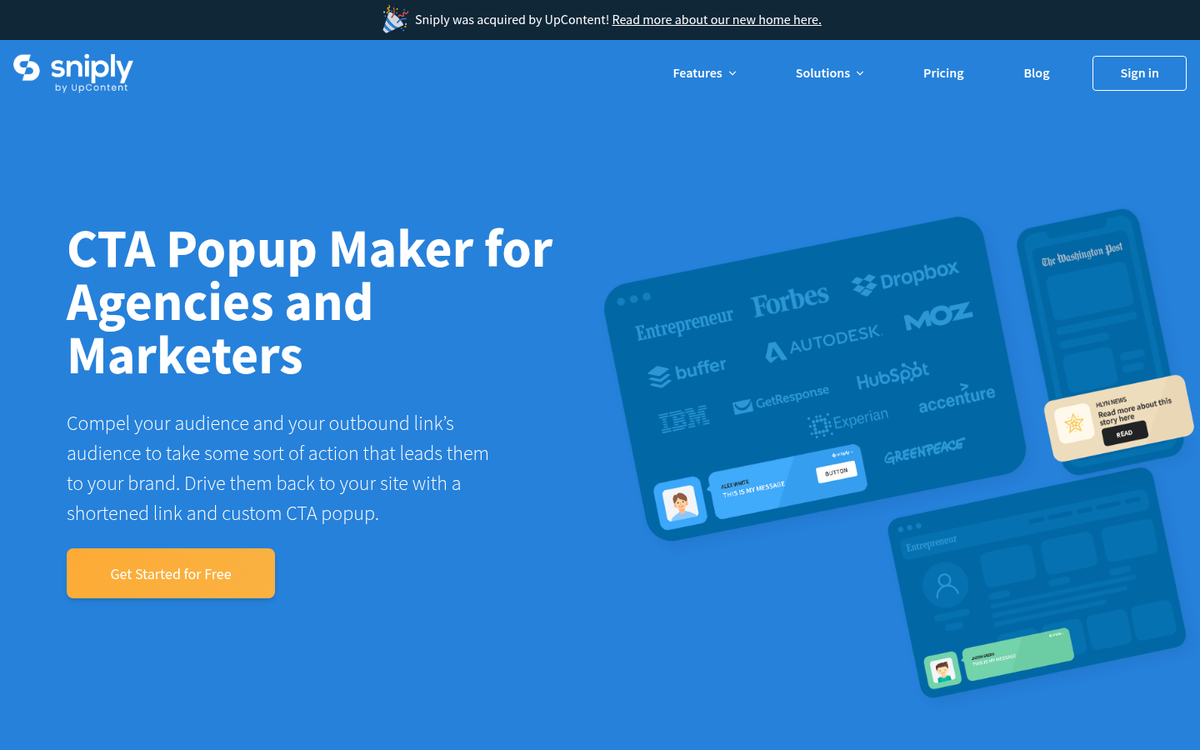
When you link out to other content online, where do those users go? Do they explore the site you linked to, then move on to another and another, never coming back to your site? Do they bounce away from the link immediately? Do they read the destination link and close their browsers? It's impossible to tell without some kind of code on the destination page, which you don't have.
Sniply seeks to change the equation. When you link out using Sniply, you can create a custom advertisement and call to action that appears on the page you link to. Sniply has deep customization options for these various calls to action, from message and placement to color.
Perhaps more importantly, Sniply goes beyond simply displaying an ad for you. It records data about your links, the clicks and engagement they receive, the returns and the conversions you pull in. It automatically includes Google UTM parameters on the links, so you can read even more data in Google Analytics.
Sniply also offers a browser extension for both Google Chrome and Firefox, an API that integrates with Buffer and Hootsuite, and more.
In practice, here's an example of how you might use Sniply:
- You have a store where you sell a piece of software of some utility to the SEO community.
- Your software receives a positive review from a Moz contributor.
- You want to link to that review as a testimonial from your site.
- At this point, you could link to it normally, or you could use a normal URL shortener. This sends traffic to the review, where you can't see what the user does or if they come back to convert. Instead, you decide to use Sniply.
- You copy the URL of the review into Sniply. You choose to create a top bar with a message about giving your software a try.
- You also customize the bar to link back to your product landing page.
- You share the generated Sniply link in your blog post. Now, when users click through, they visit Moz as normal. The only difference is, a top bar CTA appears at the top of their screen, reminding them about the product they're checking out, with a convenient link back to your landing page.
You can share that Sniply link anywhere - your website, social media, email newsletters, and more. You can customize where the message appears, the content it displays, and much more.
Features and Pricing
There are multiple tiers of Sniply account, billed annually or monthly with a slightly higher fee for monthly billing.
All plans offer unlimited Sniply links, access to Sniply link CTA analytics, custom buttons, basic themes, API access, browser extensions for Firefox and Chrome, and integration with Buffer and Hootsuite.
The basic plan is a solid starting point. It offers all of the above, but limits you to 100 conversions per month and only a single profile. It is, however, completely free - making it a low-risk way to explore the platform.
The Pro plan is $16 per month when billed annually. It allows access to 500 conversions per month and five profiles. You also gain access to custom forms, colors, and positions for your buttons, as well as RSS and Mailchimp integration.
Higher-tier plans scale up your monthly conversions and profiles further, unlock custom banner uploads, third-party analytics integrations, custom themes, branded shortlinks using your own domain, and remove Sniply branding entirely.
Customized calls to action include forms that allow you to pull in signups directly from the linked site, without requiring users to navigate back to your own. Custom colors help you stand out from the default styling that free users share. As for your customized shortlink, you don't just get a generic snip.ly URL - you can use your own domain, giving you something like example.com/customshortlink.
Is Sniply Still Worth It in 2026?

Sniply has proven it has staying power. With over 100,000 marketers on the platform and a presence across 300+ marketing publications, it has cemented itself as more than just a novelty tool. For content marketers, social media managers, and anyone regularly sharing third-party links, Sniply offers something no standard URL shortener can match - the ability to keep your brand and your call to action in front of your audience, even when the destination is someone else's website.
There's always the free version to start with. Try out Sniply and see how it works. Explore the advanced features and determine whether the paid tiers are worth the investment for your use case. There's no reason not to give it a try the next time you'd otherwise reach for Bitly or another shortener.

1 response
Thoughtful replies only - we moderate for spam, AI slop, and off-topic rants.
James, what a fantastic write-up about what we do here at Sniply!