





Key Takeaways
- GA4 replaced traditional bounce rate with "engagement rate," measuring sessions over 10 seconds, conversion events, or multiple pageviews.
- Not all bounces are bad; users finding satisfying answers in one visit represent "good" bounces, though still missed marketing opportunities.
- Blogs typically see 70-85% bounce rates; Siege Media's analysis of 1.3 billion sessions found 82.4% average and 70% considered good.
- Mobile users bounce 10-20 percentage points more than desktop users, making responsive design and fast load times increasingly critical.
- Strong internal linking, fast page speeds, clear calls to action, and GA4 event tracking are among the most effective ways to reduce bounces.
Bounce rate is a tricky metric to measure, talk about, and optimize. The reason for this is that there are two different types of bounces: good and bad. Obviously, you want to cut back on the bad bounces. But good bounces are largely unavoidable. Unfortunately, there's no easy way to tell them apart from analytics alone. With the rise of AI-driven analytics tools and GA4 replacing Universal Analytics, how we measure and interpret bounce rate has changed. So let's get started with the facts.
Good and Bad Bounces
Google's definition of bounce rate has evolved. In the old Universal Analytics, a bounce was any session where only a single pageview was recorded. GA4 flipped this on its head entirely. GA4 replaced bounce rate with "engagement rate," defining an engaged session as one lasting longer than 10 seconds, containing a conversion event, or including two or more pageviews. Bounce rate in GA4 is basically the inverse of engagement rate - a more accurate way to measure user behavior. If you're still referencing the old UA definition, it's time to update your thinking.
Any secondary interaction with your page - a link click, a form fill, a scroll milestone, or any event tracked in analytics - gives you an engaged session and pushes that bounce rate down. You can help out sites you visit by clicking a link after you finish reading - even if it's just back to the homepage.

The issue is that there are a lot of different reasons a bounce might happen. Here are some of the most common.
- A user is searching for the answer to a specific question. They find that your site covers that question and the answer in a single blog post. They read it, are satisfied, and close the window. This is a "good" bounce.
- A user is searching for a piece of information and your site comes up with related keywords. They click and find thin content, poorly written content, or a 404 page. They leave immediately. This is a bad bounce.
- A user lands on your page from an AI-generated answer. With tools like Google's AI Overviews, ChatGPT, and Perplexity sending traffic to sites, the intent of the arriving visitor may already be partially satisfied before they even land. These users often bounce faster than traditional organic visitors, even when the content is high quality.
- A user is searching for information and clicks your result, but is called away mid-read. Their session expires. Even though they never really left, the visit is recorded as a bounce.
Some bounces are bad, like when the user encounters a 404 page or finds your content unsatisfactory. Some bounces are good, like when the user is satisfied by your answer and leaves. Either way - even a "good" bounce still represents a missed opportunity to capture attention with your internal site marketing - related posts, internal links, newsletter sign-ups and so on.
What are Events?
Events are tracking elements you can use through Google Analytics (and now through GA4's more automated event tracking) that allow you to record actions beyond simple pageviews. They're a way to separate visitors who engage meaningfully from those who bounce immediately without doing anything.
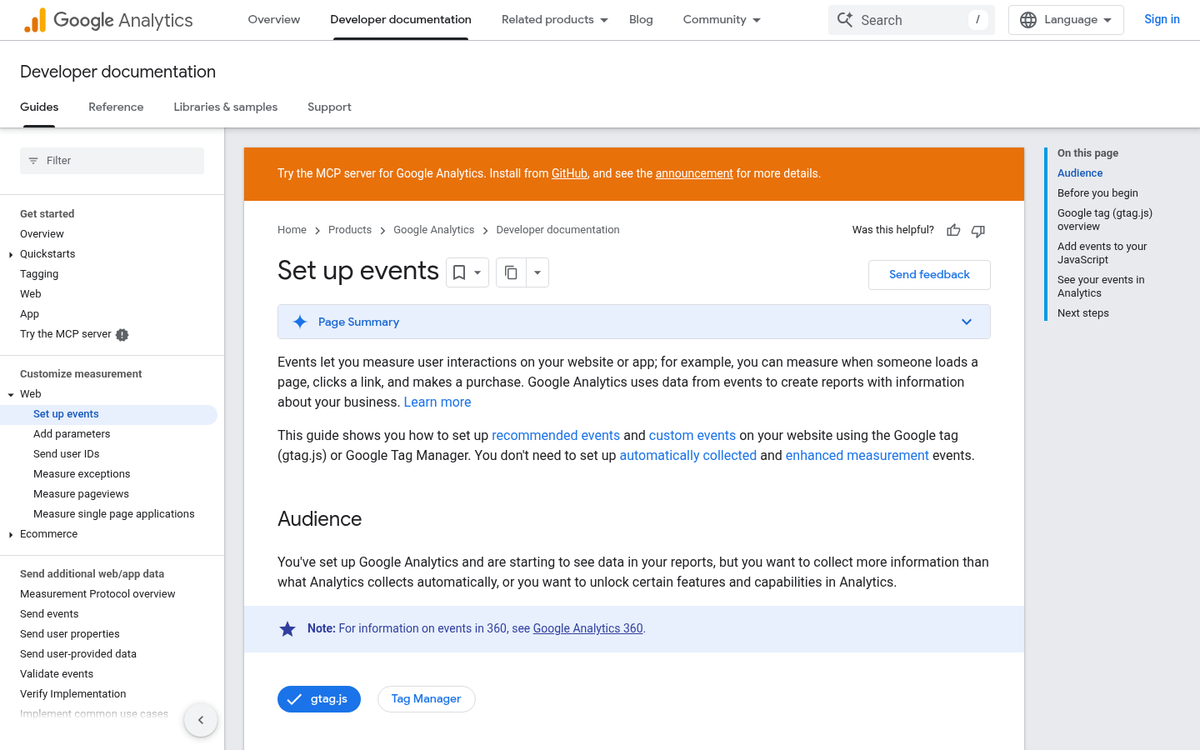
So what are events, specifically? Essentially they are flags placed on actions a user can take - playing a video, expanding a form, submitting a form, scrolling to a depth, clicking a button, and other interactions. GA4 has made this much easier than the old Universal Analytics setup, with events now tracked automatically out of the box - like scroll depth and outbound clicks. You can also mark events as non-interaction if you don't want them changing your engagement calculations.
In practice, you want your site set up so actual user actions are being tracked, giving you a more accurate picture of engagement beyond a binary bounce or no-bounce reading - especially as AI tools now pre-answer queries, which means users arriving at your site may already be in a more exploratory mindset instead of actively searching, and your tracking should account for that nuance.
Typical Bounce Rates
So what sort of bounce rates can you expect? Honestly, the answer varies depending on your industry, content type, and traffic source - and the benchmarks have shifted with the move to GA4 and changing user behavior because of AI search.
According to HubSpot, the average bounce rate for most websites sits between 26% and 70%. For blogs specifically, the numbers run considerably higher. Siege Media analyzed data from 42 client websites covering over 1.3 billion sessions and found an average blog bounce rate of 82.4%, with 70% considered "good" for a blog and 80% being roughly average. BusinessDIT puts the cross-industry average at around 55.43%. But blogs can routinely reach 70-90%. Databox data from late 2024 puts the median bounce rate across all industries at 44.04%. E-commerce pages fare better, averaging closer to 33%.
Research from Brian Dean at Backlinko, based on studying over one million search results, found that pages with lower bounce rates tend to rank higher in Google - suggesting that bounce rate, while not a direct ranking factor, is closely correlated with the quality signals that do matter.
- Suspiciously Excellent (Under 10%): Very few legitimate sites achieve this. Sites with bounce rates this low are usually gaming the system - triggering automatic events on page load so every visitor registers as "engaged" regardless of their actual behavior. A bounce rate of exactly 0% often signals you have two instances of your tracking code installed, causing every pageview to generate two events and artificially eliminating all bounces.
- Generally Great (20%-40%): Typical of highly engaging sites with strong internal linking, robust event tracking, and effective on-site marketing. These sites are genuinely meeting user needs and building loyal audiences. For non-blog content like tools, dashboards, or e-commerce, this range is more realistically achievable.
- Solid for Blogs (50%-70%): For a content-heavy blog, landing in this range is genuinely strong performance. You've done meaningful optimization work - good internal linking, fast load times, related content suggestions - and it's showing. Don't be discouraged that it isn't lower; blog content simply attracts more one-and-done visitors by nature.
- Average for Blogs (70%-85%): According to Siege Media's large-scale data, this is where most blogs actually live. If your blog sits here, you're not failing - you're in the majority. There's still room to improve, but this is a normal baseline, not an alarm bell.
- Cause for Concern (85%-95%): At this level, you should be investigating. It may be a tracking issue, a site speed problem, a poor mobile experience, or genuinely thin or mismatched content. Dig into your traffic sources and landing pages to identify where the problem is concentrated.
- Basically Broken (95%-100%): This almost always points to a broken analytics installation, a spam-flooded traffic source, or a site with severe content or technical problems. If your site is otherwise functional but still hitting these numbers, check your GA4 setup first.
Bounce rates can also vary by device. Mobile users tend to bounce more than desktop users - usually 10-20 percentage points higher - largely because mobile browsing is more fragmented and interruption-prone. The better your responsive design and the lighter your ad load, the smaller this gap will be. With mobile accounting for the majority of web traffic globally, optimizing for mobile engagement is no longer optional.
Improving Bounce Rate
We've written before on how to cut back on your site's bounce rate. But here are the most helpful strategies so you don't have to go hunting.

- Optimize for AI-era search intent. With Google's AI Overviews, ChatGPT, and Perplexity now answering many queries directly, the users who do click through to your site tend to have deeper, more specific intent. Make sure your content goes beyond surface-level answers and provides genuine depth, unique insight, or tools that AI summaries can't replicate. This keeps users engaged rather than immediately satisfied and gone.
- Use intelligent pagination. Short articles split into multiple pages to inflate pageviews are transparent and annoying. If you paginate, keep sections substantive. Prioritize reading experience over metrics manipulation - users and search engines both see through it.
- Link internally with consistent frequency. Every post should contain at least one strong internal link, ideally more. Use related post modules, contextual links within the body copy, and content recommendation widgets to give readers a natural next step.
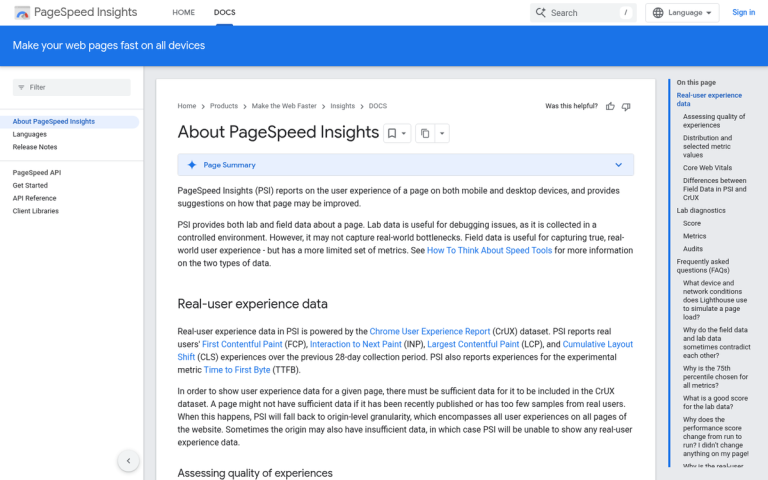
- Make your site fast. Page speed remains one of the single biggest drivers of early bounces. Google's Core Web Vitals - particularly Largest Contentful Paint (LCP) and Interaction to Next Paint (INP) - are now direct ranking signals. Users begin abandoning pages after just 1-2 seconds of delay. Test your speed regularly with Google PageSpeed Insights or similar tools.
- Leverage GA4's built-in event tracking, but be intentional about it. GA4 now automatically tracks scroll depth, outbound clicks, video plays, and file downloads. Review what's being tracked, make sure it aligns with your actual engagement goals, and use the data to understand where users disengage rather than just chasing a lower bounce rate number.
- Encourage engagement with a clear call to action. End your posts with a specific prompt - ask a question, invite comments, suggest a related article, or offer a lead magnet. Passive content gets passive results.
- Front-load your value. Most bounces happen within the first few seconds. Get to the point quickly, deliver something useful immediately, and give readers a reason to trust you before they've decided whether to stay.
- Open external links in a new tab. This is a small but consistent win. Users who click an external link that hijacks their current tab frequently don't return. Keep them in your ecosystem.
- Build a compelling 404 page. Rather than a dead end, turn your 404 page into a content hub - links to your best posts, a newsletter sign-up, and a search bar. Broken links are inevitable; what you do with the traffic they send is up to you.
The most important mindset change is around managed expectations and context. A 70-80% bounce rate on a blog is not a disaster - according to real-world data from millions of sessions, it's very normal. Obsessing over driving a blog's bounce rate below 50% is likely a poor use of resources. Focus instead on the quality of the sessions you're getting, the depth of engagement from returning visitors, and whether your content is being found and cited by AI tools and other sites. In 2026, those signals carry increasing weight.


3 responses
Thoughtful replies only - we moderate for spam, AI slop, and off-topic rants.
Great article, answered my question perfectly...
Thanks Sunil! Glad it helped.
Outstanding and very useful content!
Thanks for posting