Imagine if you ran a grocery store. Now imagine that four people bring shopping carts full of items up to the checkout lanes. Now imagine that, after having their items scanned and presenting them with payment options, three of them shrug and walk out of the store. That's roughly a 70% rate of cart abandonment, and that's exactly what ecommerce sites have to deal with on a daily basis. According to the Baymard Institute, which averaged data across 50 different studies, the average cart abandonment rate sits at 70.22% - and on mobile devices, that number climbs even higher to over 77%.
The one benefit online businesses have over storefronts when it comes to abandoned shopping carts is that they don't have to pay employees to restock shelves. Everything else is unfortunately much worse. Abandonment rates are through the roof, customer trust is harder to earn than ever, and the competition is just one tab away. So how can you actually lower your abandonment rates in 2026?
Key Takeaways
- Average cart abandonment rate is 70.22%, rising above 77% on mobile, making checkout optimization critical for ecommerce success.
- Unexpected extra costs drive 48% of abandonment; show shipping estimates early and display free-shipping thresholds throughout the shopping experience.
- Forced account creation causes 26% of shoppers to leave; always offer guest checkout and prompt registration only after purchase completion.
- Abandoned cart emails deliver strong results, with 39.07% open rates and 10.7% conversion rates, making them a high-ROI recovery tool.
- 25% of shoppers abandon due to security concerns; display SSL, trust badges, and PCI compliance clearly throughout the checkout process.
Building the Perfect Checkout Page
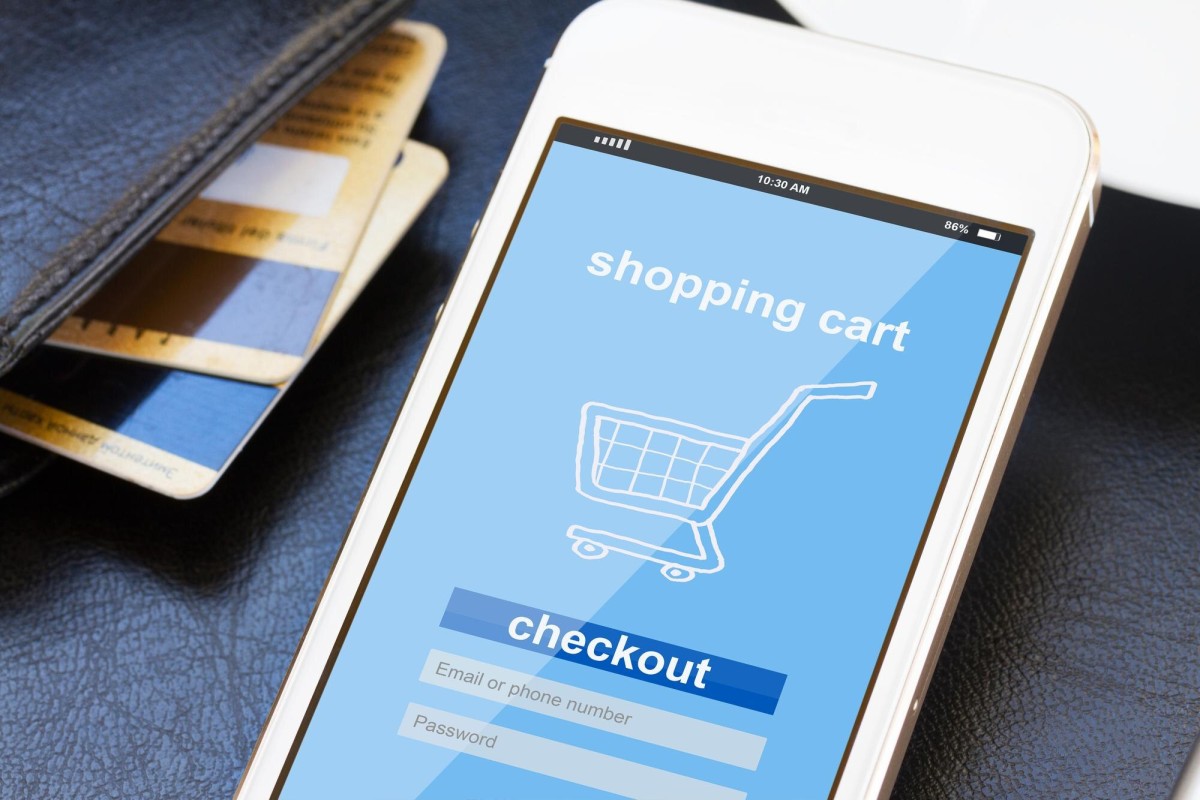
One of the major roadblocks that causes shopping cart abandonment is the checkout page itself. Baymard Institute research shows that better checkout design alone can yield a 35.26% increase in conversion rate - which is enormous. Every click a user has to make, and every form they have to fill out, is a chance for them to leave. Baymard's own research suggests an ideal checkout flow should have no more than 12-14 form elements, yet most ecommerce sites average nearly twice that. Trim the fat wherever you can.
- Make sure you have some indication of progress in the checkout process. Including a simple "step 2 of 3" indicator goes a long way because it tells users they're almost done.
- Make sure your calls to action - things like registering for an account to expedite checkout - are concise, visible, and easy to use. Pay close attention to the positioning of your "check out" button compared to your "remove from cart" or "empty cart" buttons, which should be nowhere near each other.
- Always include a "continue shopping" link so users never have to click their browser back button. Back buttons can cause issues with cart sessions and can accidentally create duplicate items in the cart.
- Make support options extremely visible so users can call, email, or live chat with support at any point during the process. In 2026, an AI-powered chat assistant that can answer questions instantly is no longer a luxury - it's expected.
- Make sure you include thumbnails of the items the user is buying, so they can confirm they added the right products. Keep item names concise and easy to parse to avoid any last-minute second-guessing.
- Always allow changes in item quantity or options at any time up until finalizing the purchase. It's better for them to drop one product than abandon the entire cart.
- Include "customers who bought this also bought" or similar cross-sell suggestions. This helps increase average order value on the carts that do convert.
- Allow a save-the-cart option, even for users who don't have accounts. With so many people browsing on mobile and finishing on desktop - or vice versa - this feature is more important than ever.
- Optimize aggressively for mobile. With mobile cart abandonment averaging over 77%, your checkout experience on a phone needs to be just as smooth as on a desktop. Large tap targets, autofill support, and Apple Pay or Google Pay integration can make a huge difference here.
Purchase Security
Perhaps the number one reason for cart abandonment on many sites is the lack of visible security. According to Baymard's data, 25% of shoppers abandon carts specifically because they don't trust the site with their payment information. At minimum, you need SSL - that padlock in the browser bar is still a basic trust signal that users notice. Beyond that, make sure you display recognizable security badges and trust seals prominently on your checkout page. If you're processing cards, make sure your payment processor is PCI-compliant and that this is communicated clearly to shoppers. You may also want to explore additional payment methods to give customers more trusted options at checkout.
Payment Options
You want as many relevant payment options as possible without cluttering the experience. Credit and debit card processing is an absolute must. But in 2026, digital wallets have become the dominant payment method for a significant portion of online shoppers, so offering Apple Pay, Google Pay, and PayPal is no longer optional - it's expected.
Buy Now, Pay Later (BNPL) services like Affirm, Klarna, and Afterpay have also become mainstream, particularly for higher-ticket purchases. If your average order value is over $100, integrating at least one BNPL option is well worth considering. Shop Pay (Shopify's accelerated checkout) has also proven to significantly lift conversion rates for merchants on that platform.
As for Bitcoin and other cryptocurrencies - unless your specific audience skews heavily toward crypto adoption, the complexity is generally not worth the conversion lift for most stores.
Common Mistakes to Avoid
Never force a customer to register in order to buy a product. Baymard's research found that 26% of shoppers abandon carts specifically because of forced account creation - making it one of the top reasons for lost sales. Always offer a guest checkout option. If you want to encourage account creation, do it after the purchase is confirmed, when the friction is gone and the customer is already happy.
Avoid hiding shipping costs. This is the single biggest driver of cart abandonment, with 48% of shoppers citing unexpected extra costs as their reason for leaving. Show shipping estimates as early as possible - ideally before users even reach the cart. If you can offer free shipping above a threshold, make that threshold visible throughout the shopping experience to encourage larger orders.
Likewise, watch out for long or uncertain delivery windows. 23% of shoppers abandon carts due to slow delivery estimates. If you can offer expedited options or clearly communicate delivery dates at checkout, do it.
Finally, be careful with coupon code fields. A visible, empty coupon field is an invitation for shoppers to open a new tab and go hunting for discount codes - and they might not come back. If you use promo codes, consider collapsing the field behind a small link, or only expose it to customers who arrive with a promo code already in hand. These kinds of friction points are also worth examining if you're trying to understand why your traffic isn't converting into customers, or if you're seeing a slow, steady decline in sales over time.
Tips for Lower Cart Abandonment
Reviews and testimonials are still incredibly powerful. When shoppers can see that real people have purchased from you and had a good experience, it builds the kind of trust that security badges alone can't provide. Display reviews close to your checkout flow, not just on product pages.
It's generally a good idea to offer a price match or satisfaction guarantee if you can swing it. Letting customers know they're getting a fair deal - and that you stand behind your products - removes a major mental barrier at the point of purchase.
Abandoned cart emails remain one of the highest-ROI tools available to ecommerce businesses. A 2024 Analyzify study found that cart abandonment emails achieve open rates of 39.07%, click-through rates of 23.33%, and a conversion rate of 10.7%. Those numbers are significantly higher than standard promotional emails. If you have a shopper's email address at the time of abandonment, a well-timed sequence - typically one email within an hour, a follow-up within 24 hours, and a final nudge at 72 hours - can recover a meaningful percentage of otherwise lost revenue. Personalize these emails with the actual items left in the cart, and consider including a small incentive in the final message if the first two don't convert.