Key Takeaways
- LinkedIn works best for blogs focused on business growth, career development, or personal growth, where 76% of B2B marketers find it most valuable.
- Personal profiles dramatically outperform company pages, generating 2.75x more impressions and 5x more engagement due to LinkedIn's algorithm preferences.
- Posting at least three times weekly is recommended, with peak engagement occurring Tuesday through Thursday between 10 AM and noon.
- Adding external links directly in posts can reduce reach by 20-35%; placing links in comments instead works better with LinkedIn's algorithm.
- LinkedIn Groups offer networking and content distribution opportunities, but require observing group culture before posting your own content.
LinkedIn can be a surprisingly good place to promote your blog posts, but usually only if they're in the right niche. I wouldn't go to the business-focused site and try to promote a blog with video game reviews or product recommendations, just to give you an example. Articles focused on growing a business, or on pursuing a career, or on personal growth all tend to perform well. According to the Content Marketing Institute, 76% of B2B marketers say LinkedIn is the most helpful channel for thought leadership, so if your blog falls into that space, it's well worth your time. Regardless, you can try to promote anything you want; it just might not work if your audience isn't on LinkedIn.
Step 1: Have a Complete Profile
I know this is tired old advice for basically every social network. But the first thing you always need to do is fill out your profile as completely as possible. The exact details depend on whether you're trying to promote your blog via a brand page or a personal page.
For a company page, you want something memorable and personal. A strong company page should have a clear and strong description, business details, and a steady stream of posts that bring your brand personality to life.
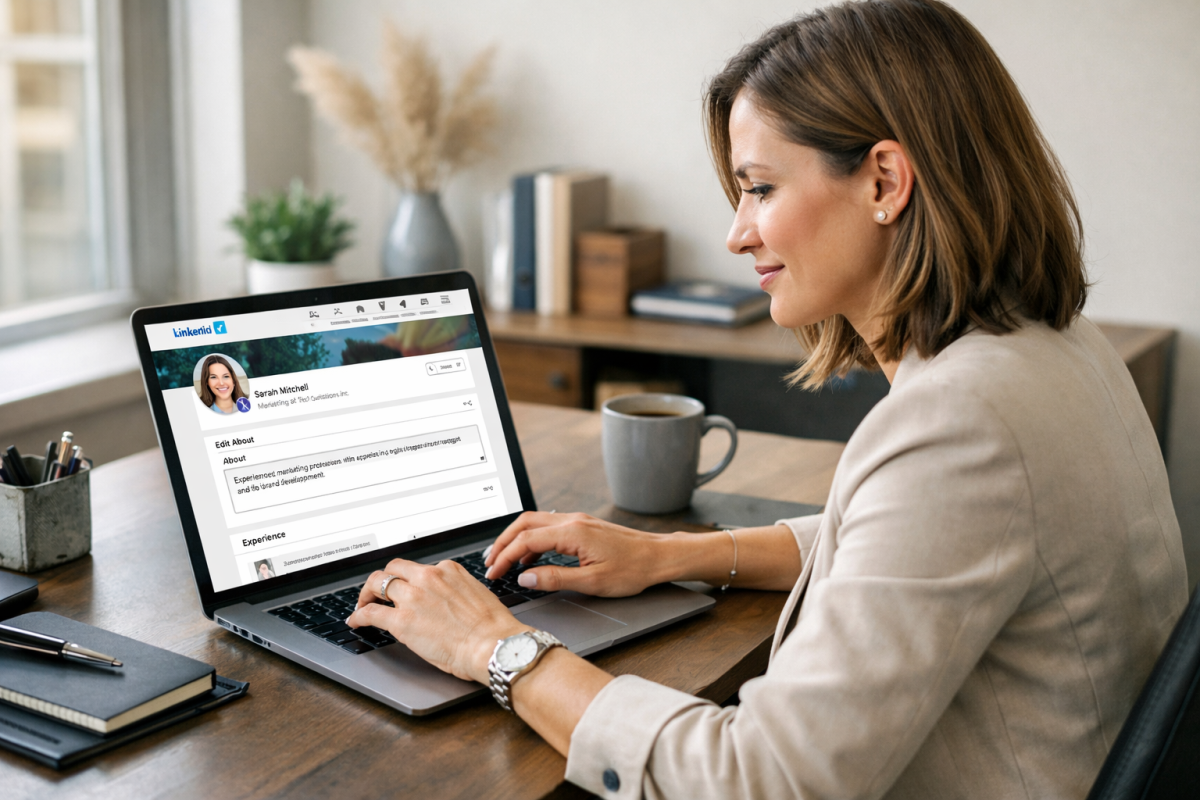
For a personal page, you want a friendly summary, a professional profile picture, a link to your site, and plenty of helpful and relevant information. Lead with value - your first paragraph should immediately communicate who you are and what you bring to the table. Additional detail can follow below the fold.
Here's something worth knowing about: research from Refine Labs found that sharing posts through a personal LinkedIn profile results in 2.75x more impressions and 5x more engagement than posts shared through a company page. LinkedIn's algorithm strongly prefers person-to-person content over brand broadcasting, so your personal profile should be your primary focus.
That said, if you're a blogger, you own your own business. Set up your company page and your personal profile. You can promote blog content from both. But lean into your personal profile for reach and engagement.
Step 2: Build Up Your Connections
Success on LinkedIn relies heavily on having a strong network. The bigger your network, the more people will see your posts and the more will have the chance to share them.
Unlike other social networks, casual users don't browse LinkedIn as passively, so you want connections who are active on the site and who engage. Who might you want to look for?
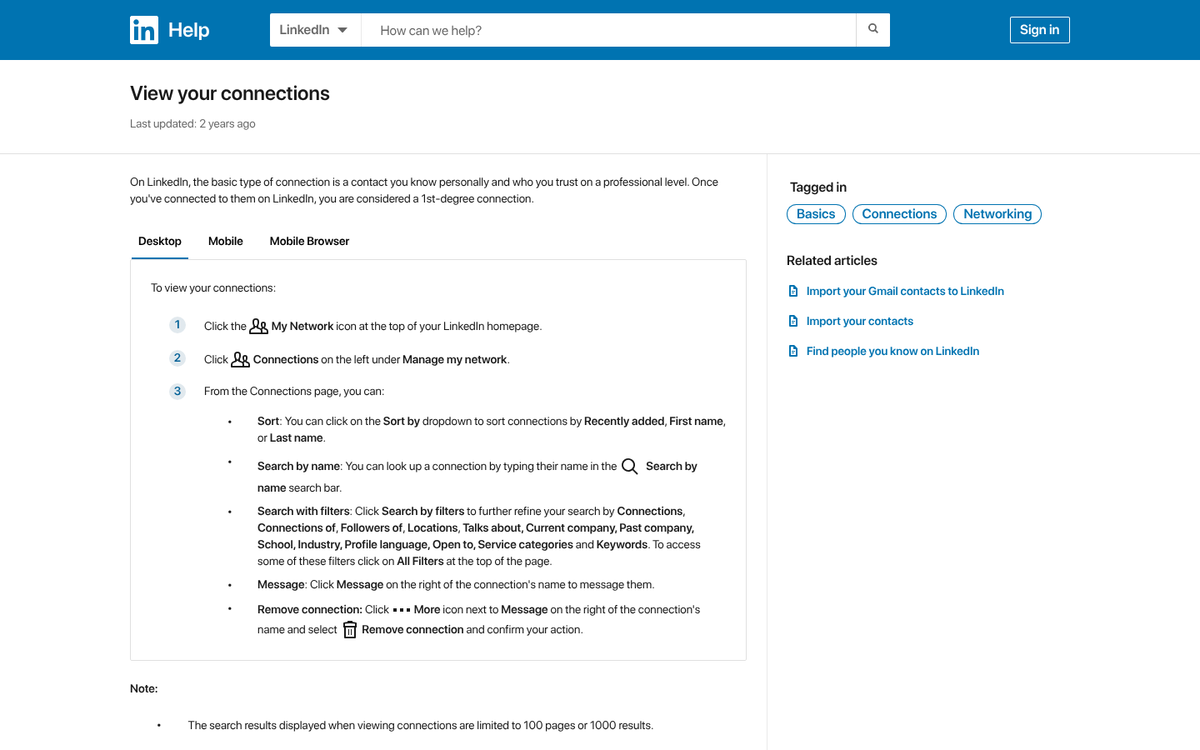
- Anyone you currently work with, ranging from freelancers you've hired to employees to your boss, if you're not the owner.
- Anyone you have worked with previously, including ex-employees or coworkers who have moved on, so long as things ended on good terms.
- Anyone you know from having gone to school with them. You can share your LinkedIn profile URL via email or messaging apps to make it easy for classmates to connect with you.
- Anyone in your email contacts list. LinkedIn makes it easy to import contacts and will actively encourage you to do so.
- Anyone you are familiar with from a LinkedIn Group you're in. Don't just join a group and blast connection requests - make sure they're people who would at least recognize you from your participation, if not people who actively engage with you.
- Anyone your current contacts choose to introduce you to. Expanding your network through warm introductions is one of the most effective approaches available to you.
- Anyone you meet and engage with at an event, trade show, conference, or other networking event. Meeting people offline is great, and keeping in touch with them on LinkedIn afterward is even better.
- Anyone who is a customer or reader. You can share your LinkedIn URL on your blog and leave it open to anyone who might want to connect with you.
- Anyone you have a business partnership with - suppliers, collaborators, content creators, distributors, and so on.
Over time, you can join and participate in more groups, and it gives you more opportunities to find people worth connecting with.
When you send a connection request, always include a personal note about where you met or why you're reaching out. Something as easy as "we met at the conference last week - would love to stay connected" goes a long way. The default message tends to look like spam to experienced users, so take the extra few seconds to personalize it.
A rule of thumb: treat LinkedIn like your professional address book. Whenever you meet and exchange contact information, look them up on LinkedIn and connect while it's still fresh.
Step 3: Maintain a Baseline Level of Activity
If you want to take LinkedIn seriously, then you'll have to stay active on the platform. LinkedIn Pages that post weekly have 5.6x more followers and grow 7x faster than the ones that post monthly, according to LinkedIn's own data. Consistency matters enormously here.
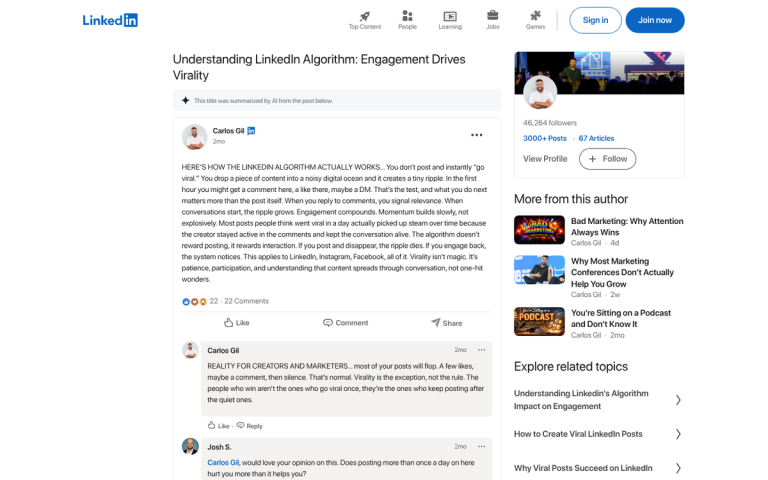
I recommend posting at least three times per week. You can post every day if you have enough quality content to share. According to Sprout Social, engagement on LinkedIn peaks Tuesdays through Thursdays between 10 AM and noon, so scheduling your most important posts during those windows is a smart move.
One important caveat: adding external links directly in your posts can cut back on reach by 20-35%. LinkedIn's algorithm deprioritizes content that drives users off the platform. A common workaround is to post engaging content natively and drop the link in the first comment, then reference it in the post body.
There are three core types of content worth sharing. The first is personal status updates and thought leadership posts. LinkedIn's own data shows that thought leadership content generates 6x more engagement than job-related content, so sharing your genuine ideas about industry topics is well worth prioritizing.
The second type is content featuring your blog posts. Rather than simply dropping a link, try pulling out an interesting statistic, stat, or argument from the post and writing a standalone LinkedIn post around it - then reference the full post in the comments. This works with the algorithm instead of against it.
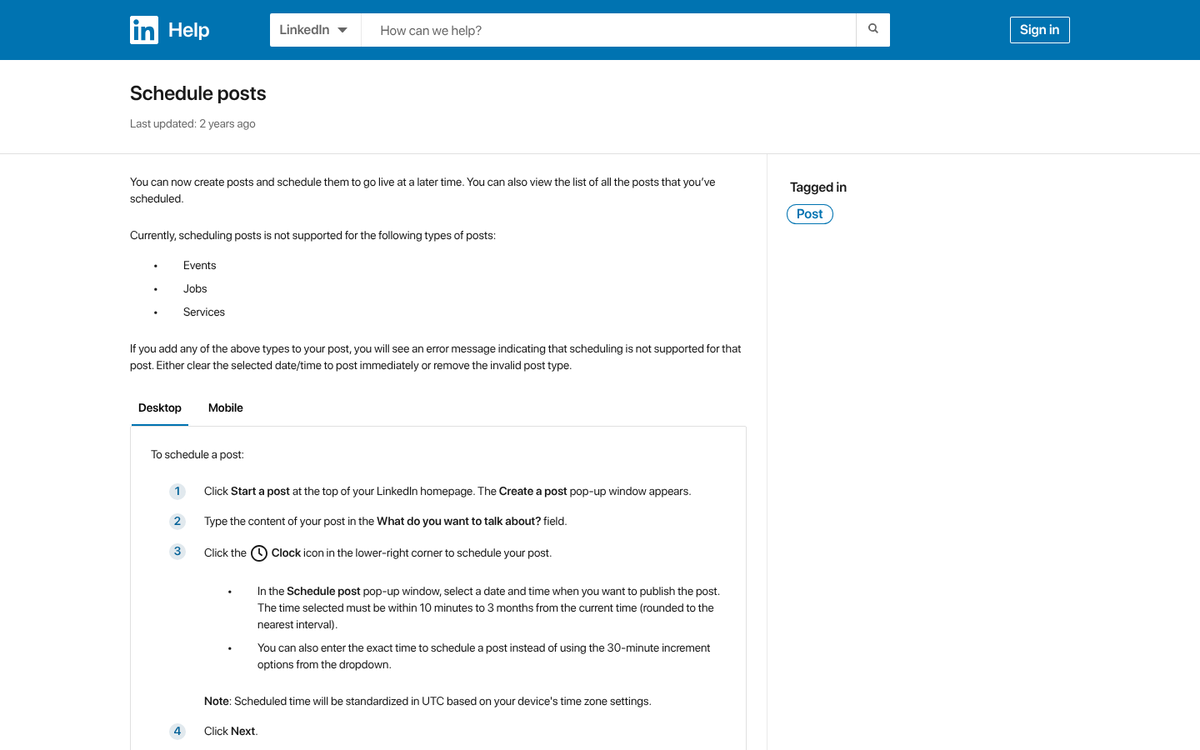
The third type is curated content from other sources - thought pieces, industry news, and updates your audience will find helpful. Sharing content from others builds goodwill and keeps your feed interesting even when you're not publishing new posts of your own.
One format worth highlighting: carousels have become one of the highest-performing content types on LinkedIn, earning 278% more engagement than video according to Buffer's 2025 data. Additionally, posts in the 800-1,000 word range tend to receive 26% more engagement than shorter or longer posts, so if you do write native LinkedIn articles, shoot for that sweet spot.
As with a blog and other social channels, an editorial calendar is a great idea - it helps you stay steady, stay away from gaps, and make sure you're mixing up your content types.
Step 4: Join Plenty of Groups
LinkedIn Groups bring together communities of professionals around shared interests, industries, and goals. There are over a million groups on the platform, and while they've become somewhat less central to LinkedIn's ecosystem than they once were, active groups can still be a strong source of networking and content distribution.
You can do easy keyword searches to find groups. But one technique that's usually overlooked is simply looking at what groups your top connections and influencers belong to. Find the peers or thought leaders you respect in your space and check which groups they're active in. Those are likely your best bets.
Make sure any group you join is legitimately active. A quiet group has little value regardless of its size or topic.

When you join a group, spend time reading up on their rules and getting a feel for the culture before you post anything. Note who the most respected contributors are, what kinds of content tend to spark discussion, and what behavior gets flagged - this initial lurking phase might last a few weeks. But it's well worth it.
Once you feel comfortable, start contributing with comments before you post your own content. Getting your name and face recognized as a valued participant makes everything that follows much easier. From there, you can start sharing curated content and, eventually, your own posts - as long as they're a genuine fit for the group's interests.
Since onboarding into a group takes time and effort, I recommend only joining one or two new groups at a time instead of trying to get active in several at once.
Step 5: Create a Group
Once you're familiar with how successful groups are run, consider creating one of your own. As the owner and moderator, you can shape the group around the exact topics your blog covers, which makes it a natural home for your content and the readers who care about it.

By building your own community on LinkedIn, you create a more direct relationship between yourself and your audience. You'll need to tend to it - responding to posts, keeping the conversation going, and inviting quality contributors - but a well-run group can become one of your most helpful long-term assets on the platform.
Step 6: Use the Messaging System Wisely
LinkedIn's messaging system gives you a fairly direct line to your connections, and used well, it can be a promotional tool. You might notify a short list of relevant contacts when you publish something you legitimately think they'd find helpful, or reach out to influencers you've mentioned in a post to let them know they're featured. Emailing bloggers after you publish follows a similar approach and is worth combining with your LinkedIn outreach.
The key word is restraint. Don't message your network every time you publish a post. Reserve direct outreach for legitimately standout content - a significant piece of original research, a new free resource, a contest, or something else that's worth their attention. If you message too often, they'll disconnect or mark you as spam, and you'll lose the channel entirely.
All of this, of course, depends on having strong content. The steps above will help promote your content - but they can't substitute for it.