Key Takeaways
- An editorial calendar provides one visual representation of your entire content marketing plan across all channels and formats.
- Consistency is critical; even one weekly blog post and social update compounds to 50+ blog posts annually.
- 65% of the most successful B2B marketers have a documented content strategy, compared to only 14% of least successful.
- Choose tools based on team size and content volume, from free spreadsheets to dedicated platforms like CoSchedule or Notion.
- Regularly compare your calendar against analytics to identify what works and improve future content planning cycles.
In content marketing, the editorial calendar is a term that gets thrown around constantly - but in 2026, it means something very different than it did even a few years ago. It's no longer just an easy schedule of upcoming blog posts. Today's content community spans blogs, short-form video, newsletters, podcasts, AI-assisted content pipelines and a dozen social places, all running simultaneously. The stakes for staying organized have never been higher.
Well, there's far more to an editorial calendar than just scheduling posts and letting it ride. You have to plan your content, see platform timing, content format, audience intent and distribution channels. You have to coordinate across teams, tools and sometimes time zones. There's the overarching content strategy that ties it all together.
By the time you're done with this post, you should be able to adapt it into a business plan.
What is an Editorial Calendar?
Picture a traditional desk calendar - one of the big ones with plenty of space to write in meetings, deadlines and timelines. Got it?
Now use that calendar to plan out what content you want to post and when. Realized at the last minute that Memorial Day is coming up and that you can write a few blog posts to capitalize on that week? With an editorial calendar, you can see that coming and plan where that content fits in the grand scheme of your marketing.
An editorial calendar can also double as a workflow management document. For example, if you have a blog post you want written by August 15, you can write that deadline on the calendar. You can assign who's responsible for writing it, set revision deadlines and build in buffer time for unexpected problems - all in one visual format.
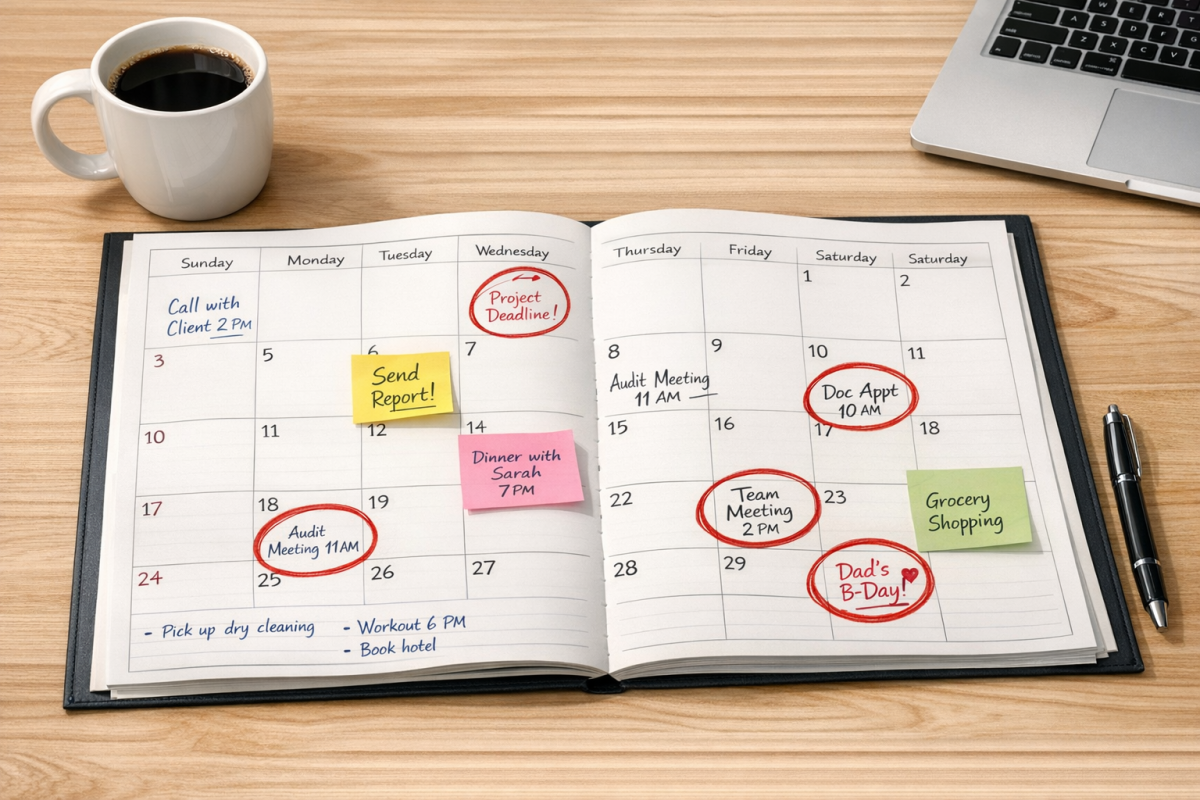
Beyond that, once the post goes up on August 15th you can take things one step further. You can note which social media accounts will receive the post on that date, schedule reposts down the line and even plan supporting short-form video content or email newsletter mentions with the same piece.
The primary benefit of having this information in one location, on a calendar, is to have one singular visual representation of your entire content marketing plan. You'll be able to see at a glance how your content is progressing, what needs to be shared on which day and if you have any gaps in coverage. Even at a bare minimum, making sure you have one post every day helps you stay steady and prevents missed opportunities. To put it in perspective: publishing just one blog post every Monday and one social media post can add up to over 50 blog posts and close to 250 social media posts over the course of a single year.
Why You Need an Editorial Calendar
Warning: this will be a beefy section. If you're already convinced of the value of a solid editorial calendar, you can skip to the next section. Otherwise read on.
- Successful marketing requires strategy, planning, and forethought. You need to understand your audience and what to give them. More importantly, you need to understand at a big-picture level what you're giving them, how it's reaching them, and how they're responding. Most tools are focused on giving you granular data; the editorial calendar helps you take a step back and look at the whole forest rather than just the trees.
- An editorial calendar helps you focus on what works. When you have multiple marketing efforts running simultaneously, it can be difficult to identify growth leaders versus underperformers. An editorial calendar lets you make a concerted effort to plan your marketing future while also giving you an easy record to cross-reference against your analytics.
- For digital marketing, consistency is crucial. This holds true across your blog, your email list, and your social media presence. If you know you need a blog post, a LinkedIn update, and a short-form video every week, you can see at a glance how you're filling those slots and avoid doubling up or going dark unexpectedly.
- An editorial calendar becomes a locus for communication. It can be used for task assignments and team collaboration, keeping everyone aligned. It helps ensure that everyone is on the same page - literally - by centralizing everything in one place.
- It's attractive psychologically. People have a firmer grasp of long-term planning and sequencing when it's laid out graphically. If you want to make sure you have posts every Wednesday, it's satisfying - and useful - to simply scan down that column and confirm every slot is filled.
- It gives you a graphical view of how your content marketing swells around certain dates. You'll be able to see, visually, how your content ramps up around holidays, product launches, and industry conferences.
- It gives you a broader ability to plan ahead. One problem with many small businesses is their tendency to operate reactively. They don't plan far ahead because things change quickly. But according to a Marketing Insider Group survey, 65% of the most successful B2B marketers have a documented content marketing strategy, compared to only 14% of the least successful. The calendar is what makes that strategy tangible and actionable.
- Planning ahead gives you the ability to put more thought into what you're creating. You're not scrambling for blog ideas at the last minute or using AI prompts just to fill a slot. You're thinking about your audience, what they need, and how your content connects to broader business goals.
- It gives you flexibility. When you have weeks of content planned in advance, it's easy to shift things around to accommodate a timely topic. You can cover breaking industry news without disrupting your broader content flow.
- An easy-to-parse schedule allows you to say no when necessary. You can look at your calendar and know, in concrete terms, that you don't have bandwidth for an additional project. At the same time, it gives you the clarity to make room when something genuinely valuable comes up.
- It helps you diversify your content. You can tag posts by format - long-form guide, case study, listicle, video, podcast episode - and see at a glance whether you're leaning too heavily on one type. In 2026, with so many formats available, this kind of oversight is more important than ever.
What You Should Include in an Editorial Calendar
The main variance from business to business is what they include in their editorial calendar. Some blogs only track scheduled post dates and that's fine. Others manage complex workflows across multiple content types and channels. Here are some ideas of what you can include in your calendar. You don't need to include them all, and you might not have all of them.
- Your blog posts. The simplest editorial calendars act as a visual representation of when posts are scheduled to go live.
- Pre-planning details for blog posts, such as who's assigned, when it was assigned, draft deadline, and revision cycles.
- Social media updates. This includes posts to LinkedIn, Instagram, Facebook, X (formerly Twitter), Threads, Bluesky, or any other platform relevant to your audience. Most modern tools can pull in data from your scheduling apps to display this automatically.
- Short-form video content. In 2026, Reels, TikToks, and YouTube Shorts are central to many content strategies and deserve dedicated slots on your calendar, not an afterthought.
- Email newsletter sends. These are high-intent touchpoints and should be mapped alongside your blog and social content so everything tells a cohesive story.
- Social media reposts and content recycling. Evergreen content can and should be redistributed. Schedule those reposts so they're deliberate, not accidental.
- Posts in a recurring series or theme. If you have a series of posts building toward a campaign, use your calendar to space them evenly and ensure the build-up lands properly.
- Graphical and multimedia content. Infographics, branded images, podcast episodes, and video content all count as content and should be tracked accordingly.
- Ebooks, courses, and other product launches. These are central pillars for your marketing strategy and will guide the content that surrounds them in the weeks before and after release.
- Important company news and announcements, as well as industry events, conferences, and fundraisers. These don't need to dominate your calendar, but they should be visible so you can plan content around them intentionally.
- AI-assisted content flags. If your team uses AI tools to draft or assist with content, it's worth noting which pieces were AI-assisted so editors know what level of review is required before publication.
Choosing a Calendar: Template, Plugin, App, or Dedicated Platform?
There are a few different types of editorial calendar tools available in 2026 and picking the right one can depend on your team size, content volume and how many channels you're managing.
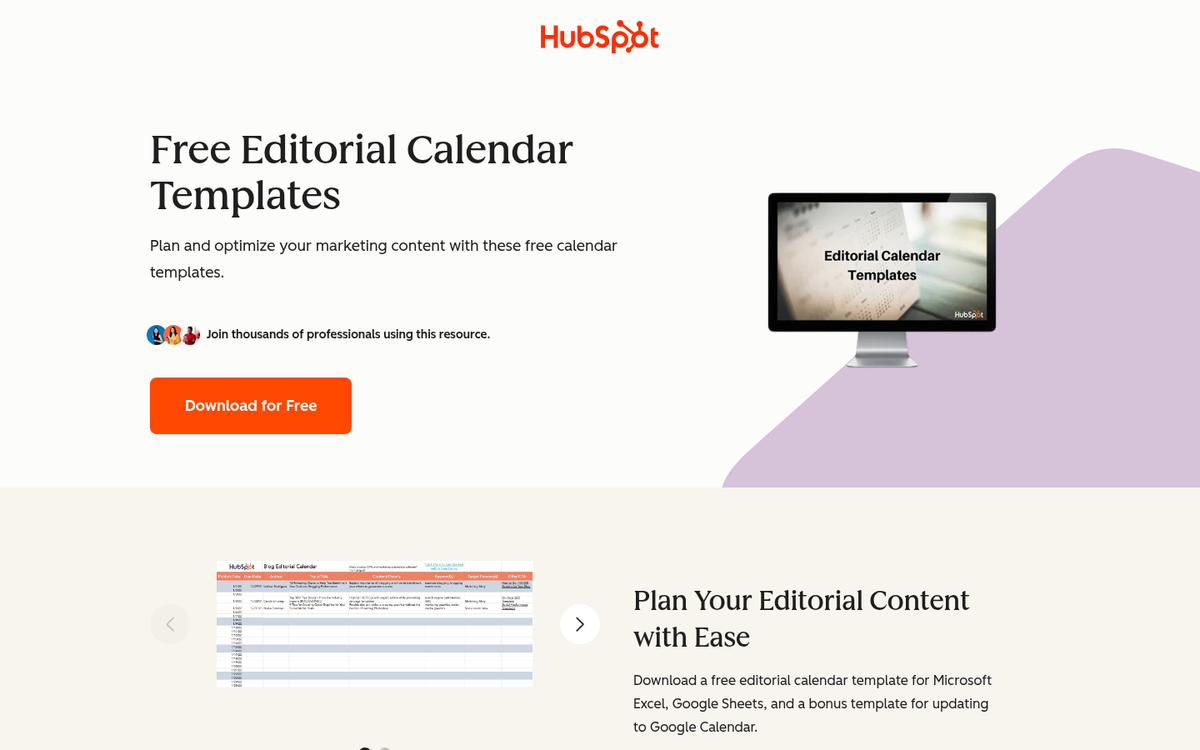
First, there's basic spreadsheet templates. Google Sheets and Excel remain popular for small teams and solo creators. They're free, flexible and easy to customize. The downside is that they need manual updates and don't integrate with your publishing tools, so data can quickly fall out of sync.
Paper calendars are still used in some offices for high-level campaign planning. A physical wall calendar with color-coded sticky notes can be helpful in a brainstorming or planning session. But it's not a useful primary system for any team managing standard online content.
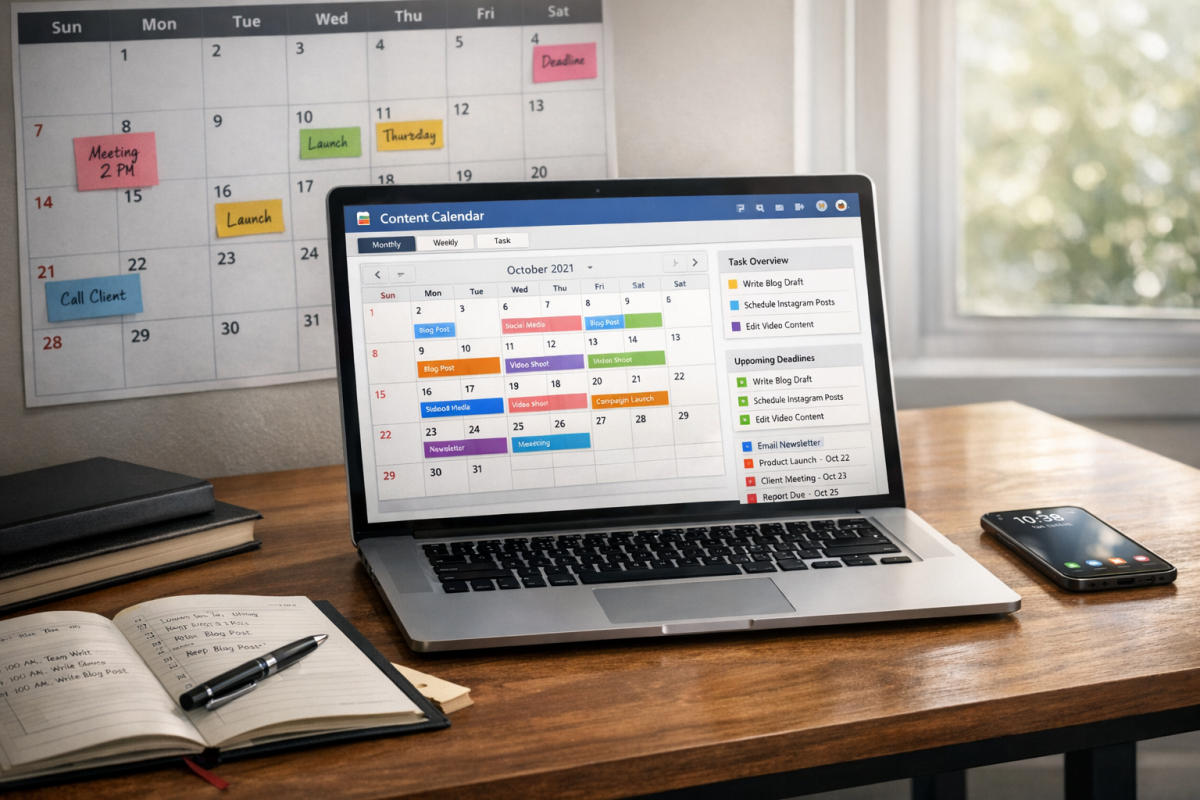
WordPress plugins like Editorial Calendar or CoSchedule's WordPress integration give you basic scheduling visibility within your CMS. These are fine for bloggers managing a single site. But they don't account for multi-channel content strategies.
Dedicated content marketing platforms are the best option for growing businesses. Tools like CoSchedule, Notion, Airtable, Monday.com and HubSpot's content center give you robust calendar views, team collaboration features, social media scheduling integrations and analytics connections. In 2026, many of these platforms have also incorporated AI features that can recommend optimal posting times, flag content gaps, or draft content briefs directly within the calendar interface. For a broader look at what's available, check out some of the best content curation platforms for content marketers.
Choose the tool that matches your current needs - but build in room to grow. What works for a two-person team won't scale when you're managing a full content operation.
Content Planning: Filling the Calendar
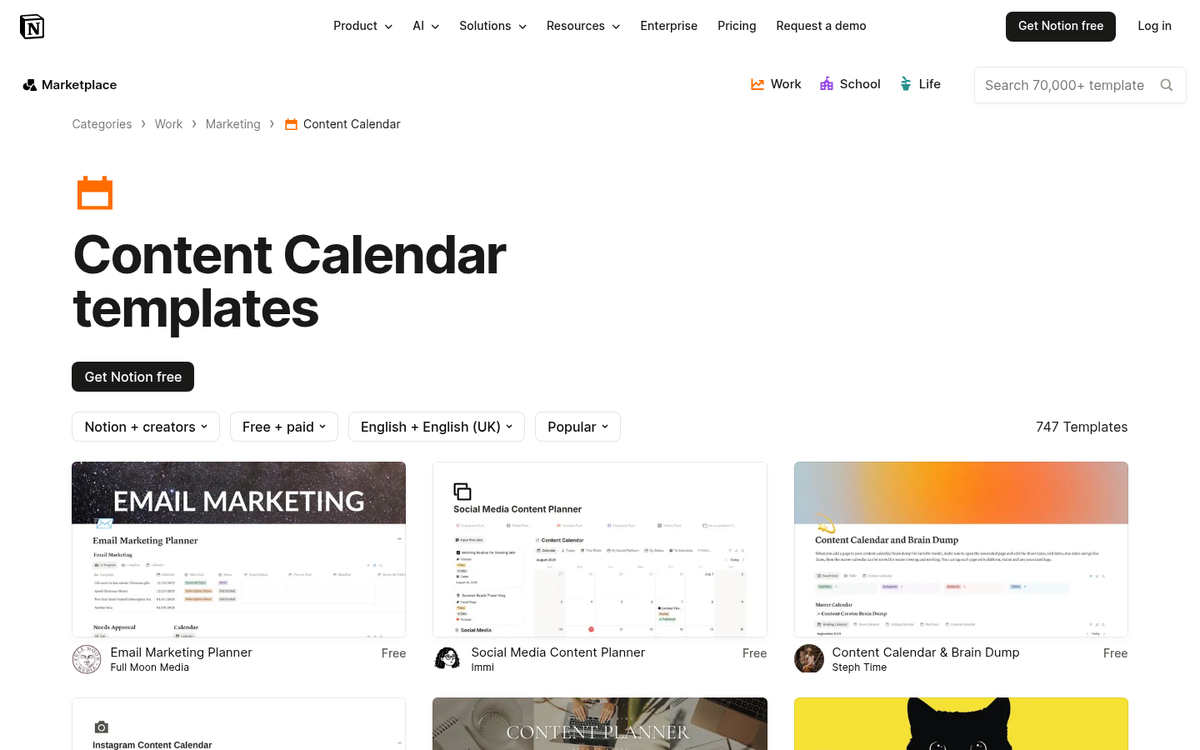
What process can you use to fill out your editorial calendar? In addition to actually creating content, you need a plan for generating more ideas and a plan for promoting what you've already made.
- First, understand your brand and audience. You need a clear picture of who your audience is, what problems they're trying to solve, and what your business uniquely offers. This doesn't need to be an exhaustive exercise - but it should inform every content decision you make.
- Brainstorm content ideas across formats. Come up with as many topics as possible so you have a deep pool to draw from. Use tools like Google's "People Also Ask", Semrush, Ahrefs, or even AI tools to surface ideas. Don't lock in titles at this stage - focus on topics and angles.
- Map out your content channels and how they interconnect. Your blog, email list, social media accounts, and video channels all serve different purposes and different audience segments. Understand how often you need to post to each and how content from one channel can support another.
- Start scheduling with intention. Place your most important content - launches, cornerstone articles, campaign anchors - on the calendar first, then fill in supporting content around them. At a minimum, have two weeks of content planned ahead. Ideally, aim for one to three months of visibility at any given time.
Common Calendar Mistakes and How to Fix Them
It takes work to create a calendar, and over time, it's easy to let it slip or cut corners. Here are some of the most common mistakes teams make and how to address them.
Using multiple disconnected calendars for different channels is one of the biggest mistakes - it's acceptable to have separate operational views for, say, a content team and a paid media team - but they should roll up into one master view. If your team is checking five different tools to know what's going live this week, something needs to be consolidated.
Not updating the calendar in time is another common issue. Any time content is added, delayed, reassigned, or canceled, that should be reflected immediately. A calendar that's even slightly out of date quickly loses its value as a coordination tool. Treat it like a living document - not a one-time setup.
Treating all social platforms the same is a mistake that businesses still make - each platform has its own posting cadence, content format and audience expectations. LinkedIn prefers longer-form professional content posted a few times per week. Instagram and TikTok reward steady short-form video. X and Threads still benefit from higher-frequency posting. Bluesky has a growing community with its own norms. Your calendar should reflect these differences explicitly - not treat social as a single undifferentiated bucket.
Never looking back is maybe the most ignored mistake. Your calendar is forward-looking by nature. But your analytics tell you what actually happened. Make it a standard practice - monthly at minimum - to compare your calendar against your performance data. Which content types drove the most traffic? Which topics resonated? Which platforms delivered the best ROI? Use that information to make your next planning cycle better. The calendar and your analytics should be in constant dialogue with each other.