





Key Takeaways
- Flash ads are completely dead; Google stopped accepting them in 2016 and stopped serving them entirely by 2017.
- Google Ads supports two Display Network formats: Responsive Display Ads and uploaded HTML5 ads with strict eligibility requirements.
- To upload HTML5 ads, accounts must be over 90 days old with over $9,000 lifetime spend, or meet alternative spend thresholds.
- HTML5 ad creatives must meet technical specs including 600KB zip file limit, 30-second animation cap, and HTTPS-only assets.
- Google recommends validating HTML5 creatives with their HTML5 asset validator tool before uploading to avoid disapprovals.
The End of Flash and the Rise of HTML5

When Steve Jobs refused to support Adobe Flash on the iPhone, it sparked a massive industry debate. His argument that HTML5 could do everything Flash could do led to countless memes, locked Flash developers out of the iOS ecosystem entirely, and ultimately forced the web to evolve. Advertisers, game developers, and Flash-powered websites all had to find a new path forward.
History sided with Jobs. Flash was officially end-of-lifed by Adobe at the end of 2020, all major browsers removed support entirely, and even Adobe's own Flash Player blocked Flash content from running after December 31, 2020. Flash is gone - not just declining, but completely dead. If you still have Flash-based assets anywhere in your workflow, they are non-functional and need to be replaced immediately. Bringing a dead website back to life is a challenge many Flash-dependent site owners now face.
HTML5 won, and it has continued to evolve as the dominant standard for interactive and animated web content ever since.
All About HTML5
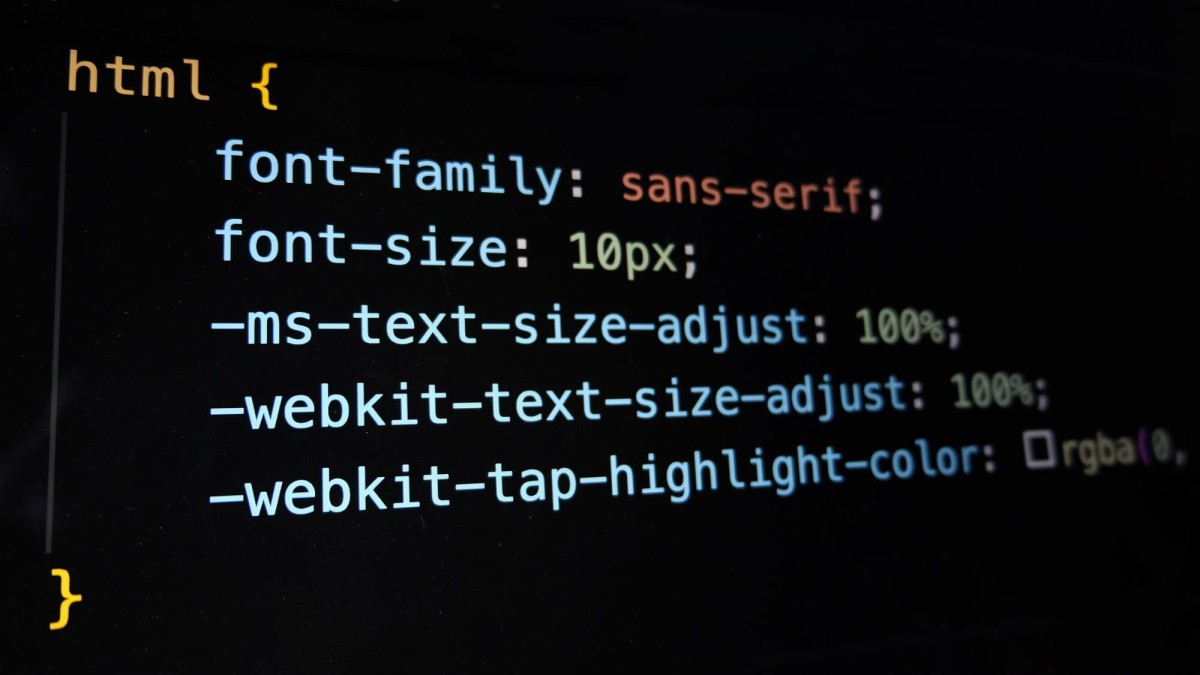
HTML5 is the living standard for web markup, meaning it doesn't get replaced by an "HTML6" - it simply continues to evolve and expand. It has been in active development since around 2008 and is maintained by the WHATWG (Web Hypertext Application Technology Working Group). By 2026, it is deeply mature and universally supported across all modern browsers and devices without any plugins required.
The power HTML5 brings to the table includes native video and audio playback, rich animations via CSS and JavaScript, canvas-based graphics and games, offline capabilities, geolocation, and much more. YouTube, Google Maps, interactive data visualizations, parallax scrolling sites, and complex animated ads all run on HTML5. It is the backbone of the modern web.
Unlike Flash, HTML5 elements are natively integrated into the page. There is no third-party plugin to update, no separate player to install, and no gated security prompt asking the user to allow something to run. It works out of the box, everywhere. One area where this matters is autoplaying video content in ad environments, where HTML5 has largely replaced older approaches.
HTML5 and Google Ads

Flash advertising is ancient history at this point. Google stopped accepting new Flash ad creatives back in 2016, stopped serving Flash ads entirely by 2017, and Flash itself ceased to function at the end of 2020. If your advertising workflow still references Flash in any way, it is well past time for a full audit and cleanup.
Today, the Google Ads ecosystem is built around two primary ad formats for the Display Network: Responsive Display Ads and uploaded HTML5 ads. Responsive Display Ads have been the default ad type for the Display Network since mid-2018. You supply headlines, descriptions, images, and logos, and Google's machine learning assembles and tests combinations automatically to optimize performance.
For advertisers who want full creative control over animations and interactivity, uploaded HTML5 ads remain a supported option - but they come with eligibility requirements and strict technical specifications. Before diving in, it's worth understanding whether the Display Network is the right fit for your campaign goals, and familiarizing yourself with the standard Google Display banner ad sizes to ensure your creatives are built to spec.
Google provides detailed instructions on creating responsive display ads and HTML5 ad guidelines on this page.
Account Eligibility for HTML5 Ads

Not every Google Ads account can upload custom HTML5 ad creatives. Google enforces eligibility requirements to reduce abuse and maintain ad quality on the Display Network.
To be eligible to upload HTML5 ads directly to Google Ads, your account must meet one of the following criteria:
- Your account has been open for more than 90 days and has more than $9,000 USD in total lifetime spend.
- Alternatively, some accounts may qualify with a minimum lifetime ad spend exceeding $1,000 USD, depending on account history and standing.
If your account meets the requirements, you can apply for HTML5 ad eligibility through Google Ads. After applying, you will receive an email status update within 7 business days.
If your account does not yet qualify, Responsive Display Ads remain fully available and are often the recommended approach for most advertisers anyway, given Google's optimization capabilities.
Options for Creating HTML5 Ads

If you are ready to build and upload HTML5 ads, you have a few paths available.
Google Web Designer is Google's free tool specifically built for creating HTML5 ads. It is the most straightforward option for ensuring compliance with Google's technical requirements, since it is purpose-built for this use case. You can download it at google.com/webdesigner. When creating ads in Google Web Designer, select the "Display & Video 360" environment to ensure proper formatting.
Third-party ad creation tools such as Bannerflow, Zuuvi, Creatopy, and others also support HTML5 ad creation with Google Ads export options. Ads created through these platforms can be exported as a compliant .zip file and uploaded directly to Google Ads. If you want to compare how different ad formats perform, it helps to understand which ad types deliver the best results.
Manual coding is also an option for developers comfortable with HTML, CSS, and JavaScript. As long as the finished creative meets all of Google's technical specifications, it can be zipped and uploaded directly. For broader campaign strategy, you may also want to explore the top media buying platforms for businesses.
HTML5 Technical Requirements for Google Ads

Whether you are uploading HTML5 ads to Google Ads directly or through a third-party ad server, your creatives must meet Google's current technical specifications. The most up-to-date requirements are always available on this page, but here is a current summary as of 2026:
File specifications:
- Files must be submitted as a .zip archive.
- For standard Google Ads uploads, the zip file must be 600KB or smaller.
- For ads subject to the stricter display requirement, file size must be under 150KB.
- No more than 40 files may be included in a single ZIP folder for standard uploads.
- You can upload up to 20 ZIP files per ad group.
- For App campaigns specifically, the ZIP file maximum size increases to 5MB with a maximum of 512 files.
- Accepted file types within the zip include: HTML, CSS, JS, GIF, PNG, JPG, JPEG, and SVG.
- All images must be locally included within the zip file - no externally referenced images.
Animation and behavior:
- Animation must stop at or before 30 seconds. Shorter loops must also end after 30 seconds of total looping.
- Videos and maps are not supported within HTML5 ad creatives.
- Expandable ads, timers, multiple exits, and local storage are not supported.
- Web fonts other than Google Web Fonts are not supported.
SSL compatibility:
- All creative assets - images, stylesheets, JavaScript, and tracking pixels - must be served securely over HTTPS.
- You can test for SSL compatibility through Chrome DevTools. More details are available here.
Dimension guidelines:
- Use the size meta tag to specify the intended display size of the ad.
- Use fixed sizes only - dynamic or "fluid" sizes are not supported.
- Minimum dimensions cannot be zero.
Click tag guidelines:
- Click tags define the landing page behavior when a user clicks the ad. They must be clearly defined and easy for Google's servers to read.
- Do not obfuscate or minify click tag code.
- Hard-coding click-throughs can interfere with Google's tracking, so follow Google's click tag implementation guidelines carefully.
Ad must include: an Ad Name, a Destination URL, and a valid .zip file of creatives.
Supported ad sizes for App campaigns (AdMob): 320x50, 480x32, 320x100, 468x60, 728x90, 300x250, 320x480, 480x320, 768x1024, and 1024x768. You can read more about all Google ad format sizes here.
Validating Your HTML5 Ads
Before uploading, you should validate your HTML5 ad creatives using Google's validation tool. The HTML5 asset validator can be found here. Zip your creatives the same way you would for uploading, submit the zip to the validator, and Google will flag any issues and suggest fixes. A second tab in the tool also serves as a landing page validator.
Do not skip this step. Uploading non-compliant creatives wastes time and can result in ad disapprovals.
Uploading HTML5 Ads to Google Ads
To upload HTML5 image ads, open Google Ads Editor and navigate to the Account tree. Select the appropriate Campaign, then the Ad Group where you want the ads to run. Go to Ads, then Image Ads. Under the Data view, select the ad you are editing, and in the edit panel choose Image. Select your validated .zip file of creatives and open it to upload.
Image ads are subject to the same content quality standards as all Google ads:
- Images must be properly oriented - sideways or upside-down images are not supported.
- Images must fill the available ad space fully.
- Images must be clear, legible, and recognizable - blurry or unreadable creatives are not supported.
- Strobing, flashing, or otherwise distracting movement is not permitted. Mouse-over triggered movement is allowed only if it lasts 5 seconds or fewer.
- Images must not expand beyond the boundaries of the ad format.
- Content must be clearly relevant to what is being advertised and must not include misleading information.
Looking Ahead
HTML5 is not going anywhere. As a living standard, it continues to gain new capabilities over time rather than being replaced by a successor version. Combined with modern CSS and JavaScript frameworks, it powers everything from simple banner ads to complex interactive experiences.
For most advertisers in 2026, Responsive Display Ads will be the right default choice - they are easier to manage, benefit from Google's machine learning optimization, and require no eligibility approval. But for brands that need precise creative control, polished animation, and consistent presentation, HTML5 ad uploads remain a powerful and fully supported option worth investing in.


3 responses
Thoughtful replies only - we moderate for spam, AI slop, and off-topic rants.
Is it possible to upload HTML5 ads with Youtube videos embedded in them? Currently getting an error that the Youtube iframe tag is an external asset so not allowed.
Cool thanks. Without using Google Web Designer can you bind ad creative such as product name and image with Google Merchant Center and upload to Google Ads for remarketing ads?
Great question, Matthew! Yes, it is possible to bind product data from Google Merchant Center to your ad creative without using Google Web Designer, but it does require some technical know-how. You can use dynamic remarketing by setting up a dynamic feed in Google Ads that pulls product names and images directly from your Merchant Center. The key is properly tagging your website and linking your Merchant Center account to Google Ads. From there, Google handles much of the dynamic content population automatically. Hope that helps point you in the right direction!