Key Takeaways
- Buffer is a full social media management suite supporting scheduling, analytics, AI writing, and a link-in-bio tool across major platforms.
- Resharing blog posts multiple times with different captions reaches new audience segments, since organic reach per post is only 5-10%.
- Buffer's Optimal Timing tool helped one user gain 100 followers and 13,000 extra views in 30 days without changing content strategy.
- The 5-3-2 rule recommends balancing curated, branded, and personal posts to build authority without being overly self-promotional.
- Buffer's AI Assistant can turn one blog post into a week of varied social content, significantly reducing time spent writing captions.
Buffer is a tool that comes up regularly in conversations about social media management and blog growth. From context, you can gather that it's an app for some social media job. But if you've never used it, it can be hard to know what it does and how it helps you grow; it's especially true now that AI-powered scheduling and content tools have flooded the market. So let's dig into what Buffer actually is, how it's evolved, and how you can use it in 2026 to drive traffic to your blog.
What is Buffer?
You'll find Buffer at buffer.com. At its core, Buffer is a social media scheduling and analytics platform. But it has grown over the years and now includes AI-assisted writing tools, a link-in-bio product, and a Start Page feature for creators - it's no longer just a post scheduler - it's closer to a full social media management suite for independent creators, bloggers, and small to mid-sized businesses.
Buffer supports the places you'd expect in 2026, like:
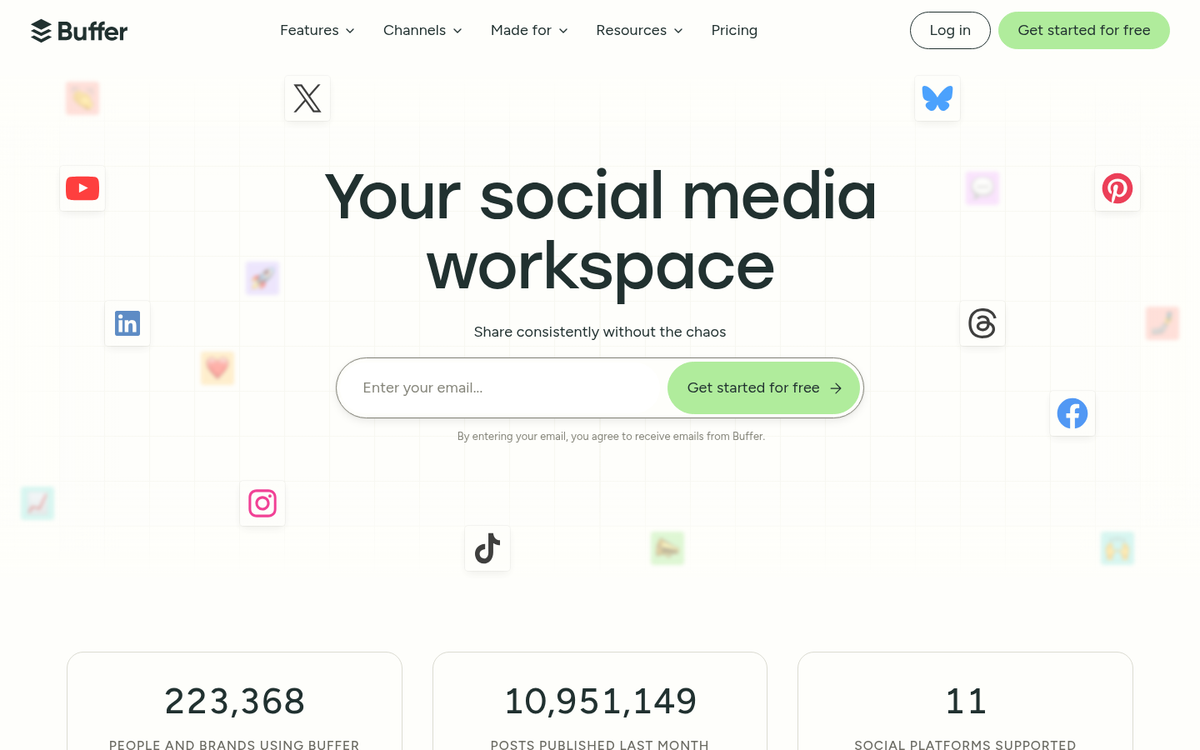
- Scheduling and publishing posts across Instagram, Facebook, X (formerly Twitter), LinkedIn, Pinterest, TikTok, YouTube, Mastodon, and Threads.
- Detailed post analytics showing reach, engagement, impressions, and follower growth across connected profiles.
- AI Assistant built directly into the composer, which helps you repurpose content, generate post variations, adjust tone, and write captions faster.
- A browser extension for curating content you find while browsing the web and adding it directly to your Buffer queue.
- iOS and Android apps so you can schedule and manage posts on the go.
- Start Page, a built-in link-in-bio tool useful for driving blog traffic from platforms like Instagram and TikTok.
The results speak for themselves. Buffer grew their own blog from zero to 1.5 million monthly readers over six years using the same strategies they teach. Newsletter creator Dave Anderson saw his social media-driven site traffic jump from 19% to 46% of total traffic after using Buffer - a 2.5x increase - while his newsletter grew at over 10% per month. These aren't edge cases; they line up well with what a steady, well-executed Buffer strategy can produce.
At its most basic level, Buffer helps you maintain a steady social media presence without being glued to your phone all day, which builds your following, drives traffic back to your blog, and compounds over time. I've compiled some of the best strategies below. But first, let's look at the latest pricing.
How Much Does Buffer Cost?
Buffer has simplified its pricing compared to older tiered structures. As of 2026, the plans break down like this:
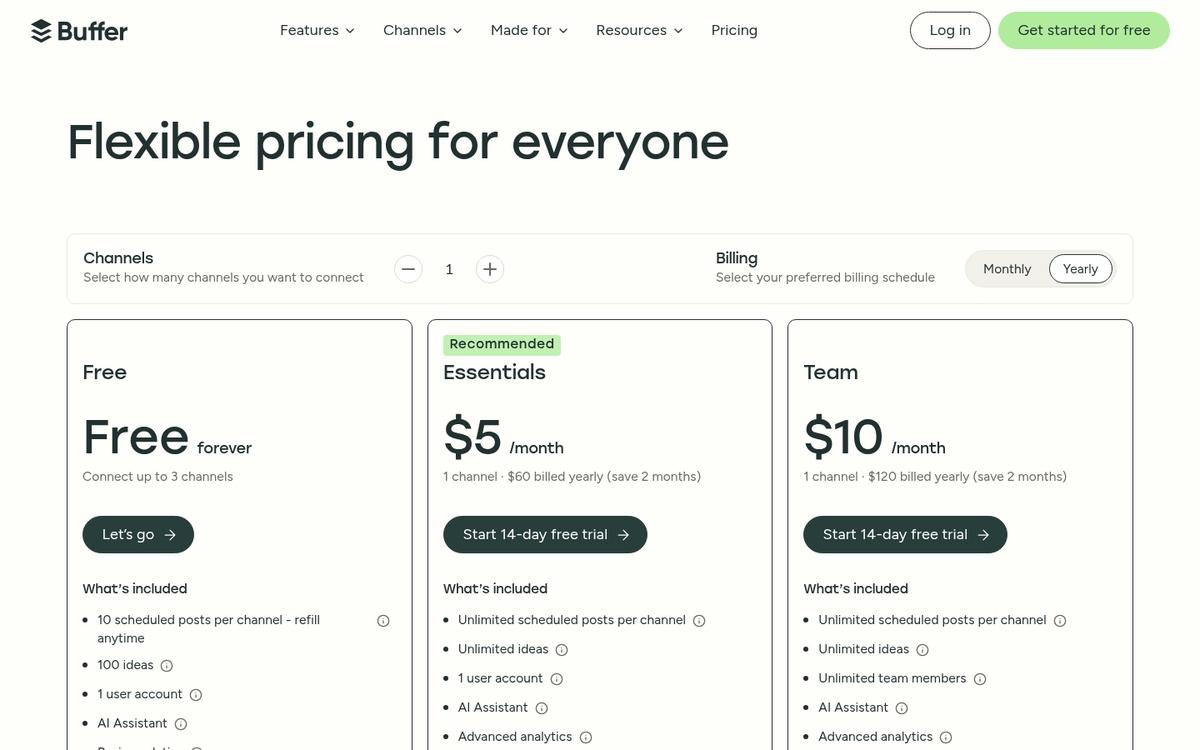
- Free: Connect up to 3 channels and schedule up to 10 posts per channel at a time. This is a solid starting point for new bloggers testing the waters.
- Essentials ($6/month per channel): Unlimited scheduling, full access to analytics and engagement tools, and the AI Assistant. Designed for individual creators and bloggers.
- Team ($12/month per channel): Everything in Essentials plus team collaboration features, draft approvals, and multi-user access.
- Agency ($120/month for 10 channels): Designed for agencies managing multiple clients, with significant per-channel savings at scale.
The free plan is more limited than it used to be. But the Essentials tier is very reasonably priced for a solo blogger who's serious about growing. The AI Assistant alone saves enough time to justify the cost if you're publishing content regularly. Annual billing brings the price down further.
Let's get into the strategies.
Create a Long-Tail Post Repetition Schedule
When you publish a blog post, you usually share the link to your social profiles immediately; it's a habit. But it's only the beginning.
The strategy most bloggers skip is resharing the same post multiple times over the coming weeks and months. Many stay away from this because it feels repetitive or self-promotional. But the data doesn't support that hesitation.
Each time you reshare a post, you're very likely reaching a very different slice of your audience. On Facebook and Instagram, organic reach on any given post might touch only 5-10% of your followers. The overlap between who saw it the first time and who sees it the second time is minimal. On X (formerly Twitter), the feed moves so fast that resharing the same post hours or days later is standard practice.
Adjust your repetition frequency based on the platform:
- X/Twitter: High repetition is acceptable. Share on publish, again a few hours later, the next day, a couple of times the following week, and periodically for months after.
- LinkedIn: Moderate repetition. Share on publish, then once or twice over the following month, with a gap of several weeks between shares.
- Facebook and Instagram: Lower repetition. Share on publish, then wait a month or two before resharing to avoid audience fatigue.
- Threads and Mastodon: Similar to X in that high posting frequency is tolerated and even encouraged.
Change the framing each time you share the link. Don't post the same caption twice. Try a direct quote from the post, an interesting statistic, a question that the post answers, or a contrarian angle. Test different formats - text only, with an image, with a short video clip - and look at what your Buffer analytics tell you is working. If you want more ideas on how to keep promotion fresh, see our list of ways to get more social shares on your blog posts.
Buffer's AI Assistant is especially helpful here. You can paste your blog post into it and ask it to generate five different social captions at once, saving you the time of writing each variation manually. Once you have those captions ready, consider all the places you can share your latest blog post beyond just your main social profiles.
Use the Optimal Timing Tool
Buffer's Optimal Timing tool analyzes your previous 5,000 interactions on a connected profile and plots them against time of day and day of week - it cross-references this with engagement patterns from similar accounts to surface the windows when your audience is most likely to engage.

It's one of the easiest wins available to you. One Buffer user who implemented optimal timing saw an 8.7% increase in followers - roughly 100 new followers - and a 43% increase in engagement, equivalent to about 13,000 extra views, in just 30 days. No content changes, no strategy overhaul - just posting at better times.
While the tool integrates most with X, you can apply the timing insights broadly. If your audience is most active between 7-9 a.m. and 6-8 p.m. in your time zone, that holds across platforms. Use Buffer's scheduling queue to populate those windows automatically so you're never manually watching the clock.
Schedule Other People's Content
Not everything you post on social media should be your own content. A large portion of what you post shouldn't be self-promotional at all. The accounts that grow fastest on social media in 2026 tend to be those that work as trusted filters - they surface the best content in a niche so their audience doesn't have to go looking for it themselves.
This is content curation, and Buffer was built with it in mind. The browser extension lets you add any post, video, or link you come across directly into your scheduling queue without breaking your reading flow.
A framework for balancing your own content with curated content is the 5-3-2 rule across every 10 posts:
- 5 posts should be curated content from external sources relevant to your audience.
- 3 posts should be your own branded content - blog posts, guides, tutorials.
- 2 posts should be more personal or conversational content that humanizes your brand.
If you're more commercially focused, an alternative split that works is:

- 6 posts curated content.
- 3 posts light branded content that builds authority without a hard sell.
- 1 post direct promotional content - a product, service, or offer.
When curating, follow these principles to do it correctly:
- Always link to the original source. Content curation means sharing links, not copying articles.
- Add your own commentary. A bare link with no context adds no value. Pull a compelling quote, share a stat that surprised you, or add your own perspective on why it matters to your audience.
- Diversify your sources. If every curated post comes from the same site, you look like an affiliate, not a curator.
- Be selective. Your curation reflects your editorial judgment. Sharing low-quality content damages your credibility; sharing excellent content builds it.
You want to make your social profiles the most efficient way for your audience to stay well-educated in your niche. If you're pulling from 10 great sources and adding your own commentary to each, that combination can't be replicated by simply following those 10 sources individually.
Use Buffer's AI Assistant to Scale Your Content
This is a newer capability that wasn't around when Buffer first gained prominence, and it's worth treating as its own strategy instead of a footnote. Buffer's built-in AI Assistant, introduced and expanded in recent years, lets you:

- Repurpose a blog post into multiple social captions in seconds, each suited to a different platform's tone and format.
- Generate post variations so you have five or ten different ways to share the same link over time without repeating yourself.
- Adjust tone and length - formal for LinkedIn, casual for Threads, punchy for X.
- Brainstorm content ideas based on your niche or recent posts.
This matters because one of the biggest barriers to steady social posting is the time and energy cost of writing fresh copy for every platform every day. The AI Assistant dramatically cuts back on that friction. A single blog post can become a week's worth of different social content in under ten minutes.
One concrete example of what consistency produces: Buffer updated and republished a single old blog post and tracked organic traffic climb from approximately 300 views per day to 700 views per day. The AI Assistant makes it faster to promote that updated content across every channel simultaneously.
Use IFTTT or Zapier to Automate Further
Buffer integrates with automation platforms like IFTTT (If This Then That) and Zapier, both of which let you set up trigger-based workflows that add posts to your Buffer queue automatically. Some helpful setups worth thinking about:

- RSS to Buffer: Any time your blog publishes a new post, automatically add it to your Buffer queue for sharing on connected profiles.
- Liked or saved posts: When you like a post on X or save something on Instagram, trigger it to be added to your Buffer queue as a candidate for curation.
- Google Calendar to Buffer: Automatically schedule social posts announcing upcoming events based on your calendar entries.
- New YouTube video to Buffer: When you publish a new video, automatically schedule promotional posts across your other social channels.
These automations cut back on the manual overhead of social media management. Combined with Buffer's native scheduling and AI tools, you can run a legitimately strong social media presence with a fraction of the time investment it used to require.
Do you have a Buffer strategy or workflow that's working especially well for you in 2026? I'd love to hear how other bloggers and creators are using it - drop it in the comments below.