





Key Takeaways
- Preparation and practice are key - early posts may take half a day, but publishing in under an hour becomes achievable with experience.
- Readers care most about extractable information, readability, and avoiding trust-breaking typos - not polished word choice.
- Aim for 1,500-2,000 words per post; longer targets like 3,000 words make finishing within an hour nearly impossible at average typing speeds.
- Spend roughly 20 minutes on research, planning, and outlining before writing - this upfront investment makes the actual writing faster and more focused.
- After publishing, actively promote across social channels and email newsletters, as organic search traffic is increasingly squeezed by AI Overviews.
Blogging doesn't have to be a time consuming experience. It doesn't have to take up hours every time you write a post. A lot of the work can depend on preparation. Take the time now to invest in a strong foundation and you'll benefit in the long run. And in 2026, with AI writing tools widely available, that foundation matters more than ever - because so does standing out from the flood of AI-generated content.
Practice will be helpful as well. When I first started out, it would take half a day to write a mediocre blog post. I struggled to come up with topics, I was picky with the sites I sourced, I agonized over word choice and I took forever writing every single post.
You know what I found? Most readers don't see or care about the amount of effort you put into it. A lot of them just skim your posts. Your little plays on words and immaculate, agonized word choice go out the window. They care about three things.
- Is there information in this post I can extract quickly and use easily?
- Is the post easy enough to read that I don't have to squint through walls of words?
- Are there obvious typos or misused words that make me lose trust in the author?
As long as you're on the right side of all three of those points, the rest is gravy. Having a well-tuned tone and voice is nice. But most readers don't care and won't engage any better with it.
The caveat here is that those word choices, that voice, can matter more the more traffic you get. When you're a higher profile site, readers expect you to have a personality and a tone that comes through in your writing. At that point you're no longer just another blog; you're a personality they're coming to see. That's especially true now that readers have grown increasingly good at recognizing hollow, generic AI content - your authentic voice is legitimately one of your biggest differentiators. The advice of skipping that time-consuming optimization only works when you're a small blog looking to build an audience.
On the bright side, the longer you write blog posts, the better you're going to get at it. Putting out a polished blog post in under an hour is a possibility and once you've got the hang of it, you can add in the rest of the optimization and still be under two. You can then dedicate your time to more pressing projects, like running your site and your business, or writing longer flagship content like ebooks or case studies. Blogging still has business value - 61% of US consumers have made a purchasing choice based on a blog post written by the company they purchased from, so it's worth doing right and doing efficiently.
Here is the general process I use when writing my normal blog posts - it works well enough as a framework, though again, it can depend on having resources on hand. I'll point those out as I go, so you can work on creating them for yourself.
Step 1: Pick a Topic
The first thing you need to do is pick a topic. Ideally you'll be drawing on one of your best resources here, which is your ideas document. If you don't have one, make one. An ideas document should be a spreadsheet with a few columns. You'll want a column of keywords, a column of topics and a column of title ideas if you have them. You can also have extra columns for sources and notes, if it was a post you're responding to, or some other external impetus.

For now, if you don't have an ideas document you'll want to look around for a topic. What are other writers in your niche covering? Are there any trending posts you can write a reply to? Are there standard questions being asked, either of your company or of your industry? AI tools like ChatGPT or Perplexity can be legitimately helpful here for brainstorming topic angles faster - just make sure the final direction draws on your own expertise and perspective. You don't need a very deep topic here; basic blog posts don't need to dig so deep that the reader is surprised they're not ebooks, after all. There are also tools that can help you generate article topics and titles if you're stuck.
For a normal blog post, I shoot for around 1,500 to 2,000 words. That range is the sweet spot for making a helpful post in under an hour. If you're going for something like 3,000 words, you're going to have to be typing fast - a standard 50 WPM for the full hour, leaving no time to check sources or fix errors. For reference, the average typing speed is around 41 WPM, so you're already pushing it at that length.
Step 2: Research and Source
The second step is to do some research on your topic. What you're looking for here is two things; first, anything you can use as a source to support your topic, position, or conclusion. These can be anything from easy statistics and infographics, to case studies, to frequently referenced industry guides. Always try to make sure your sources are respected, though I don't expect you to vet the credentials of every site you reference.
In 2026, it's worth flagging something important: AI-generated content has saturated the web and not all of it is accurate. Be more careful than ever about sources that look polished but don't have much authorship, original data, or citations of their own. When in doubt, trace claims back to primary sources - original studies, official reports, or named experts.
If you have internal sources, like blog posts you've written, case studies you've produced and other such resources, note those down as well. Some of them are fine to just reference without linking. But most of the time you should add a link to reference information not found in the post you're writing.
Don't feel bad if you find another blog that has already covered your topic; it's not a reason to toss the topic; it's an opportunity. They're a perfect source for you to build off of. Look at what they wrote, look at their conclusions. Either agree with them or disagree, it doesn't matter. But branch out from there. Do what they did. But do it better. Use better sources, draw better conclusions, argue against their proof, or whatever. Just don't use it as an excuse to drop the topic. You might also consider combining older posts into a stronger new resource rather than starting from scratch.
Step 3: Build an Outline
Before you actually start writing, you should build up an outline - it doesn't have to be very involved; mine aren't. All it has to do is give you two things; a structure upon which you can build your post and a narrative flow. The structure is the easy part. Flow is a bit harder.
Flow is what brings you from point A to point B to point C to your conclusion in your post - it's the logical progression - it's starting with a question, presenting data and bringing it all to a conclusion that makes sense with the information presented.
My outlines tend to become my subheadings, more or less. As I write, I will sometimes reorganize the post and have to edit the subheadings. But sometimes it works just fine the way I outlined it. A rule of thumb is to spend roughly 20 minutes total on research, planning and outlining before you write a single word of body copy. That investment up front usually makes the writing itself faster and more focused.
The other job of the outline is to make sure that you're not leaving out an important point you want to make. I used to do that quite a bit; I'd think of a point I want to mention later, then finish the rest of the post, forgetting to make that point - it caused me to go back and edit in the point. But it turned out disjointed and made for quite a bit more work.
Step 4: Write the Post
You have data, you have an outline, now all you need to do is write the post. Flesh out each section. Break longer sections into shorter sections if you have to. If you find that one section seems to come out of nowhere and there's no lead up, add a new section.
I like to write in a linear fashion. I start at the start and I write my way through to the end. I cover what needs to be covered along the way. Not everyone likes to write linearly, though and it's fine if you don't. Write sections in the order that works best. The trick is you'll have to make sure everything flows from one section to the next - that means your first editing pass will be harder, because you'll have to be sure of the transitions - I just know how they work because I've always written them that way.
One note on AI writing assistants: tools like Claude, ChatGPT, or Gemini can help you overcome a blank page, generate section drafts, or rephrase awkward sentences faster. Used well, they're a legitimate time-saver. The important word is "used well" - use them as a drafting aid, not a replacement for your own thinking. Google and readers alike have become much better at recognizing content that says nothing in many words and that's what over-reliance on AI tends to produce.
Step 5: First Pass Editing
Once you have the post written, it's time for your first editing pass. You're not a perfect writer - no one is - and you might make typos that slip through even in editing. I know I have; I've found typos on posts I've published months ago that no one had seen.
The first pass of editing is usually to make sure there's coherence between paragraphs and sections, that you haven't gone off the rails with facts or digressions that don't need to be in the post and that you adequately explain everything you're writing about. If you make a conclusion and the logic doesn't necessarily follow from the data you'll have to add something in. If you have a three paragraph aside about your dog, it better be relevant, or you'll have to cut it. If you find a typo or a grammatical error, fix it. But they're not your focus yet. If you struggle with this process, it may be worth looking into an affordable content writing service to help polish your work.
Step 6: Craft Meta Data
At this point, I've usually grown tired of looking at the same post over and over, so I go and do something different but equally important: making the meta data - that means two things.
The first is the meta description. I like to have this because it's easier to write than a strong title; you just need a short reference to what the post will be about. Present the question you're going to answer and tease the answer, but don't spoil the whole thing. Remember that in 2026, Google's AI Overviews pull heavily from well-structured meta descriptions and opening paragraphs, so clarity and specificity here pays off in more ways than one.

The second is the meta title. Coming up with a strong title is a large project and it's actually the subject of entire posts - it takes practice. But you can get some idea by looking back at your sources and seeing what others have titled their posts. There are also content title idea generators that can help spark ideas when you're stuck.
There are other forms of meta data, like image alt text and Schema.org markup that you might want to include. But those require you to have already put images and other elements into your post. I do that later, so the final meta information comes later as well.
Step 7: Final Editing
The final editing pass is usually done by someone other than myself. Getting someone else to read your post and point out typos, questions and problems is a great way to get a second perspective. If you're working as part of an editorial process, you probably have a lead editor that will either recommend changes or simply make them prior to publication. If you're not, you might want to have an editor on staff, or a friend you can run the post by.

Final editing is also where you scan the post for typos and grammar errors. Tools like Grammarly, ProWritingAid, or the built-in grammar suggestions in Google Docs have become better and are worth running at this stage. That said, don't outsource your judgment entirely to them - they still miss context-dependent errors and occasionally recommend changes that make your writing sound worse.
Step 8: Add Links and Images
At this point, the text of your post is done. Ideally, it has been less than an hour start to finish. The rest of the process can depend on what sort of editorial process you use. If you send off the text to someone else, congratulations; you're done. If you have to do the rest of the work yourself, stick around, there's still some more.

Links are next, in my process. I add links whenever they're relevant as I write and go back and add more if I feel a passage needs support, or if I want an internal link that I didn't have before.
Images are their own issue. You have to either find or create images that fit your posts, but you can't simply go around stealing images from Google image search. In 2026, AI image generation tools like Midjourney, Adobe Firefly and others have made it far easier and cheaper to produce custom visuals without a full-time graphic designer. That said, make sure you understand the licensing terms of whatever tool you use and be transparent with your audience where it feels relevant. Stock photo sites like Unsplash and Pexels remain free options, and there are also reliable websites to host your blog images for free as well.
Step 9: Publish and Promote
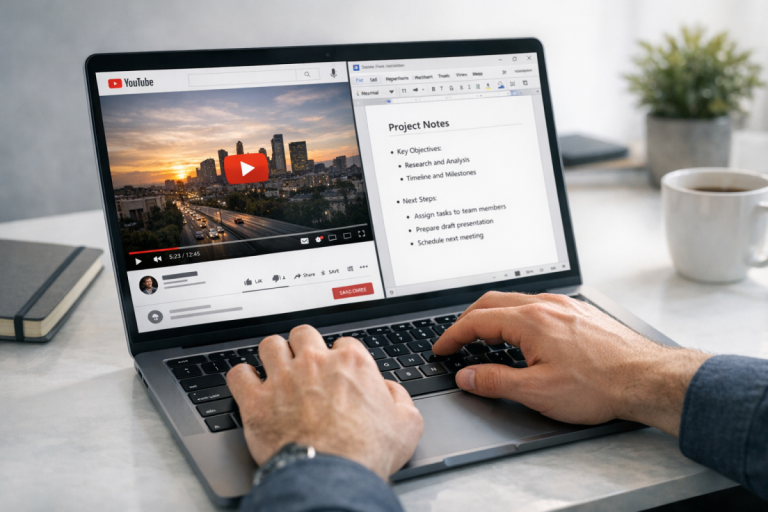
Now all that's left is to fill out the meta data in a couple of ways and schedule the post. Once it's up, share it across your social channels and put your promotion process to work. In 2026, distribution matters more than it ever has - organic search traffic is being squeezed by AI Overviews, social platforms are increasingly pay-to-play and email newsletters have made a comeback as a reliable owned channel. If you don't have an email list, building one should be high on your priority list; it's all outside the scope of writing so you'll forgive me for stopping here. Ideally you'll have done the majority of your work in under an hour. Otherwise don't worry; practice and time will make you better at it.

2 responses
Thoughtful replies only - we moderate for spam, AI slop, and off-topic rants.
Spot on. The 'sprint' method is the only way to stay consistent without burning out. Are you guys finding that shorter, high-frequency posts are beating long-form 'pillar' content in your niches this year?
Great question, Princess! It really does seem niche-dependent. We're seeing shorter, frequent posts win big for engagement and returning readers, while pillar content still dominates for organic search and authority-building. The sweet spot many creators are landing on is a mix - regular shorter posts to keep momentum, with occasional deep-dives. What niche are you in? Would love to hear what's working for you!