Key Takeaways
- Meaningful AdSense income typically requires 50,000-100,000 monthly pageviews; high-CPM niches like finance earn significantly more than lifestyle sites.
- Strategic ad placement using heatmap tools, larger formats, and sticky anchor ads increases visibility and click-through rates.
- Rotating ad positions quarterly prevents banner blindness, which causes regular readers to unconsciously ignore static placements.
- Not all traffic converts equally; identifying and growing your highest-converting traffic sources matters more than raw visitor numbers.
- Publishing more high-quality content remains the most reliable long-term lever for increasing AdSense revenue through greater traffic volume.
How to Earn More with Google AdSense in 2026
There's a reason why Google's AdSense remains one of the most dominant monetization platforms on the internet, and it's not sheer force of personality. It works, and it can work very well, for bloggers both large and small. Google pays out more than $10 billion to AdSense publishers annually, which tells you everything you need to know about the scale of the opportunity. Of course, you have to use it right, and make sure you're optimizing your site and setup for making money. Want to earn more with AdSense? You've come to the right place. I've compiled a ton of tips and information for making as much as you possibly can with the system.
One thing to note before we begin is that the people who can benefit the most from this information are the people with small-to-mid-scale blogs. While a site like Forbes could implement a few tricks to improve their ad income, they're not exactly searching for free tips online. When you're already pulling in tens of thousands per month, you hire consultants to study your site individually. That's not who I'm writing for.
I'm writing for the smaller blogs, the personal blogs, the niche content sites trying to grow. These are the people for whom smart optimization can mean the difference between profit and loss, or between a hobby site and a legitimate income stream.
One critical reality check before we dive in: AdSense income is heavily tied to traffic volume and niche. Meaningful AdSense income typically doesn't start until you're hitting around 50,000-100,000 monthly pageviews. Baseline CPMs run roughly $0.20-$2.50 per 1,000 pageviews, but that range swings wildly based on your niche. Finance and insurance blogs can see CPMs of $7-$9, while gaming, food, and lifestyle sites often land between $1-$3. To put that in real terms: a finance blog with 100,000 monthly pageviews and predominantly US-based traffic can earn $1,500-$4,000 per month, while an entertainment site with the same traffic might earn $200-$500.
It's also worth knowing that as of 2024, Google confirmed publishers receive 80% of revenue after the advertiser platform's fee, with Google Ads retaining on average 15% of advertiser spend. Knowing the economics of the platform helps you set realistic expectations and make smarter decisions.
Another thing to keep in mind is that AdSense scales with traffic. No matter what, the more traffic you have, the more you can earn. Optimizations help, but the single biggest lever you can pull is bringing in more readers. At some point, optimizing your marketing and traffic generation will have a larger impact than any on-site tweak. Remember the Pareto Principle: 80% of your returns come from 20% of your effort. When AdSense optimizations start hitting diminishing returns, it's time to focus energy elsewhere.
Now, on with the tips!
Position Your Ads in More Visible Locations

This one requires a bit of research because it varies from site to site. Every site has hotspots - places where users tend to click most, and where their eyes naturally come to rest. To find these hotspots, you can run a heat map tool like Hotjar or Microsoft Clarity (which is now free). These tools track where users click and scroll, and you can use that data to make smarter ad placement decisions.
Once you've identified your hotspots, put ads nearby. This accomplishes two things: it puts ads where more people are already looking, and it passively captures the occasional accidental click. Google doesn't want you to engineer accidental clicks - especially on mobile - but they won't penalize you for smart placement. What they will penalize is exploitative design: buttons that are too close together on mobile, ads that shift or resize on load, or deceptive overlays. Smart placement is fine. Trickery is not.
Use Larger and More Attention-Drawing Ads

Larger ads take up more screen real estate, but they also command more of the user's attention. Small ads - particularly tiny graphics - are easy to overlook. They get swallowed by site design or fall victim to banner blindness.
Larger ads have a practical advantage too: they give advertisers more room to communicate their message visually, which means higher quality creatives and more compelling offers. That translates to higher click-through rates and better earnings for you. A well-placed large ad also captures the occasional idle curiosity click that a small unit simply wouldn't earn. For more on standard sizing options, see our guide to Google Display banner ad sizes.
Stick to Top-Performing Ad Sizes
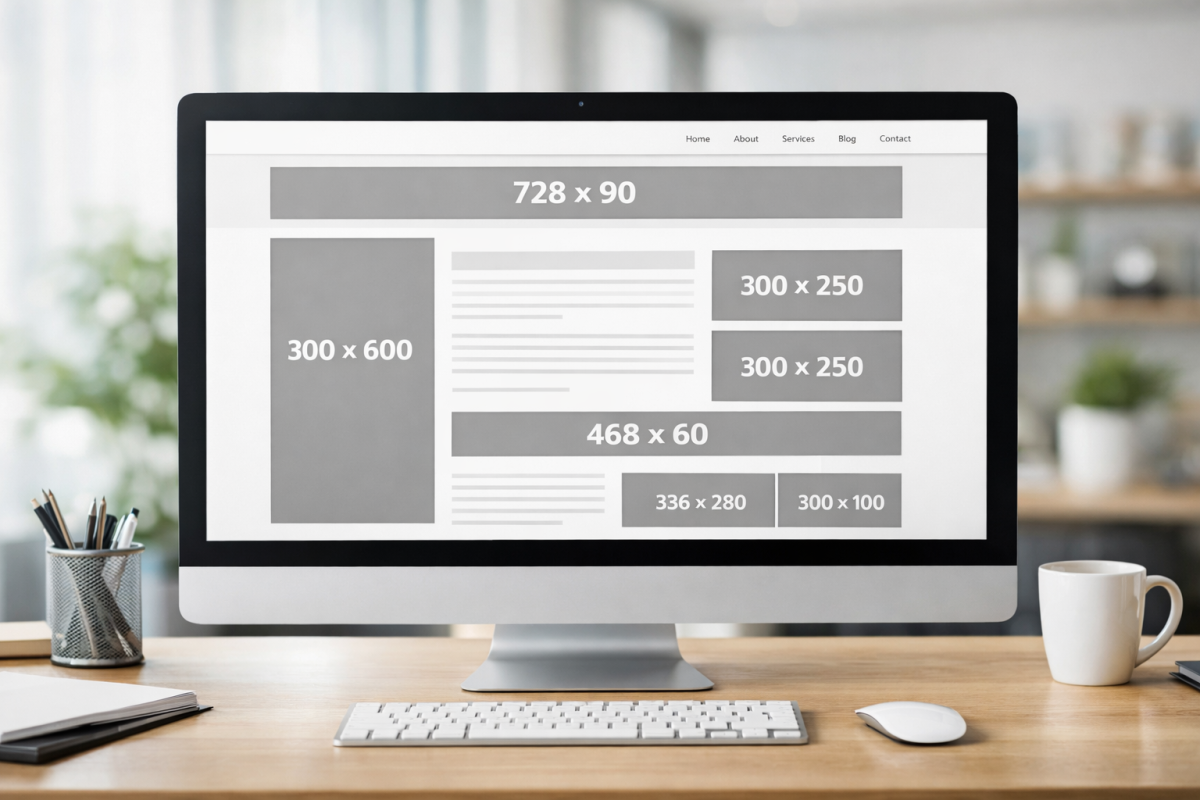
Google offers a range of different ad sizes, and they clearly distinguish between recommended and non-standard options for a reason. The more widely used a particular size is, the larger the pool of advertisers competing for it, which drives up prices and fill rates.
Stick to the ad sizes Google considers top performing. Standard sizes attract the most advertiser competition. Odd or niche sizes may have lower fill rates or weaker CPMs simply because fewer advertisers are targeting them - and which countries generate the highest CPM payout rates can also play a role in how much you earn. In 2026, responsive ad units have become the dominant format precisely because they adapt to whichever size pays best in real time - if you're not already using responsive ads, that's the first change to make.
Make Use of Multiple Ad Units
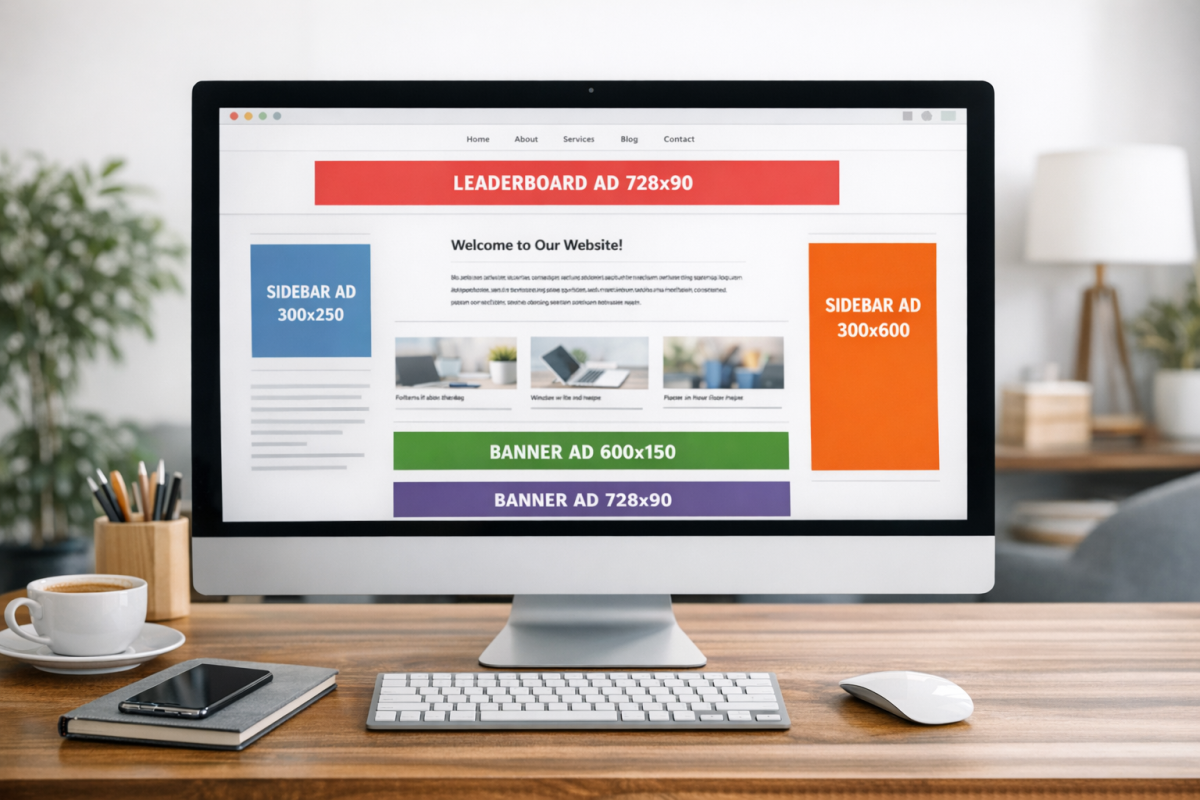
There's a persistent myth that you can only run three ad units per page. This isn't accurate, and believing it is costing some publishers real money. How many AdSense ads you can safely have on a page is something worth understanding before making assumptions.
Google's actual limits are more generous than people realize, and with the widespread adoption of Auto Ads, the platform itself will dynamically insert and manage ad units based on what it predicts will perform best on your layout. Auto Ads is worth enabling and testing, especially if you don't want to manually manage every placement. That said, manual placements combined with Auto Ads can also work well - just monitor the results to make sure the page doesn't become cluttered.
The key rule remains: don't cram ads into every corner to the point where you're degrading the user experience. Google's systems will notice poor engagement signals, and it will cost you more in the long run. If you're looking to maximize revenue, exploring the highest earning AdSense ad layout positions can give you a stronger starting point.
Control Text Ad Colors and Formatting

Text-based ad units can be customized because they aren't constrained by an advertiser's pre-built graphic. That means you should customize the colors and fonts to complement your site's design, so the ads feel like a natural part of the page rather than an obvious intrusion.
That said, Google requires that ads be distinguishable from editorial content. You can't format them to look exactly like your regular text. A subtle border, a slight background color difference, or a small "Sponsored" label is sufficient. Find what looks clean on your site while still being technically compliant.
Don't Let Ads Stagnate
Even the most effective ad placement loses its punch over time. Regular readers develop banner blindness - their brains learn to filter out anything sitting in that familiar corner of the page. A static layout trains your audience to ignore your ads.
The fix is simple: occasionally rotate the positions, sizes, and formats of ads on your site. Novelty breaks through blindness in a way that even the most beautifully designed static ad cannot. You don't need to overhaul your site monthly, but a quarterly review of your ad layout is a healthy habit that tends to produce noticeable results.
Understand Which Traffic Sources Actually Convert

Not all traffic is equal when it comes to AdSense. In Google Analytics (GA4 in 2026), you can analyze which traffic sources correlate with stronger ad engagement. Sometimes a smaller referral source sends visitors who are far more engaged and ad-responsive than a much larger one.
Once you identify your highest-converting traffic sources, invest in those relationships. Create content that appeals to that audience, engage with those communities, and look for ways to deepen that connection. Growing the right traffic matters more than just growing raw numbers.
Boost Internal Links to Increase Time on Site

You can't run a healthy site without external links - if everything points inward, you look like a traffic trap and Google will treat you accordingly. But internal linking is just as important and is often neglected.
A strong internal linking structure encourages visitors to move from post to post, staying on your site longer and consuming more content. While on your site, they're exposed to more ad impressions. Beyond the AdSense benefit, a lower bounce rate and higher session duration are positive signals for SEO, which means more organic traffic over time. It's one of those optimizations that benefits multiple goals simultaneously.
Target Higher-Value Niches and Keywords

You can't directly choose which ads Google serves, but you can influence it through your content. Writing about topics in high-CPM niches - finance, insurance, legal services, SaaS, B2B software - tends to attract higher-paying advertisers.
This doesn't mean you should abandon your niche to write about credit cards if you're a food blogger. But it does mean that if you're in a flexible niche, the CPM differences are significant enough to factor into your content strategy. A finance blog with 100,000 pageviews can earn eight to ten times more per month than a lifestyle blog with the same traffic. That gap is real, and it's worth understanding which niches pay the most.
Be Strategic About Buying Traffic

Buying traffic is permitted under AdSense's terms of service, as long as the traffic is legitimate - real people, not bots. What Google prohibits is automated or fraudulent traffic, which can get your account suspended. Learn more about whether buying website traffic is safe for AdSense.
The honest math here is important: you're almost always going to spend more on purchased traffic than you earn from AdSense alone. Buying traffic to boost AdSense revenue in isolation rarely pencils out. Where it can make sense is when you have additional monetization layers - email list building, product sales, affiliate offers - so the purchased visitors are worth more than just their ad impressions.
Keep an Eye on Fill Rate
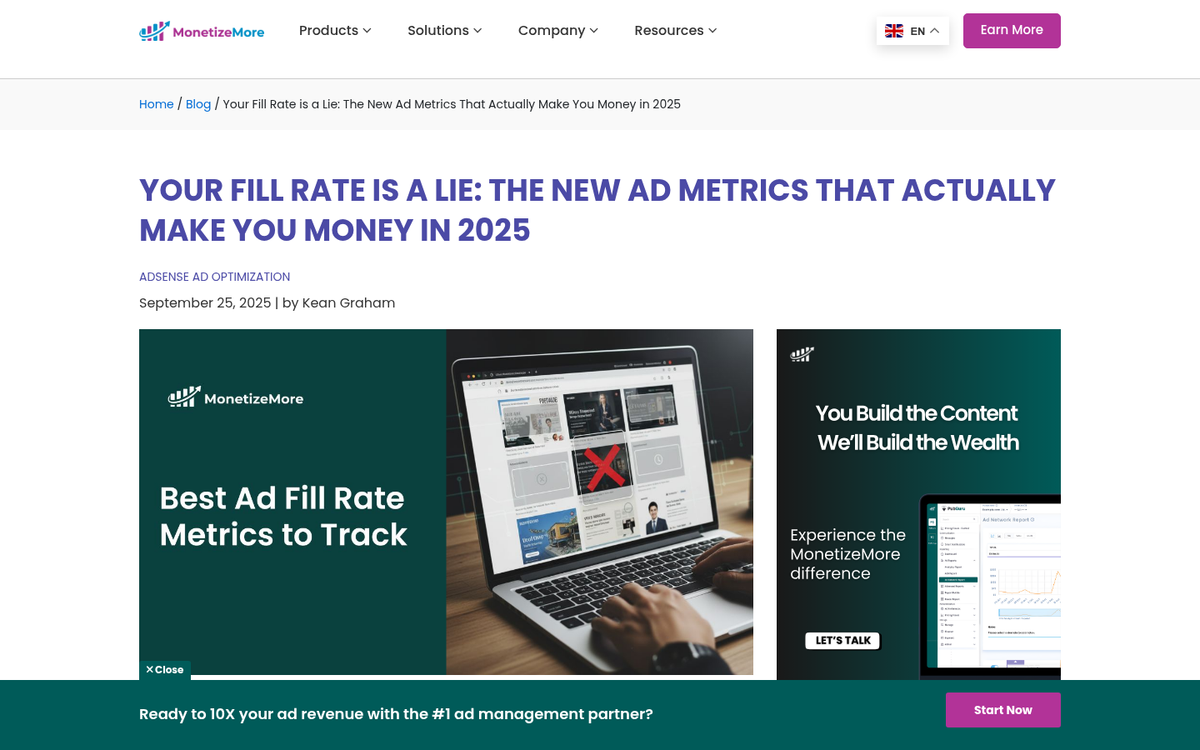
Your fill rate is the percentage of ad slots that successfully serve an ad. A fill rate below 100% means revenue is being left on the table. In practice, AdSense fill rates are generally very high because of the sheer size of Google's advertiser network. However, certain niches, geographies, or content types can occasionally see lower fill rates.
Check your fill rate periodically in your AdSense dashboard. If you're seeing gaps, it may be worth reviewing your content category settings or ensuring your site isn't flagged for any policy issues that could be limiting ad serving.
Optimize Ad Load Order
Content on your site loads in the order it appears in your HTML. This matters more than most people realize. You generally want meaningful content to load quickly - that's good for user experience and SEO - but your highest-performing ad units should load promptly as well.
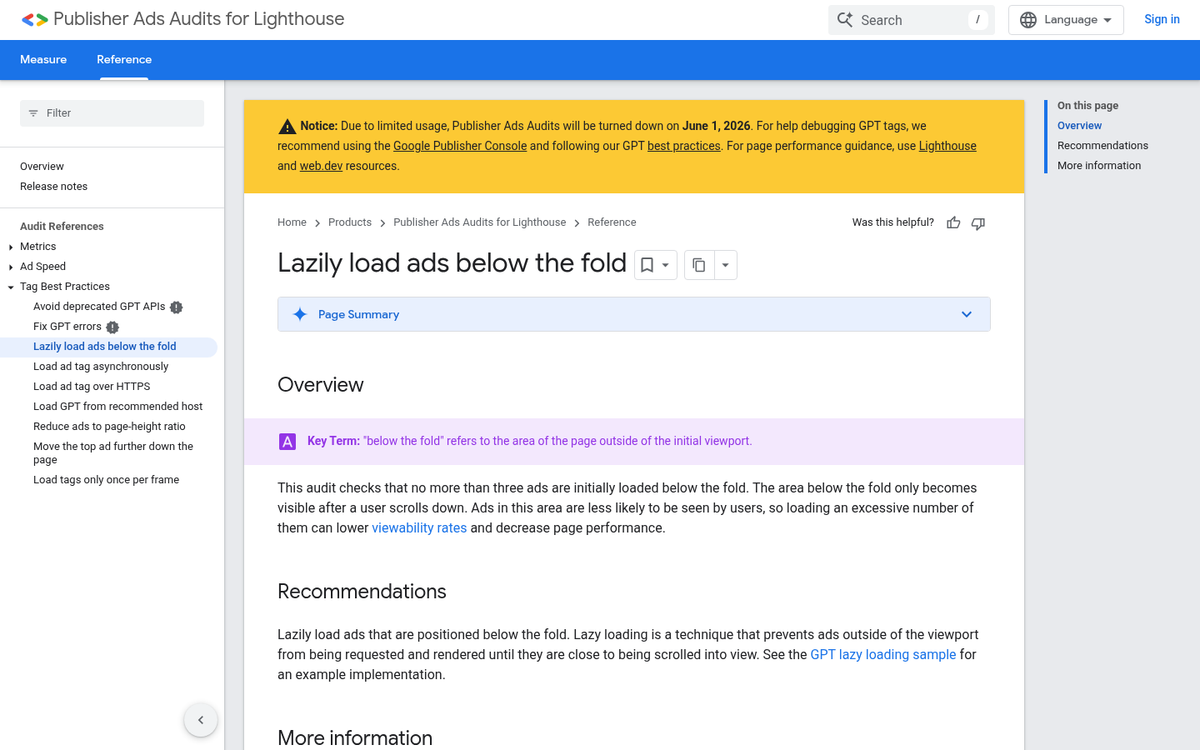
With the shift toward Core Web Vitals as a ranking signal, there's an important balance to strike here. Ads that delay Largest Contentful Paint (LCP) or cause layout shifts (CLS) can hurt both your user experience scores and your search rankings. In 2026, lazy loading ads below the fold while prioritizing fast content load above the fold is the accepted best practice. Google's own Auto Ads handles much of this automatically if you use it.
Use a Custom Google Site Search

A custom Google site search is technically an ad unit, but it doesn't look like one. It looks like a useful navigation feature - because it is. When users search your site and the results include sponsored links, you earn from those clicks.
This is most effective when you have enough content to make a search function genuinely useful. If you only have a few dozen posts, users aren't going to need it. But for larger sites with hundreds of articles, a well-placed site search can be a quiet earner that doesn't disrupt the user experience at all.
Use Premium Placements to Attract Better Advertisers

Placements allow advertisers to target specific ad positions on your site. Your homepage header, your in-content placement on high-traffic posts, your sidebar above the fold - these can all be labeled as distinct placements with their own identifiers.
Premium placements command premium prices. Advertisers who want to reach your audience in your best-converting spots will often pay more to target that specific placement rather than buying run-of-site inventory. Setting these up properly in your AdSense account is a relatively small effort for a potentially meaningful CPM boost.
Consider Sticky Ad Units

Sticky or anchored ads - units that remain fixed on screen as the user scrolls - are among the highest-performing formats available in AdSense today. Google officially supports anchor ads through Auto Ads, and they consistently outperform standard in-content units in terms of viewability and CTR.
The reason is simple: a static element on a page where everything else is moving naturally draws the eye. And because it remains visible throughout the session, it gets far more impression time than a unit the user scrolls past in two seconds. If you're not running anchor ads, enabling them in your Auto Ads settings is one of the easiest wins available - and pairing them with the highest earning AdSense layouts can push your revenue even further.
Don't Let Monetization Strategies Cannibalize Each Other

Sometimes, one type of advertising undercuts the value of another. If you're running both affiliate links and AdSense, for example, it's worth periodically testing whether reducing one increases the performance of the other by enough to compensate.
This won't always be the case - usually having multiple revenue streams is better than having fewer. But page clutter, competing calls to action, and visual noise can all dilute the effectiveness of your ad units. If your page feels like a monetization battlefield, your readers will disengage entirely. Clean, purposeful monetization tends to outperform aggressive, cluttered setups.
Create More Content
At the end of the day, AdSense is a numbers game. More traffic means more impressions, more impressions means more clicks, more clicks means more revenue. The most reliable and sustainable way to grow traffic is to publish more high-quality content that ranks in search and earns links over time.
No amount of placement optimization will compensate for a thin content library. Build the foundation first, optimize second. Everything else in this list is about making the most of the traffic you have - but growing that traffic is what ultimately moves the needle.